

Apple’s Next Big Update: Just as iPhone users are getting used to the new Liquid Glass design in iOS 26, Apple is already preparing a major follow-up. The upcoming iOS 26.1 update isn’t just another round of bug fixes; it’s full of small but meaningful improvements based on user feedback.
The update takes aim at some of the most talked-about and even controversial parts of iOS 26, including the new design language and a rather annoying alarm clock change. While many expected the update to land in October, that timeline has now shifted. Here’s what’s coming in iOS 26.1 and when you can expect it to hit your iPhone.
When Will Apple’s Next Big Update – iOS 26.1 Be Released?
Most people were expecting Apple to roll out iOS 26.1 by late October, which usually matches the company’s schedule for its first major update after a new iOS launch. But October is nearly over, and Apple still hasn’t released the Release Candidate (RC) version, the final beta that’s typically identical to the public release.
Since the RC hasn’t appeared yet, iOS 26.1 is now expected to arrive in early November. If Apple follows its usual rhythm, developers and beta testers should get the RC this week, with the full public rollout likely around Monday, November 3, or Tuesday, November 4.
‘Liquid Glass’ Gets a Much-Needed Adjustment
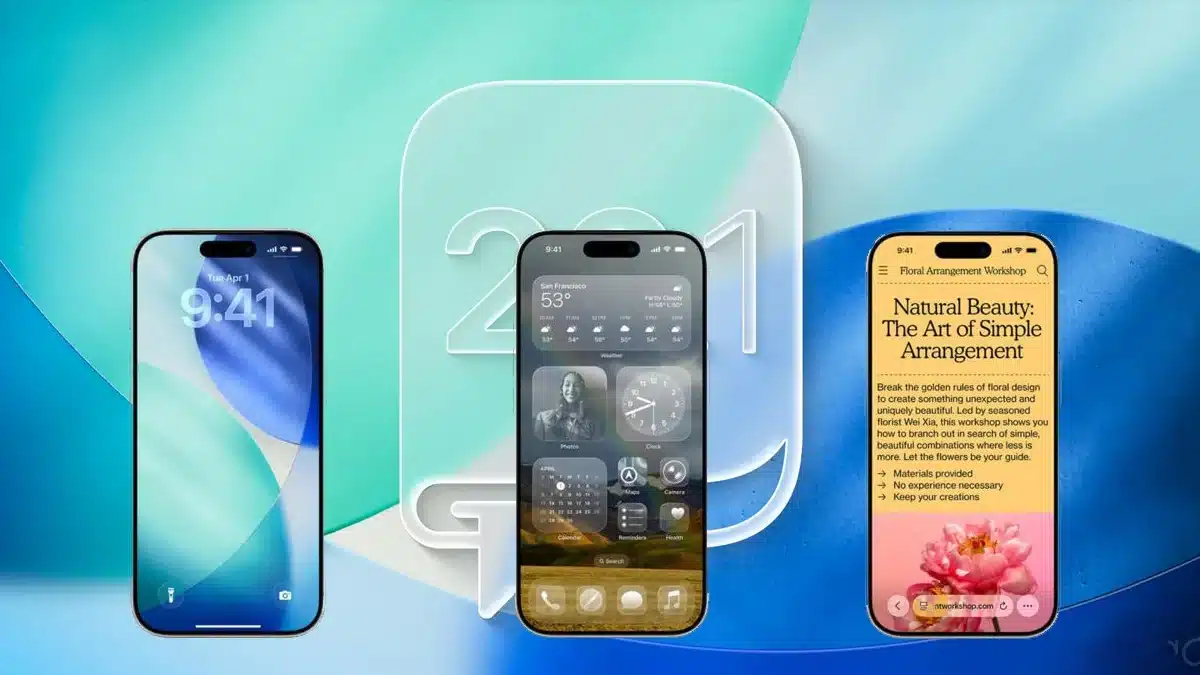
The standout feature of iOS 26 was its new Liquid Glass look, a shiny, translucent style inspired by visionOS. While many love the fresh aesthetic, not everyone has been happy. Some users say the high transparency makes text and buttons hard to read, especially against busy wallpapers, and even causes eye strain.
Apple seems to have heard the complaints loud and clear. The headline addition in iOS 26.1 is a new setting that lets you control how transparent the Liquid Glass effect is. You’ll find it under Settings > Display & Brightness > Liquid Glass, where you can choose between:
- Clear: The original, highly transparent look from iOS 26.
- Tinted: A new option that tones down the transparency, adds contrast, and makes text easier to read.
This small tweak is a big win for usability, especially for those who found the original design a bit too intense.
Apple Fixes the Alarm Clock Frustration
One of the biggest annoyances in iOS 26 was the redesigned alarm screen. Apple made the Stop and Snooze buttons huge and full-width, which meant that sleepy users often hit Stop by mistake instead of snoozing their alarms.
The iOS 26.1 update solves this with a smarter, more deliberate action. The Clock app will now feature slide to stop. Tapping the screen still activates snooze, but to turn the alarm off completely, you’ll need to slide. It’s a simple but meaningful change that should save plenty of users from accidental oversleeping.
Other Handy Additions in iOS 26.1
Beyond the big fixes, iOS 26.1 brings a handful of smaller but useful upgrades:
- Lock Screen Camera Toggle: You’ll now be able to turn off the “swipe left” gesture that opens the camera from the Lock Screen, perfect for those tired of opening it accidentally.
- Apple Music Song Swiping: In the Music app, you can now swipe left or right on the “Now Playing” bar to skip forward or go back to the previous track.
- Photos App Uploads: Third-party apps like Google Photos and Dropbox can now upload pictures and videos in the background, even when they’re closed.
- Apple TV Rebrand: The Apple TV+ app has a fresh new icon and name, now simply called “Apple TV.”
- Apple Intelligence Expansion: Apple’s AI suite will expand to eight new languages, including Danish, Dutch, Swedish, and Turkish.
A Thoughtful Update That Listens to Users
iOS 26.1 is shaping up to be a solid, user-focused release. By fixing the overly sensitive alarm and offering more control over the Liquid Glass effect, Apple is showing it’s paying attention to feedback. With extra polish in the Music, Photos, and Lock Screen experiences, this update feels like one that genuinely makes your iPhone easier and nicer to use.
When it arrives in early November, iOS 26.1 will be well worth the download.
ALSO READ: Amazon To Cut 14,000 Jobs As AI Takes Over More Roles