





What is Two-Factor Authentication?
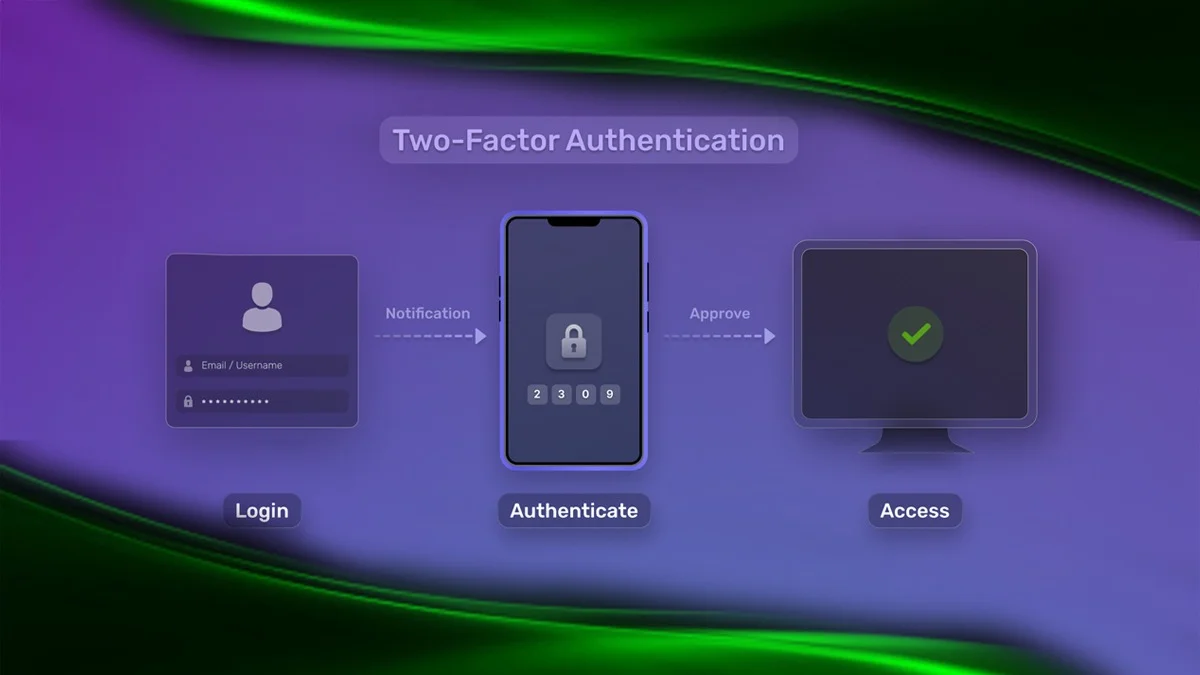
Two-factor authentication, or 2FA, adds an extra layer of protection to your online accounts by requiring two forms of verification, usually something you know, like a password, and something you have, like your phone or fingerprint. Even if someone steals your password, they can’t get in without the second step.
Why You Need 2FA
With cyberattacks becoming more common and advanced, passwords alone aren’t enough. 2FA helps protect you from identity theft, data breaches, and unauthorized access to your personal or business accounts.
Common Types of Two-Factor Authentication
SMS or Phone Call: You receive a code via text or voice call
Authenticator App: An app like Google Authenticator or Authy that generates temporary codes
Biometrics: Uses your fingerprint, face, or voice
Hardware Token: A physical device that gives you a new code every time
Email Verification: A one-time code or login link sent to your inbox
Backup Codes: Emergency one-time-use codes for when your main method isn’t available
Who Should Use 2FA
Everyone should use 2FA. Whether you’re an individual or a business, it’s one of the simplest and strongest ways to keep your accounts safe.

Which Accounts Need 2FA the Most
- Email accounts
- Social media accounts
- Online banking
- Cloud storage services
- Crypto wallets
- Work and business platforms
Key Benefits of Two-Factor Authentication
- Blocks attackers even if they have your password
- Protects your data and financial accounts
- Prevents phishing attempts
- Builds trust for businesses
- Gives you peace of mind
How to Set Up 2FA
- Go to your account’s security or login settings
- Find the two-factor authentication option
- Choose your preferred method, like SMS or an authenticator app
- Follow the steps to connect your device and activate it
In short, 2FA is simple, powerful, and essential for staying safe online.
ALSO READ: How to Take Screenshots on Samsung Phones: Easy Guide