
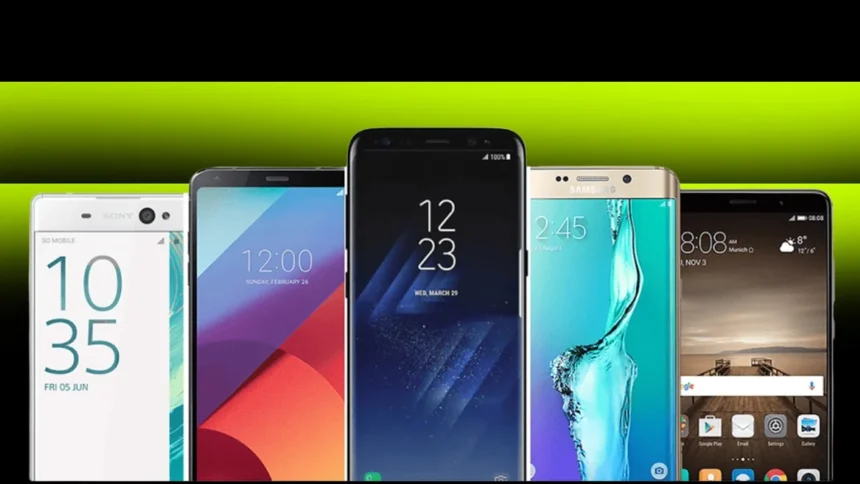
Android Phones Last Longer Now, So Don’t Toss the Old One Yet: Android phones today can receive up to seven years of software and security updates. That means they can stay useful long after most people feel the urge to upgrade. And when a phone finally stops getting updates, it doesn’t have to end up forgotten in a drawer or sold for a few bucks. There are plenty of smart ways to give older devices a second life.
Before turning your old phone into something new, take a few minutes to fully erase your personal data. Remove photos, apps, saved passwords, and any account information by performing a full factory reset. This wipes the device clean and makes sure your information stays safe while you set it up for a new purpose.
Backup Storage Solution For Android Phones
One of the easiest ways to reuse an old Android phone is by turning it into a simple offline storage device. Disconnect it from Wi-Fi and cellular networks and use it as a dedicated place to store photos, videos, and important files. Think of it as a portable hard drive that doesn’t rely on cloud subscriptions.
Keeping files offline also helps you avoid paying for extra Google One storage beyond the free 15GB tier that comes with all Google Accounts (Pixel purchases sometimes include promotional additional storage). It’s a practical option if you want an extra backup without ongoing fees.
Apps that manage files across multiple devices still work great on older phones. Tools like Solid Explorer can organize files stored locally, on Google Drive, OneDrive, or even network-attached storage. Having everything in one place makes it easier to move files between your main phone and your repurposed device.
Smart Home Controller
Another great option is turning an old Android into a dedicated smart home controller. Set up a family account, remove unnecessary apps, and leave only the home automation tools you actually use. Then place the phone somewhere central like a kitchen counter or living room table.
Google Home devices are especially handy for this role. Recent updates swapped Assistant for Gemini, but older smart home products still work smoothly. The phone becomes a touchscreen hub for lighting, music, calendars, security cameras, and more.
You can watch video doorbell feeds, control TVs and robot vacuums, or run routines like “Good Morning” that start your coffee maker and play music at the same time. Automation apps such as MacroDroid can also run background tasks, turning the phone into a hands-free command center.
Secondary Communication Device
If you want to cut back on screen time, an old Android can become a simple secondary phone. Strip it down to essential communication apps and set limits on how you use it. The result is a distraction-free option for evenings, weekends, or separating work from personal life without buying a new device.
Security still matters on secondary phones. Password managers like 1Password make it easy to log into essential accounts safely. Notification tools such as BuzzKill can filter alerts so only the important ones come through while repetitive notifications stay quiet.
Enhanced Alarm and Information Display
An older Android can also make a surprisingly useful smart alarm clock and information dashboard. Mount it horizontally near your bed and set up a sleep mode display that shows the time along with calendar events, traffic updates, and weather forecasts.
You can connect it to speakers to play morning music or news, and voice commands through Google Assistant or Gemini add extra convenience. Students often find this setup helpful because they can quickly check class schedules, assignments, and activities before heading out for the day. It doubles as a smart speaker with a display, perfect for white noise, podcasts, or relaxing sounds at night.
Future Privacy Considerations
Android 17, currently in early development, reportedly includes App Lock features for enhanced notification privacy. As Android continues adding more detailed permission controls and privacy tools, even repurposed phones can benefit from stronger security and better data protection.
Apps like LocalSend make file transfers between devices simple without needing accounts or web portals. As long as devices share the same Wi-Fi network, you can quickly send files between Android, iOS, Windows, and macOS systems.
Many productivity apps that people install on new phones also work well on repurposed devices. Search tools like Pixel Search and research organizers like NotebookLM can turn an older phone into a focused productivity station instead of a social media distraction.
Older Android phones still have plenty of life left in them if you get a little creative. Whether you use one for offline storage, smart home control, simple communication, or as a bedside dashboard, repurposing helps extend the value of your device while cutting down on electronic waste. And as Android continues evolving with new privacy and automation features, those older phones can keep gaining useful capabilities even in their new specialized roles.
ALSO READ: Tencent’s AI Giveaway Hits A Wall As WeChat Blocks Yuanbao Campaign