



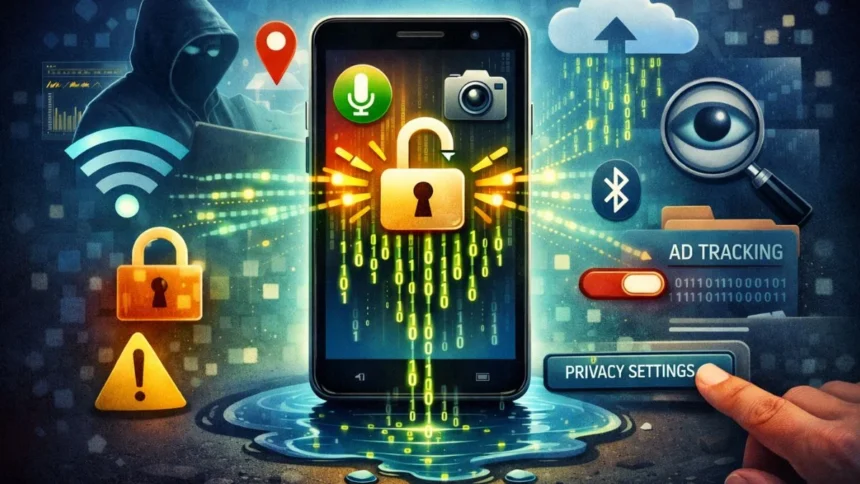
Your smartphone can indeed be a lifesaver, but it is also collecting more information about you than you may realise. Things like where you’re located, how you use your apps, what you search for, and even what kind of patterns you have with your phone, without ever having to give permission again.
While this doesn’t mean that phones are dangerous, it does suggest that most security settings on a phone have already been marked by default, and the vast majority of people do not go back and review them. As time goes by, even the slightest permissions stack and ultimately result in all of your data being sent out without your consent.
What is the Solution?
Awareness and a few simple tweaks. You won’t have to go through extreme changes or earn a PhD in technology to do these things; you can regain control of how and what data your phone collects on you with simple changes.
Let me tell you a few things you need to do with your iPhone and Android, and your data will be safe.
-
Audit App Permissions
A lot of apps ask for access they don’t actually need. Go through your app permissions once in a while and see if an app works fine without certain permissions; turn them off. Because fewer permissions = less background data sharing.
-
Location Tracking
Location tracking is one of the biggest silent data leaks. Set location access to ‘Only while using the app’ and turn off precise location for non-essential apps
This stops apps from tracking you all day and building movement patterns in the background.
-
Limit Background App Activity
Even when you’re not using them, apps can refresh, sync, and send data. Disable background refresh for apps you rarely open.
-
Turn Off Ad Personalisation
Your phone assigns you an advertising ID that helps track your behaviour across apps.
Go to privacy settings and turn off ad personalisation, also, reset your advertising ID occasionally. This makes it harder for apps and advertisers to build a detailed profile of you.
-
Stop System Analytics Sharing
Operating systems collect diagnostic data by default. While some of it helps improve performance, a lot isn’t essential.
Review analytics and improvement settings and switch off optional data sharing. You don’t need to send usage habits just to use your phone normally.
-
Control Wi-Fi and Bluetooth Scanning
Your phone constantly scans for nearby networks and devices, even when you’re not connected. So, when not in use, turn off Wi-Fi and Bluetooth and disable all network scanning features. This reduces passive location tracking and lowers the risk of data leaks.
-
Review Cloud Sync Settings
Photos, contacts, notes, and files often sync automatically to the cloud. Always check what’s syncing, when it’s syncing and whether sensitive data really needs auto-backup. Manual backups give you more control over where your data goes.
-
Fix Your Browser Privacy Settings
Web browsers track a lot, sometimes more than apps. Always enable tracking protection, block third-party cookies, clear browsing data regularly and choose privacy-focused search options.
These steps limit how much of your online behavior gets recorded and shared.
-
Stay Alert After Software Updates
Updates improve security, but they can also reset or add new privacy settings.
After major updates, recheck permissions, review privacy options, and never assume old settings stayed the same. Staying alert keeps control in your hands.
-
Monitor Data Usage
Your phone shows which apps use the most data.
Check monthly and look for unusual spikes, apps using lots of data without reason. If something looks off, investigate or just uninstall it.
Privacy isn’t about paranoia. It’s about knowing what’s happening and choosing what you’re okay with. And honestly? That control is worth it.
For more such tech news, tips, and updates, keep coming back to Devicology and share this information with your friends.
Also Read: The Hidden Google Maps Feature That Improves Navigation Instantly