


Secret Android Codes You Should Know to Unlock Hidden Features
Android smartphones have many hidden tools that most users never see. These functions are not shown in normal settings, but they can be accessed using secret dialer codes. They are easy to use, and they reveal useful features that help you manage, test and improve your device.
- Secret Android Codes You Should Know to Unlock Hidden Features
- How Secret Android Codes Work
- The Most Useful Secret Codes for Android
- 1. *#06# – View IMEI Number
- 2. *#07# – Check SAR Level
- 3. ##4636## – Access Detailed Phone and Network Information
- 4. *#9900# – Clear System Logs on Samsung Devices
- 5. *#2663# – Refresh Wi-Fi Firmware
- 6. ##7287## – Run Diagnostics on Google Pixel
- A Few Final Tips
- FAQs
Many people do not know that their phone can show details like the IMEI number, SAR level, hidden testing menus, Wi-Fi settings and more. These options can save time and help you fix small problems quickly without visiting a service centre. This article explains the safest and most useful Android codes and how they work.
How Secret Android Codes Work
Secret Android codes are part of a system called MMI (Man Machine Interface). These codes use symbols like * and # followed by numbers. Users dial them in the phone app, just like making a normal call. When you enter a correct code, your phone will open a hidden menu, show information or perform an action.
Some codes display results instantly on the screen. Others work in the background, so nothing may appear immediately. There is no need to worry because this behaviour is normal. These commands are built into Android, but they are often not promoted because manufacturers keep them hidden for technical reasons.
Different brands may react differently. Samsung, Google and Xiaomi phones do not always support the same codes. A code that works on one model might not work on another. This is controlled by the phone maker and mobile network operator.
Users should be careful. A few commands can erase all internal data. So it is important to use only safe codes. The codes below are safe to try and have practical benefits for daily use.
The Most Useful Secret Codes for Android
Android has many hidden codes, but the ones below are useful, safe and easy to understand. They open tools that help with device information, testing and performance.
1. *#06# – View IMEI Number
The IMEI number is like a digital fingerprint for your phone. It is a 15 to 17 digit number used by mobile networks to identify your device. If your phone is lost or stolen, the carrier can block it using this number. Dialing this code will immediately show the IMEI number on the screen. This is useful when you need it for security or customer support.
Many users do not write down their IMEI, so this code makes it simple. You can check it anytime without visiting settings.
2. *#07# – Check SAR Level
SAR means Specific Absorption Rate. It shows how much electromagnetic energy your body absorbs from the phone. Authorities such as the Federal Communications Commission (FCC) and the European Committee for Electrotechnical Standardization (CENELEC) have safety limits for this.
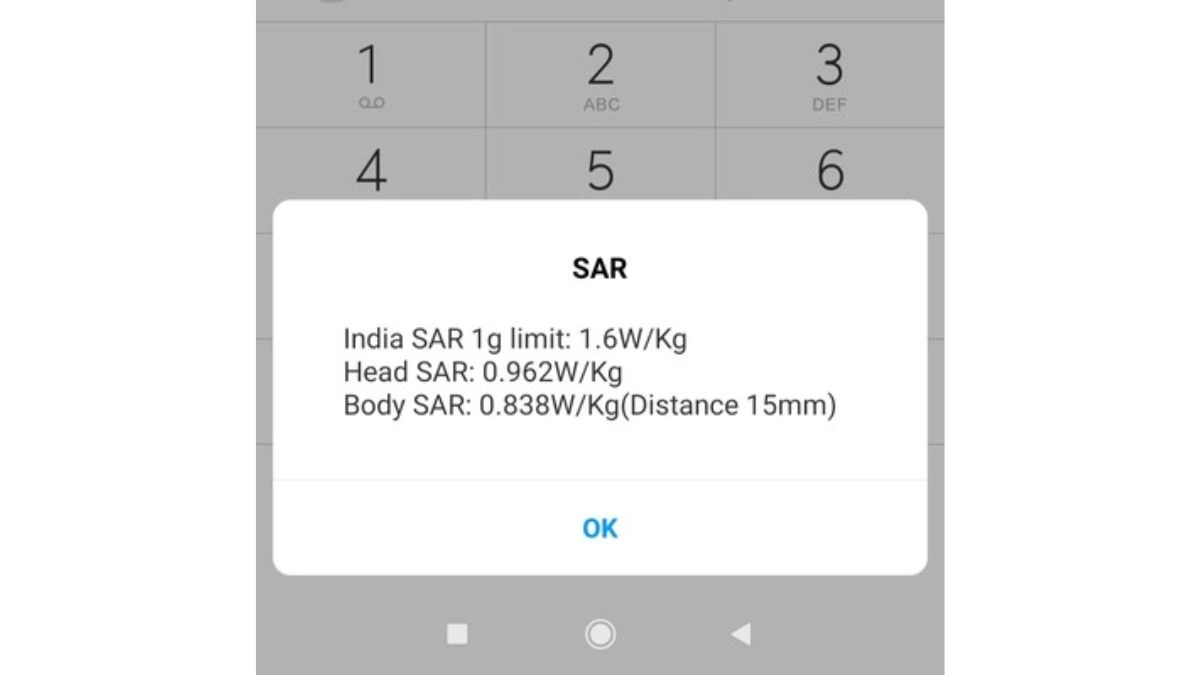
By using this code, users can quickly view the SAR value of their phone. It is helpful for people who are health conscious or curious about emissions. Every phone sold in the US and Europe must follow these safety standards, so checking the SAR value gives peace of mind.
3. ##4636## – Access Detailed Phone and Network Information
This code opens a hidden testing menu. It shows detailed information about the phone, mobile network, signal and Wi-Fi. It also displays mobile data usage and current connection speed.
Many technical support agents ask for this information during troubleshooting. Now users can see it themselves without help. It is especially useful for people who experience network issues or slow connectivity.
4. *#9900# – Clear System Logs on Samsung Devices
Samsung phones collect temporary log files over time. These files are safe but they can slow down performance. By using this code, users can open a SysDump menu on Samsung devices. It allows them to delete old logs, free up space and make the system run smoother.
This code is helpful when the phone feels slow or storage is running low. It is like cleaning digital dust from inside the system.
5. *#2663# – Refresh Wi-Fi Firmware
Many people face Wi-Fi problems. Sometimes the signal drops, and the internet is unstable. This code helps Samsung users by refreshing the Wi-Fi firmware. After typing the code, users can tap on Refresh Wi-Fi Version and restart the phone.
This process can fix small bugs and improve connection stability. It is an easy solution before calling support or resetting the device.
6. ##7287## – Run Diagnostics on Google Pixel
This code opens Pixel Diagnostics, which is a built-in tool for Google Pixel phones. It checks hardware before and after repairs and can test the screen, speaker and other parts.
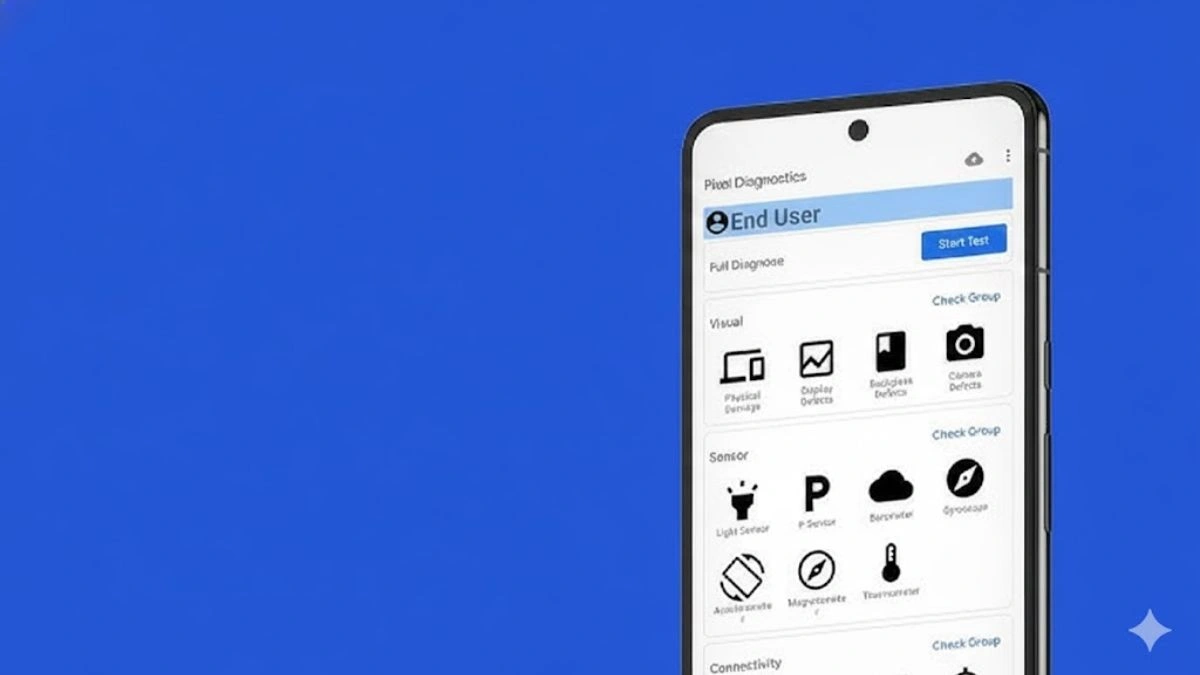
It is available only in English. Some users may have to switch their device language to use it. It is a helpful code for device testing, especially if something does not feel right.
A Few Final Tips
Not every phone supports every code. Manufacturers and carriers decide which codes to enable. Some codes may do nothing, while others open menus instantly. Users should avoid random codes they find online, especially if they are not confirmed by Android or major phone makers.
Exploring these codes shows how much Android can do beyond normal settings. Many features are hidden, but they can be discovered with a few taps. These tools make your phone feel more powerful and flexible.
Secret Android codes are simple to use. They reveal menu options, device information and testing tools that are normally hidden. They can help users check IMEI numbers, SAR values, network details, Wi-Fi settings and more. These tools make troubleshooting easier and improve the user experience.
By using safe codes, people can learn more about how their device works. It takes only a few seconds to try them, and they may solve small problems without visiting a repair shop.
FAQs
Q1. Are secret Android codes safe to use?
A. Yes, the codes listed here are safe, but users should avoid unknown codes that are not verified.
Q2. Will these codes work on every phone?
A. No, the result depends on the phone model and network provider.
Q3. Do I need an internet connection to use these codes?
A. No, the phone dialer is enough. You only type the code and press call.
Q4. Can these codes delete my data?
A. Only a few rare codes can erase data. The ones in this article do not erase anything.
Q5. Which brands support these codes?
A. Many Android phones support them, but Samsung, Google and Xiaomi may show different results.
Also Read- Apple Crowns The Best Apps Of The year – Here Are The 2025 App Store Award Winners