Unlocking Galaxy AI
Artificial intelligence has become a key part of the modern smartphone experience. Samsung’s Galaxy AI takes this a step further, turning supported Galaxy phones into powerful, intelligent devices that help you communicate better, work faster, and create more with ease.
- Unlocking Galaxy AI
- What Is Galaxy AI
- Key Galaxy AI Features You Can Use on Your Phone
- Circle to Search
- Photo Assist and Generative Edit
- Video Editing Enhancements
- Chat Assist and Writing Assist
- Live Translate
- Interpreter Mode
- Transcript Assist
- Note Assist
- Browsing Assist
- AI Suggestions and Smart Actions
- Why Galaxy AI Matters
- Tips to Make the Most of Galaxy AI
- FAQs
Galaxy AI includes tools for translation, photo editing, productivity, writing, and smart search. These features work together to make your daily tasks simpler, smoother, and much more intuitive.
What Is Galaxy AI
Galaxy AI is Samsung’s built-in suite of advanced artificial intelligence features designed to enhance the way you use your phone. It brings together on-device and cloud-based processing to offer fast, accurate, and context-aware help across apps.
Whether you want to edit images, translate calls, take smart notes, or search instantly using gestures, Galaxy AI is built to make your smartphone experience more efficient.
Key Galaxy AI Features You Can Use on Your Phone
Circle to Search

- Circle to Search allows you to find information instantly by circling anything on your screen. You can draw a simple circle around an object, text, outfit, face, or place and your phone will search for it.
- This makes discovery easier, especially when shopping, identifying items, or learning about something you see in a video or photo.
Photo Assist and Generative Edit
- Galaxy AI enhances your images automatically. You can remove unwanted objects, expand the background, straighten uneven images, improve lighting, fix reflections, or adjust framing.
- The generative editing tools make it easy to create polished photos for social media, travel albums, or personal use, even without editing skills.
Video Editing Enhancements
Video tools powered by AI can improve clarity, stabilize shaky footage, enhance colours, and clean up noise. This is especially useful for low-light videos or fast-movement shots.
Chat Assist and Writing Assist
- It helps you write better messages and emails. It can adjust tone, translate text, fix grammar, summarise long messages, or rewrite content in a more clear way.
- This is useful for students, professionals, and anyone who communicates across different languages.
Live Translate
- Live Translate lets you have real-time translated phone calls. Both people speak in their own language, and your Galaxy phone instantly translates what is being said.
- This removes language barriers when speaking to friends, clients, or customer service in other countries.
Interpreter Mode

- Interpreter helps you speak face-to-face with someone who uses a different language. The screen splits into two, allowing both sides to read translated transcriptions.
- It is especially helpful while travelling, working with international teams, or handling customers.
Transcript Assist
- If you record meetings, lectures, interviews, or voice notes, Galaxy AI can transcribe them accurately.
- It can also summarise long recordings, separate speakers, and turn spoken content into clean, well-formatted text.
Note Assist
- Note Assist helps you manage written notes. It can summarise long pages, add structure, create templates, and rewrite content in an easier format.
- Students and professionals benefit the most, as it simplifies studying and documentation.
Browsing Assist
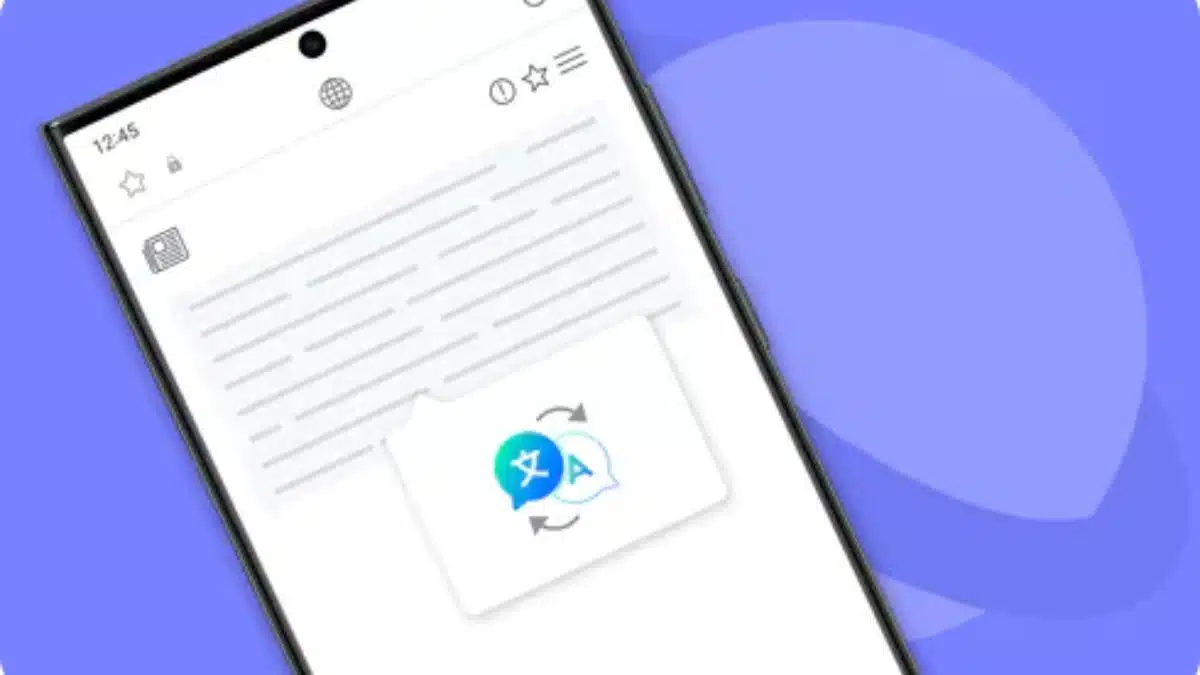
- Galaxy AI can summarise long web pages, translate online content, or highlight key points.
- This saves time and makes it easier to read articles, research topics, or understand content written in another language.
AI Suggestions and Smart Actions
Your phone can give suggestions based on what appears on screen, such as adding events to your calendar, generating GIFs, extracting information, or offering shortcuts to complete tasks quickly.
These small suggestions add convenience to daily usage.
- Now Brief and Now Bar
- Now Brief offers a customized overview of your day, including reminders, events, weather, and suggestions.
- Now Bar provides quick access to these updates from your lock screen or home screen.
On-Device AI and Privacy Controls
- Galaxy AI offers both cloud and on-device modes. You can choose to process everything on your device if you want more privacy.
- This allows several features to work without sending data online, giving more control to privacy-focused users.
Why Galaxy AI Matters
Galaxy AI is designed to make everyday tasks effortless. Here are the main benefits:
- It boosts productivity through fast summaries, transcripts, and writing tools.
- It enhances creativity with advanced photo and video editing features.
- It improves communication by offering real-time translations and tone adjustment.
- It saves time with instant search, smart suggestions, and browsing summaries.
- It gives users control with privacy-friendly on-device processing options.
Whether you are a professional, student, creator, or casual user, Galaxy AI makes your phone feel more helpful and intelligent.
Tips to Make the Most of Galaxy AI
- Keep your phone updated to the latest software version.
- Try using Circle to Search during browsing or watching videos.
- Use Note Assist and Transcript Assist for meetings, classes, and research.
- Explore the editing tools to upgrade your photos and videos.
- Enable on-device AI if you want more privacy while still using key features.
It represents Samsung’s vision of the future, a phone that can think, understand, and help you in real time. With tools for translation, editing, writing, search, and productivity, it adds intelligence to everyday actions.
If you own a supported Galaxy device, exploring these features can transform how you work, communicate, create, and navigate your digital life. It is not just a feature, it is a powerful upgrade to your entire smartphone experience.
FAQs
Q1: What phones support Galaxy AI?
A. Many recent Galaxy flagships and select older models support Galaxy AI through software updates.
Q2: Is Galaxy AI free to use?
A. Yes, the built-in Galaxy AI features are free on supported devices.
Q3: Do Galaxy AI features work offline?
A. Some features work on-device without internet, while others require cloud processing.
Q4: Can Galaxy AI translate multiple languages?
A. Yes, Live Translate, Interpreter, and Chat Assist support a wide variety of languages.
Q5: How do I enable Galaxy AI features?
A. You can find them inside Settings, the keyboard panel, or within apps like Notes, Gallery, and Phone.
Also Read- The Complete Guide To AI Phones: Apple Intelligence, Galaxy AI, And Google AI Compared