


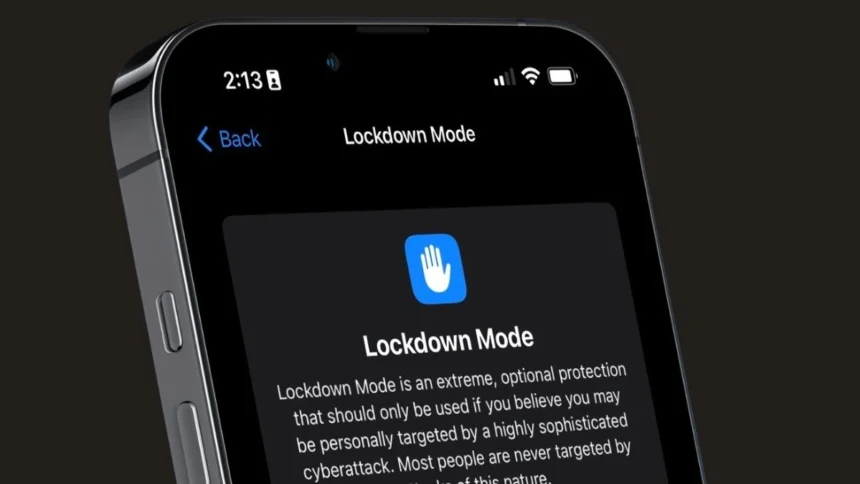
Apple’s Lockdown Mode is one of the strongest security features ever added to the iPhone. It was introduced in 2022 with iOS 16 and is designed for people who believe they may be vulnerable to highly advanced cyberattacks.
Recently, this feature has been the centre of attention as reports suggested that even an official authority was unable to access an iPhone because Lockdown Mode was enabled. And this incident shows just how serious this protection is.
But do you know what Lockdown Mode is exactly? And how should you use it?
Let’s know it all.
What is iPhone Lockdown Mode?
Lockdown Mode is an optional security setting that adds an extra layer of protection to your Apple device, i.e. iPhone, iPad, or Mac.
Apple created this feature for people like journalists, government officials, activists, business leaders and anyone with a high risk of targeted spyware attacks
The feature is now available to all users, but you can turn it on if you feel your device could be under threat or if you feel something fishy.
As this mode is extreme, after you turn this mode on, it limits several normal features of your phone to reduce the chances of someone attacking it.
What Happens When You Turn On Lockdown Mode?
When Lockdown Mode is enabled, your iPhone becomes much more restricted.
Here are the changes that happen to different applications:
Messages
- Attachments are blocked except for images, videos, and audio.
- Link previews in Messages are disabled.
Phone & FaceTime
- Regular phone calls and text messages still work.
- Incoming FaceTime calls are blocked unless you have contacted that person in the last 30 days.
- Incoming calls won’t ring on a paired Apple Watch.
Internet Browsing
- Some websites may not load fully.
- Certain web technologies are blocked to reduce security risks.
- You can manually allow specific websites if needed.
Wired Connections
- If your iPhone is locked, it cannot connect to a computer using a cable.
Photos
- Location details are removed when you share images.
- Shared albums disappear from the Photos app (but remain visible on other devices).
- Live Photos are disabled.
Mobile Network
- 2G and 3G support is turned off.
- Your iPhone will not automatically connect to unsecured Wi-Fi networks.
Apps & Services
- Game Centre is disabled.
- SharePlay won’t work.
- Invitations to Apple services like Home are blocked unless you have previously connected with that person.
- Configuration profiles cannot be installed.
- The phone cannot be enrolled in company mobile device management (MDM).
In short, many features become limited, restricting any possible entry of the attackers.
How to Turn On Lockdown Mode on iPhone
Before you turn your lockdown mode on in your iPhone, update your device to the latest iOS version and take a backup.
Steps to enable Lockdown Mode:
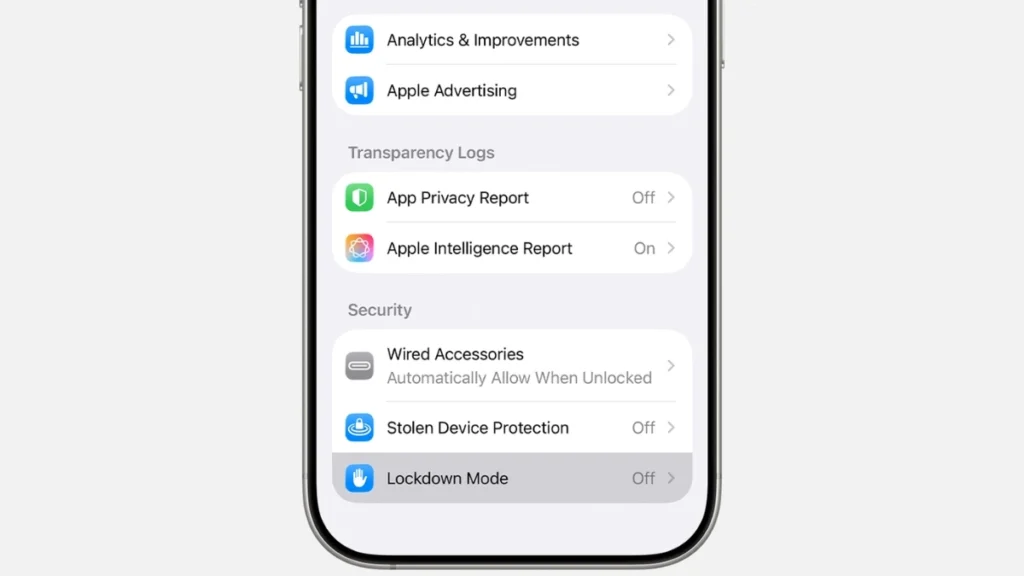
- Open Settings
- Go to Privacy & Security
- Scroll down and tap Lockdown Mode
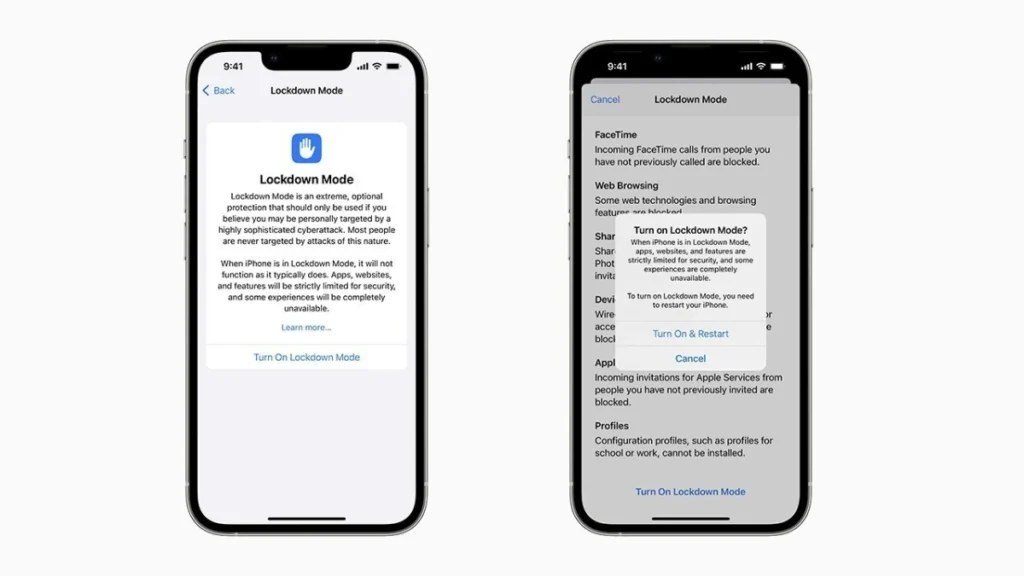
- Tap Turn On Lockdown Mode
- Confirm your choice
- Restart your iPhone when prompted
After restarting, Lockdown Mode will be active.
If you have an Apple Watch paired with your iPhone, Lockdown Mode will automatically apply to it as well.
How to Turn Off Lockdown Mode
If you want to disable it, use the same steps and just tap on Turn Off Lockdown Mode, and your device will be restarted, and will return to normal functionality.
So, overall lockdown Mode is like putting your iPhone into maximum security mode. It blocks many features to reduce the risk of highly advanced cyberattacks.
For more such tech news, tips, and updates, keep coming back to Devicology and share this information with your friends.