If you’re a Galaxy fan or just someone who loves living on the bleeding edge of Android, then this is your moment. Samsung’s One UI 8 Beta is here, and it’s packing way more than just minor tweaks. Based on Android 16, this update is a feature-packed, multi-device friendly, productivity-focused upgrade that goes way beyond what we expected.
What Is the One UI 8 Beta Program?
Think of the beta program as your early-access ticket to Samsung’s latest innovations. You get to test out the shiny new features before anyone else, report bugs, and basically act as the cool beta tester helping Samsung refine the experience before the official release. In return? You get first dibs on everything from smarter multitasking to Auracast-powered audio streaming.
And no, this isn’t one of those incremental updates. One UI 8 is a big step forward. We’re talking reimagined apps, AI features that feel faster than ever, and even Bluetooth hearing aid support. Welcome to the future.
When Can You Get It?
Right now. The One UI 8 Beta has officially dropped, and this time Samsung didn’t wait around. Thanks to tighter coordination with Google, this is the earliest beta rollout we’ve seen yet. The first version (build ZYER) clocks in at over 3GB, so get your Wi-Fi ready.
As of June 12, Samsung has released One UI 8 Beta 2 (build ZYF3) for the Galaxy S25 series. And guess what? It even includes a new bootloader version that lets users roll back to One UI 7 if things get glitchy. Handy, right?
New Regions Just Got Invited to the Beta Party
The beta program is no longer limited to just a few countries. With the Beta 2 update, Samsung’s opening the gates wider. Here’s the full list of regions where you can get in on the action:
- Germany
- India (Just added!)
- Poland (Also new!)
- South Korea
- United Kingdom
- United States (T-Mobile & Unlocked models)
Which Devices Are Currently Supported?
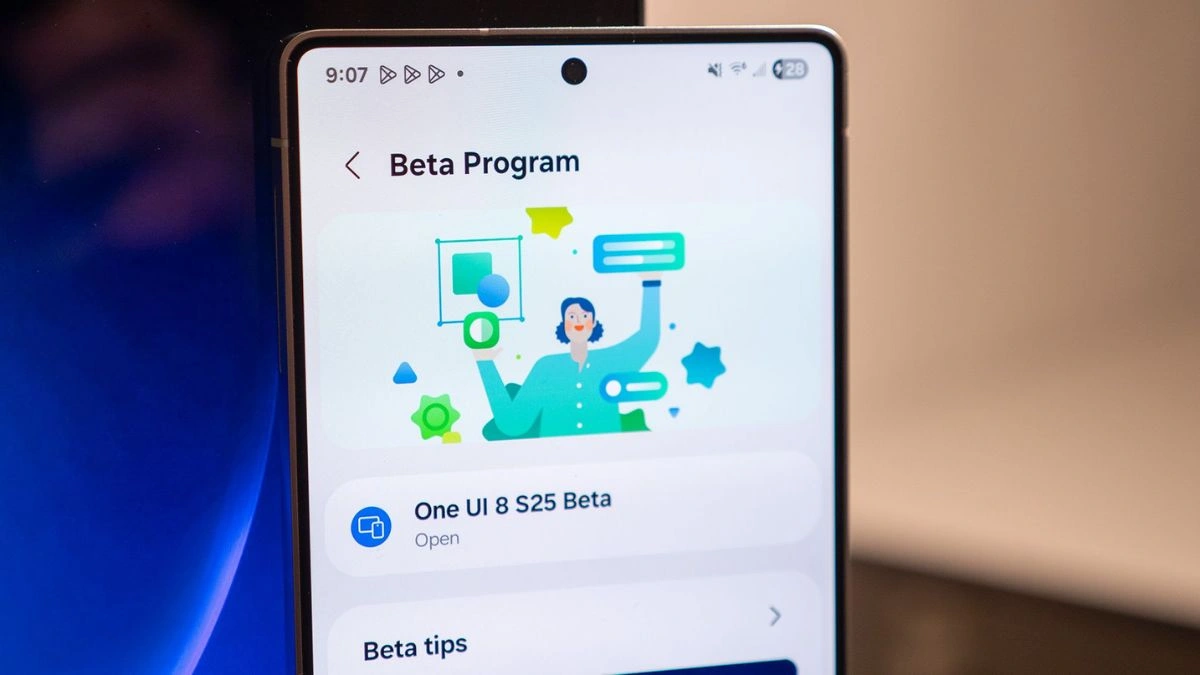
The beta is currently exclusive to the Galaxy S25 series, including:
- Galaxy S25
- Galaxy S25+
- Galaxy S25 Ultra
So if you’ve got one of these bad boys, you’re all set to dive in.
What’s New in One UI 8 Beta?
This isn’t a case of “New wallpaper and call it a day.” Nope. Samsung’s bringing the big guns with One UI 8. Here’s a breakdown of the top features:
Productivity Enhancements
- Quick Share gets smarter, faster, and more intuitive
- My Files app now filters by download source – finally!
- Samsung Internet now supports full menu customization
- AI Select goes instant – no more loading circles
Multitasking Upgrades
- New Samsung DeX with WQHD resolution & display rotation
- Split-screen edge pinning – focus on what matters
- Redesigned Reminder app with voice input and smart templates
New Tech Integrations
- Auracast – stream audio to multiple devices via QR code
- Samsung Health Together – compete in run challenges with friends
- Secure Folder+ – upgraded with full encryption options
More Cool Features
- Bluetooth hearing aid compatibility
- Improved alarms with widgets right on your home screen
- Calendar sync with direct reminder creation
- Weather app now has fancy dynamic background animations
How To Get In On the Beta Fun
If you’re itching to install the beta, here’s your pre-flight checklist:
- Storage: Make sure you’ve got at least 4GB free (beta is 3GB+)
- Back it up: It’s still beta software, bugs are part of the game
- Wi-Fi required: You won’t be able to install this over mobile data
- Open the Samsung Members app: Look for the One UI 8 Beta banner
- Patience is key: Expect some hiccups – that’s what testing is for
Final Word
Whether you’re in it for the bleeding-edge features, the sleek redesigns, or just want to be that friend who flexes new software before anyone else, One UI 8 Beta has plenty to offer. With a massive region expansion and exciting features across the board, Samsung is clearly setting the tone for Android 16. And if you’re rocking a Galaxy S25, this summer’s looking pretty futuristic already.
Also Read- How To Add Music On WhatsApp Status On Android, iOS: A Step-By-Step Guide