


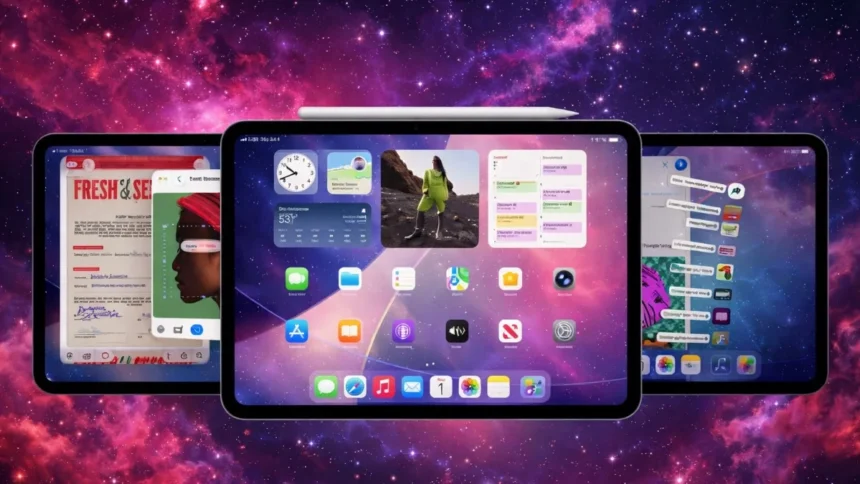
Apple released iPadOS 26.2 on December 12, 2025, bringing back a much-loved multitasking feature that many users missed after the iPadOS 26.0 update. This second major update since September restores drag-and-drop gestures, making it easier and more intuitive to manage multiple apps on the iPad.
- Drag-and-Drop Multitasking Makes a Comeback
- A Blend of Old and New Window Management
- AirDrop Gets Safer and More Private
- More Control Over Liquid Glass and Visual Tweaks
- Useful Updates Across Built-In Apps
- Freeform, Games, and Home App Improvements
- Apple News Redesign and Accessibility Enhancements
- Security Fixes and Update Availability
For users who rely on multitasking, this update feels like a return to familiar and flexible controls.
Drag-and-Drop Multitasking Makes a Comeback
With iPadOS 26.2, users can once again drag app icons directly from the Dock, Spotlight Search, or the App Library onto the screen. Dropping an app along the edge creates a Slide Over window, while placing it next to an open app sets up Split View.
Helpful visual cues now appear as you drag an app, clearly showing what layout will be created before you let go. This makes multitasking feel smoother and more predictable.
A Blend of Old and New Window Management
The drag-and-drop multitasking system first appeared in iPadOS 18 but vanished when Apple introduced a new windowing engine in iPadOS 26. Apple partially brought back Slide Over in iPadOS 26.1, and with this update, the full gesture-based controls have returned.
This hybrid approach combines the simplicity of classic multitasking with Apple’s newer window management design, offering the best of both worlds.
AirDrop Gets Safer and More Private
AirDrop now includes added security through one-time sharing codes that expire after 30 days. This allows users to share files with people who are not in their contacts without opening themselves up to unwanted AirDrop requests.
It also removes the need to use the “Everyone for 10 Minutes” option, giving users a more controlled and secure way to share files.
More Control Over Liquid Glass and Visual Tweaks
Apple has expanded Liquid Glass customization by adding a new Lock Screen slider that controls clock transparency. Small but noticeable animation improvements have also been made across system apps, including Photos.
These changes show Apple continuing to fine-tune its visual style based on user feedback.
Useful Updates Across Built-In Apps
The Reminders app now supports urgent alarms, allowing critical tasks to trigger system-level alerts. Podcasts introduces AI-generated chapter markers, making it easier to jump to specific parts of an episode.
Apple Music now displays lyrics for downloaded songs even when there’s no internet connection, which is a welcome upgrade for offline listeners.
Freeform, Games, and Home App Improvements
Freeform adds support for tables with smart resizing, making it easier to mix text, images, and other content. The Games app now includes better library filtering by category and file size, along with real-time challenge score tracking.
Controller support has also improved, letting users navigate the interface without touching the screen when using Backbone or Razer controllers.
In the Home app, setting up bundled accessories is simpler thanks to single setup codes for multipack devices.
Apple News Redesign and Accessibility Enhancements
Apple News now features a redesigned navigation layout with clear sidebar links to sections like Sports, Politics, Business, and Food, making content easier to find.
Accessibility settings gain new flash alerts that pulse the screen when notifications arrive, helping users who may miss audio cues.
Security Fixes and Update Availability
iPadOS 26.2 also includes important security fixes, addressing issues related to enterprise device management labeling and early Apple Music album playback. This update follows recent warnings from CISA about actively exploited Apple WebKit vulnerabilities.
The update is available for free on all compatible iPads and can be downloaded through Settings, then General, then Software Update.
As Apple’s final major iPad software release of 2025, iPadOS 26.2 wraps up the year with meaningful improvements, while iPadOS 26.3 is expected to enter beta testing soon.
ALSO READ: iOS 26.2 Lets Users Swap Siri For Gemini In Apple’s Biggest Change Yet