




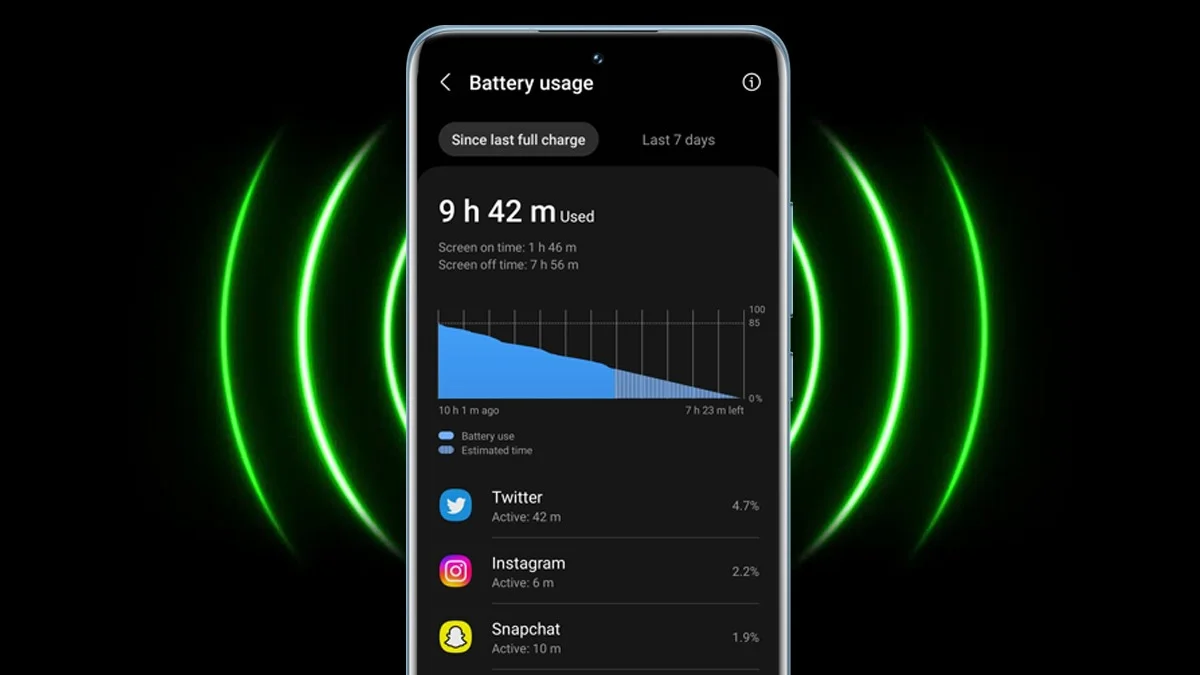
Identify Battery Draining Apps in Redmi: One of the most commonly reported issues with smartphones is fast battery drain. If your Redmi phone’s battery has been draining quickly and you are not able to identify why that is happening, it is possible that there are certain apps that are causing this issue to take place.
However, you need not worry; the built-in battery settings in Redmi phones are the easiest way to identify all the battery-draining apps in your phone. It provides the user with details of the apps that are consuming the most battery so that they can make the changes required.
Step-by-step guide to identifying battery-draining apps:
Step 1: Open Settings on your phone
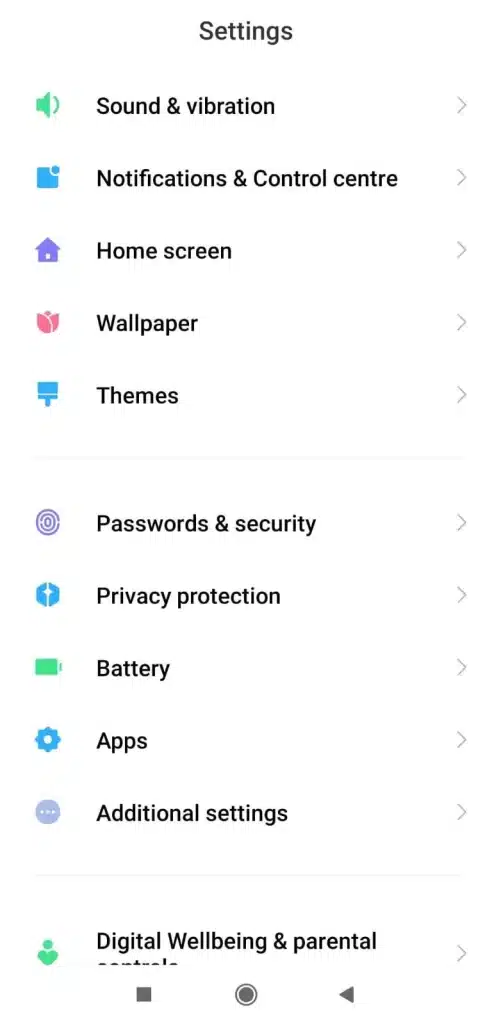
Settings – Battery and performance
- Open ‘Settings’ on your phone and scroll to find ‘Battery’ or ‘Battery and performance’.
Step 2: Access Battery Usage Stats
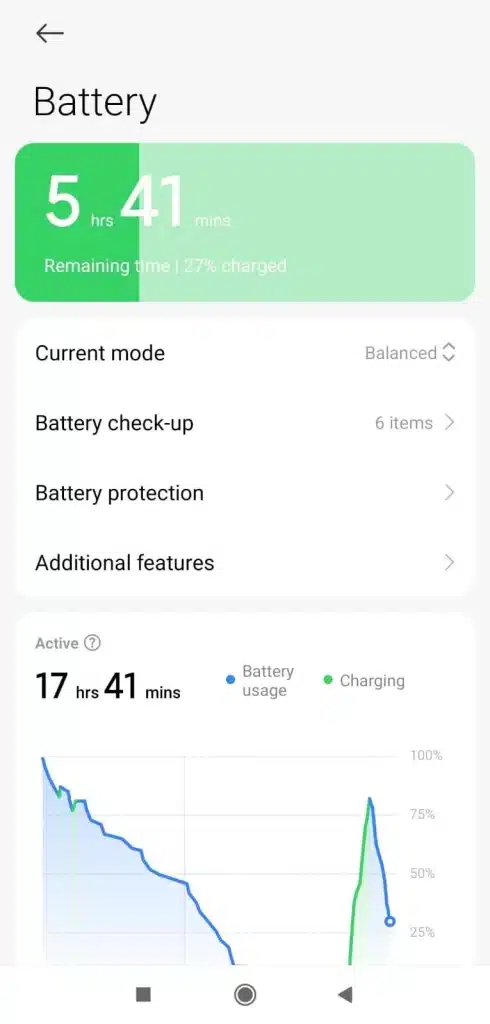
Settings – Battery and performance- Battery Usage
- After you tap on ‘Battery and performance’, find ‘Battery Usage’.
- A detailed list will appear on your screens showing you the battery consumption by different apps.
Step 3: Review Usage by Different Apps
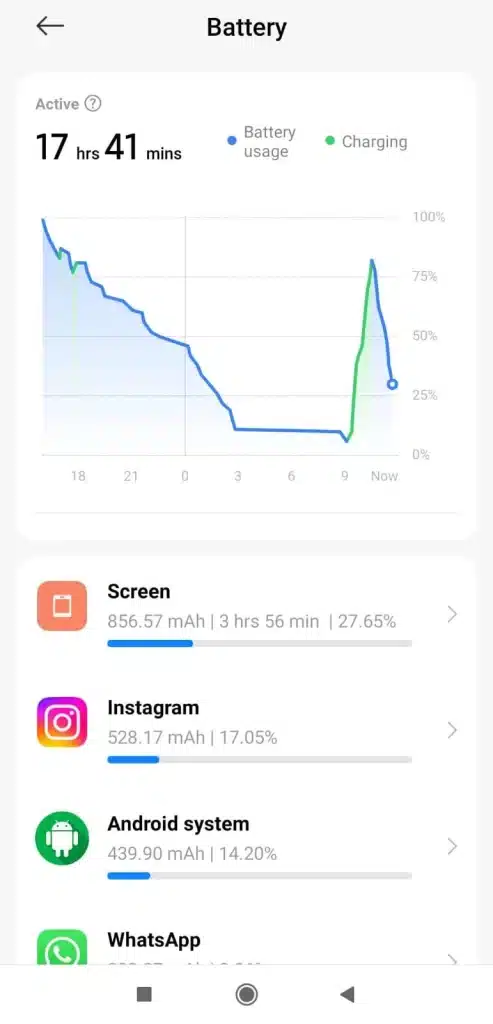
- Review the battery consumption by different apps, which is depicted in percentages.
How to identify battery-draining apps in the battery usage list:
Check for the following things to identify the battery-draining apps:
High-usage apps
The apps that appear at the top of the list under ‘Battery Usage’ are the ones that end up consuming the most battery. Majorly, social media apps like WhatsApp, Instagram, and Facebook take up a lot of the battery, but this largely varies depending on your individual phone usage.
If you do not use these apps and yet they appear in the list, it is very likely that they are still running in the background and eating your phone’s battery silently.
Background Activity
You can tap on individual apps in the list of apps that appear after you tap on ‘Battery Usage’ to see both the background activity of the app along the foreground activity of the app.
The apps that have a lot of background activity, i.e, the apps that are still running in the background, are the ones that end up leading to battery drain of your phone.
System Apps
There are certain system apps that also appear in the stats of battery usage.
Additionally, you can also reduce the quick battery drain of your Redmi phone’s battery by some simple ways that include:
- Disabling auto-sync for different apps.
- Turning off location access for apps.
- Keeping your apps and phone software updated.
ALSO READ: Xiaomi 17 Vs iPhone 17: Which Is the Correct Pick for Your Needs?