


Do you remember when buying something meant actually owning it? You would head to a music store and leave with a CD in your hands. If you needed creative software, you bought a Photoshop license. When a big movie came out, you picked it up on DVD. Those days feel like a distant memory now.
Today, almost everything runs on subscriptions. Instead of owning products, we rent access to them, paying weekly or monthly fees that never seem to end. Before long, it is easy to lose track and end up buried under memberships you barely use. Many of us rely on free trials, only to forget to cancel them in time. Clearly, subscription overload is a real problem.
This is where Subee steps in.
An All in One Subscription Manager:
Subee is designed to help you manage over 20,000 subscription services in one simple app. That number may sound wild, but it shows how broad the platform really is. It supports major services like Netflix, Spotify, Apple TV, Adobe, and plenty more, bringing everything together in one place.
With a 4.6 star rating on the Apple App Store, $150 million in total user savings, and a reported 98% successful cancelations, Subee already has a solid track record. After using it for a week and adding my own subscriptions, I quickly saw how helpful it can be. Let’s take a closer look.
Adding Your Subscriptions:
Everything starts with adding your subscriptions. You can do this manually or automatically by connecting your Gmail account, which is currently the only email provider supported. More options are expected in the future, including bank account connections for even more accuracy.
The email option is the fastest, but manual entry is easy enough. Each subscription took me only a minute or two to set up. You just enter the service name, price, billing cycle, and renewal date.
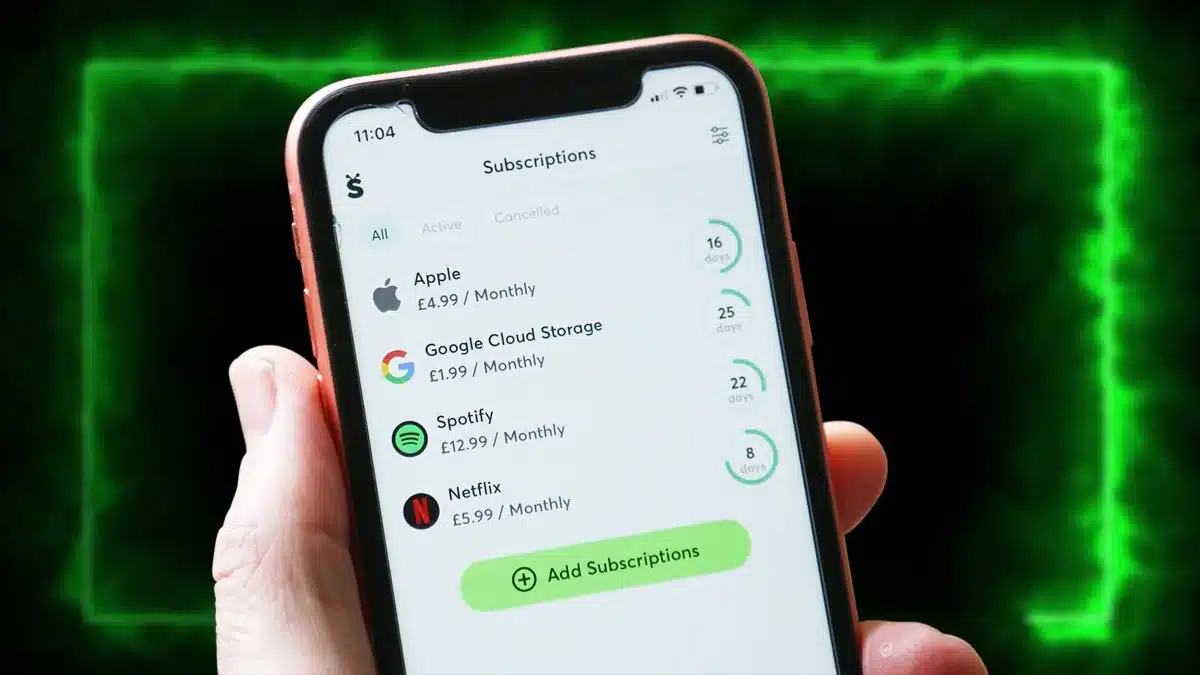
Once added, Subee clearly shows how many days are left until each renewal. You can sort subscriptions by cost, renewal date, or view them all in a calendar, which is especially useful for spotting expensive months ahead.
Managing Subscriptions with Confidence:
With everything organized, Subee makes it easier to take action. You can identify forgotten subscriptions and cancel them directly from the app. Simply select a service and tap ‘Cancel Subscription.’ Subee then guides you through company-specific steps so you know exactly what to do.
You can also set up alerts before renewals, trial endings, or price changes. These notifications are customizable, helping you stay ahead of unwanted charges.
Take Back Control:
If managing subscriptions feels overwhelming, Subee offers a practical solution. The free version supports up to five subscriptions, while premium plans cost $19.99 or £12.99 per month, or $29.99 or £29.99 per year for those who want full control.
ALSO READ: Cleer Audio Arc 4 Earbuds Bring Dolby Atmos Sound Without The High Price