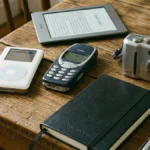


If your phone feels slower than it used to, you’re not imagining it. Over time, apps pile up. Some sit there unused. Others quietly run in the background, storing cache files, sending notifications, and draining battery.
The result? Less storage, weaker battery life, and a device that just doesn’t feel as smooth as it once did.
The good news is you don’t need a new phone to fix this. A simple app clean-up can make a noticeable difference.
Here is the list of apps you should remove if you want to make your phone work smoothly and have more storage.
-
Preinstalled Bloatware
Most smartphones come with preinstalled apps you never asked for. Some can’t be fully deleted, but many can be removed or at least disabled. Even if you don’t use them, they take up storage and sometimes run background services. Clearing them out helps your phone focus on the apps you actually use every day.
-
Duplicate Utility Apps
Do you really need three file managers or two calculator apps? Many phones come with built-in tools, yet users download alternatives without deleting the originals. Keeping one reliable option is enough. Removing duplicates reduces clutter and background activity.
-
Old Games
The games on your phone are typically the largest offenders when it comes to storage. However, they are not only the size of the app you download but also extra information (like updates), as well as cache that will continue to build up. If there are any games on your phone that you haven’t opened in months, then you may want to consider removing them from your phone.
-
Heavy Social Media Apps
While these can be used very little, they continue to build up an unnecessary amount of stored information(e.g., images, videos, and caches) – and many times people fail to use these platforms as much today as they did in the past or just barely check them. By deleting these apps, you can quickly free up some storage space and reduce how much data is used in the background.
-
Shopping Apps
If you installed an app just to make one purchase but have never opened the app again, it would be best if you deleted the app from your phone, as it continues to take up space on your device. Shopping apps store such items as images, account info, and send notifications; instead, you could simply visit the website whenever needed, thus giving you access to either of them without risking losing any ability to access them.
-
Outdated Photo Editing Apps
Most photo editing applications will save temporary files every time you use them. If you switched over to a better photo editing application and have done very little photo editing recently with the old applications, then you can live without them by removing them from your phone. Eliminating the old photo editing applications makes your phone run more efficiently and lessens the chances of being incompatible with others.
-
Weather Apps
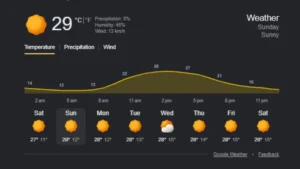
You only need Google to check the weather forecast. Having multiple apps delivering the same forecast adds unnecessary notifications and background refresh activity.
-
Abandoned Fitness Apps
Fitness apps store workout logs, maps, and media files. If your routine has changed or you stopped using them, they’re just extra weight on your device. Removing them frees up storage and reduces syncing in the background.
-
Trial Applications
Free trials often turn into forgotten apps. Even if you’re not using them, they may still take up space and run occasional background processes. Clearing them out keeps your phone organized and efficient.
-
Junk Cleaning Apps
Ironically, some cleaner or booster applications constantly run in the background. If you don’t actively use them, they may be doing more harm than good. Modern smartphones are designed to manage resources on their own. So, removing unnecessary system tools can reduce background load.
This was the quick digital clean-up you can make to make your phone feel faster, more organized, and easier to use.
For more such tech news, tips, and updates, keep coming back to Devicology and share this information with your friends.
Also Read: 7 Hidden Apple Messages Features That Go Beyond Texting