

Many individuals use WhatsApp frequently without ever reviewing the information each user has shared, including their status messages, profile images, the last time they were active, and who can send them messages.
While there are numerous privacy options available, most people do not adjust them as frequently as they use the app.
WhatsApp offers a new tool that provides users with the means to perform an assessment of their accounts with respect to privacy.
This tool allows users to quickly and easily go through all aspects of their accounts in just a few short minutes.
Here is how you can do it.
Where to Find Privacy Checkup
Getting to it is simple:
- Open WhatsApp
- Tap the three dots (top right)
- Go to Settings
- Tap Privacy
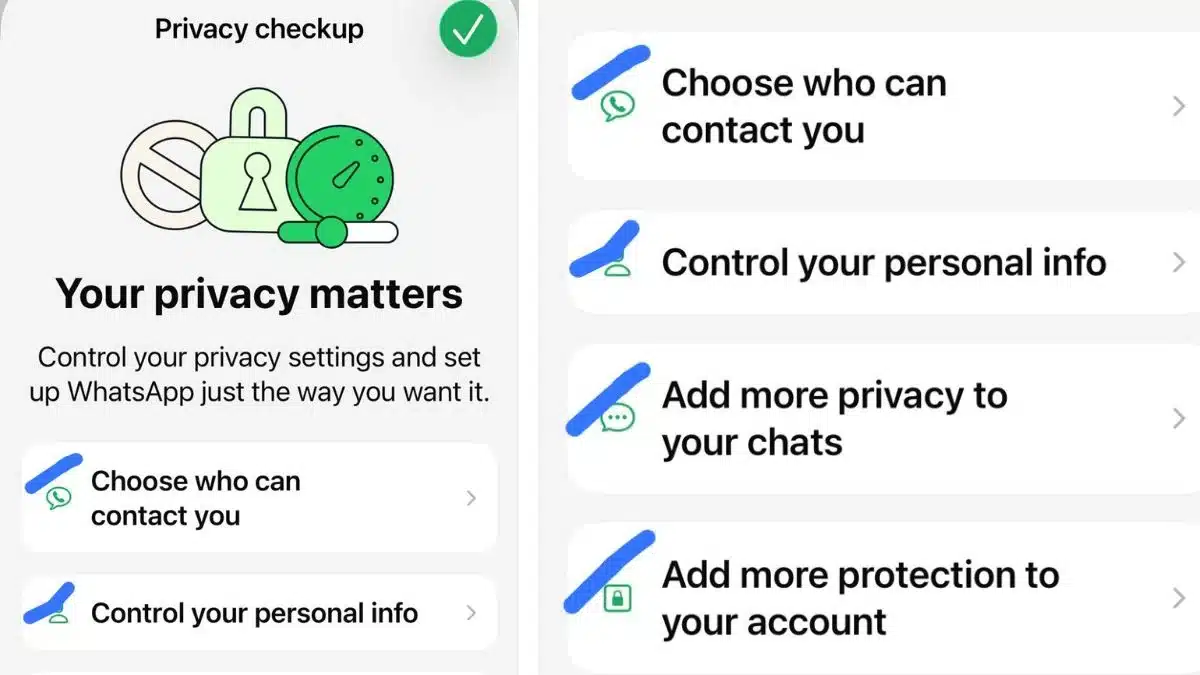
- Select Privacy Checkup
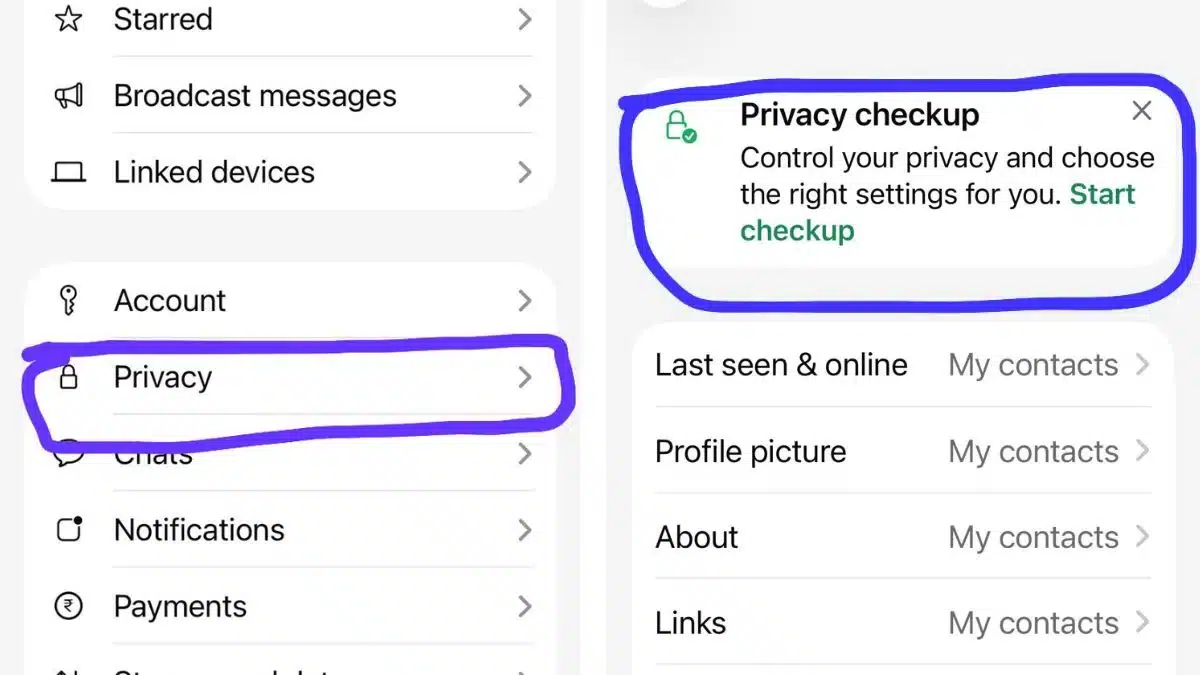
From there, you’ll see different sections. Go through each one, this is where the real control starts.
How To Run A WhatsApp Privacy Checkup
- Choose Who Can Contact You
This section helps you cut down spam and random messages.
You can:
- Decide who can add you to groups
- Silence unknown callers
- Review and manage blocked contacts
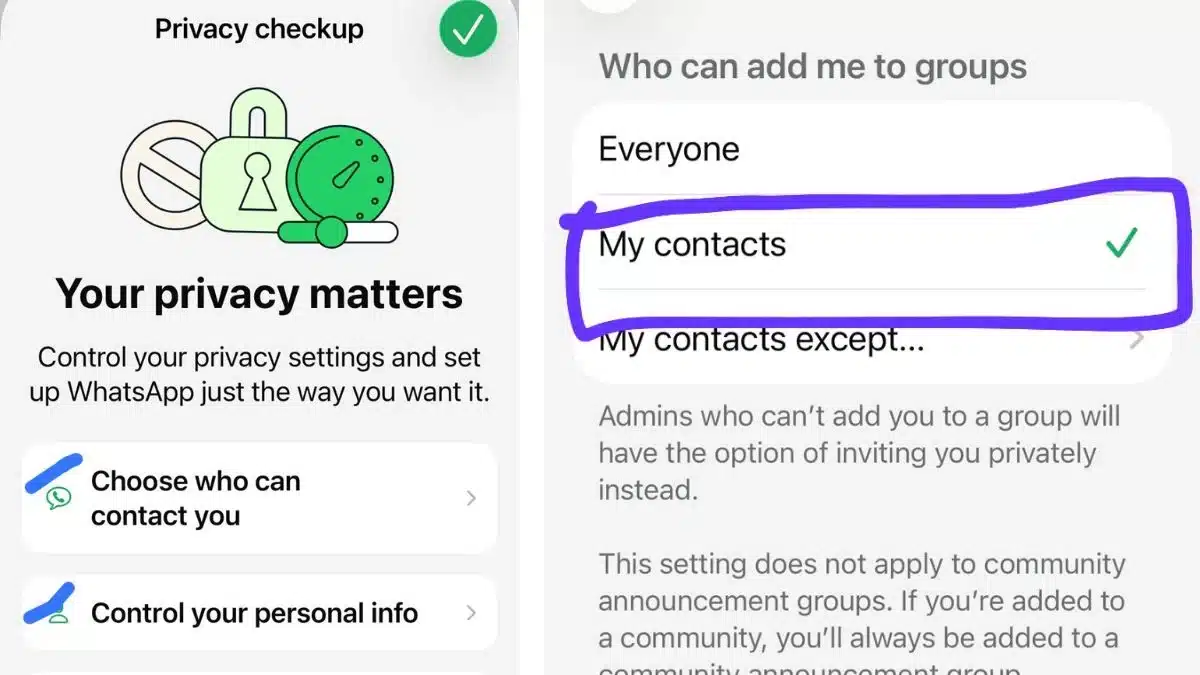
If you’re tired of getting added to random groups, this is the first setting you should fix.
- Control Your Personal Info
This is about what others can see about you.
You can manage:
- Last seen and online status
- Profile photo visibility
- About info
- Read receipts (blue ticks)
A good balance is setting most of these to My Contacts instead of Everyone. It keeps things private without affecting your experience.
- Add More Privacy to Your Chats
This section focuses on protecting your conversations.
Here’s what you can enable:
- Fingerprint or Face Lock for chats
- Default disappearing messages timer
- Control over encrypted backups
If you share your phone with others, chat lock is a must.
- Add More Protection to Your Account
This is where you secure your account from being hacked or misused.
Make sure you:
- Turn on Two-Step Verification
- Add a recovery email
- Set up a passkey or device lock login
This step is often ignored, but it’s the most important one.
Importance of Privacy Check-up in WhatsApp
A lot of privacy risks don’t come from hacking; they come from default settings.
If you’ve never checked these:
- Strangers might see your profile info
- Anyone could add you to groups
- Your account may not have extra protection
Run through it once, set your preferences, and you won’t have to worry about it again anytime soon.
It’s one of the easiest ways to make your account more secure without changing how you use the app.
Also Read: How To Restrict Google Search From Revealing User Personal Information?