


By using this site, you agree to the Privacy Policy and Terms of Use.
Accept
DevicologyDevicology
  • News
    NewsShow More
    Garmin Drops Powerful New Update
    Garmin Drops Powerful New Update- Check The New Features, Fixes & Supported Watches
    By Sneha Singh
    iphone 17e
    Apple Introduces iPhone 17e With A19 Chip: Features, Specifications And Price Details
    By Sneha Singh
    Oppo Find X9
    Oppo Unveils Find X9 Ultra For Global Launch, Wider Rollout Set For Later This Year
    By Sneha Singh
    Huawei Mate80 Pro
    Huawei Plots International Comeback With Mate 80 Pro, Next-Gen Smartwatch
    By Sneha Singh
    Google Phone App’s New ‘Calling Card’
    Google Phone App’s New ‘Calling Card’ Feature Changes How People See Your Calls
    By Sneha Singh
  • Features
    FeaturesShow More
    Is TikTok Tracking You?
    Is TikTok Tracking You? Here’s How To Check Privacy Settings
    By Sneha Singh
    Phone Battery Draining Quickly
    Phone Battery Draining Quickly? Here Are 10 Ways To Stop It
    By Sneha Singh
    Best Android Phones For Stunning Photography
    Best Android Phones For Stunning Photography
    By Carlos Blanco
    Clearing Cache
    Why You Should Clear Your Cache Regularly?
    By Sneha Singh
    Is Your Phone Listening How To Tell If An App Is Spying On You
    Is Your Phone Secretly Listening? How To Tell If An App Is Spying On You
    By Sneha Singh
  • Reviews
  • Apps
  • Guide
    GuideShow More
    Phishing Scam
    How To Avoid Phishing Scams
    By Sneha Singh
    Samsung Secure Folder
    How Do I Access Secure Folder In My Samsung Mobile Phone
    By Sneha Singh
    Lost Your iPhone Do These Things Immediately
    Lost Your iPhone? Do These Things Immediately
    By Sneha Singh
    Is Your Email Hacked?
    How To Check If Your Email Has Been Hacked
    By Sneha Singh
    Iphone Lockdown Mode
    What Is iPhone Lockdown Mode And How Can You Turn It On?
    By Sneha Singh
  • Tech
    TechShow More
    Smartphone Features
    Smartphone Features That Could Save Your Life in An Emergency
    By News Desk
    Sony WF-1000XM6 Drops Globally With Enhanced Noise Cancellation: Specs, Prices, Full Details
    Sony WF-1000XM6 Drops Globally With Enhanced Noise Cancellation: Specs, Prices, Full Details
    By Arthur James
    Honor X6d Launched In UAE: Check Features, Specs, Prices
    Honor X6d Launched In UAE: Check Features, Specs, Prices
    By Arthur James
    Samsung Galaxy S26 Series Launch Date Revealed: Expected Features, Specs, Prices
    Samsung Galaxy S26 Series Launch Date Revealed: Expected Features, Specs, Prices
    By Arthur James
    Snapchat X Gucci: First Luxury Brand To Launch AI Lens
    Snapchat X Gucci: First Luxury Brand To Launch AI Lens
    By Arthur James
  • Top
    TopShow More
    Top 5 Laptops Expected To Launch In 2026: MacBook M6, Dell XPS, ThinkPad And More
    Top 5 Laptops Expected To Launch In 2026: MacBook M6, Dell XPS, ThinkPad And More
    By Carlos Blanco
    Top 5 Smartphones Expected To Launch In 2026: iPhone 18, Galaxy S26 And More
    Top 5 Smartphones Expected To Launch In 2026: iPhone 18, Galaxy S26 And More
    By Carlos Blanco
    Top 5 Smartwatches Expected To Launch In 2026: Apple Watch, Galaxy Watch And More
    Top 5 Smartwatches Expected To Launch In 2026: Apple Watch, Galaxy Watch And More
    By Carlos Blanco
    Top 5 Wireless Earbuds Expected To Launch In 2026: AirPods, Galaxy Buds And More
    Top 5 Wireless Earbuds Expected To Launch In 2026: AirPods, Galaxy Buds And More
    By Carlos Blanco
    Top 5 Action Cameras To Buy In 2026 For Video And Vlogging
    Top 5 Action Cameras To Buy In 2026 For Video And Vlogging
    By Carlos Blanco
  • Game Zone
    Game ZoneShow More
    Best Free iOS Games 2025: Hottest iPhone And iPad Games To Try Now
    Best Free iOS Games 2025: Hottest iPhone And iPad Games To Try Now
    By Carlos Blanco
    Best New iOS And Android Games For August 2025
    Best New iOS And Android Games For August 2025
    By Tricia Wei
    Top Gaming Websites In Thailand (July 2025): Most Visited Platforms Ranked
    Top Gaming Websites In Thailand (July 2025): Most Visited Platforms Ranked
    By Carlos Blanco
    Top Gaming Websites In Ukraine: Most Visited Platforms in 2025
    Top Gaming Websites In Ukraine: Most Visited Platforms in 2025
    By Carlos Blanco
    Phantom Blade Zero Gameplay Demo Played at S-Party 2025
    Phantom Blade Zero Gameplay Demo Played at S-Party 2025
    By Vishwajeet Jaiswal
Font ResizerAa
DevicologyDevicology
Font ResizerAa
  • News
  • Features
  • Reviews
  • Apps
  • Guide
  • Tech
  • Top
  • Game Zone
Search
  • News
  • Features
  • Reviews
  • Apps
  • Guide
  • Tech
  • Top
  • Game Zone

Popular Post

Smart Tv Settings
Features

Still Not Using These Secret Smart TV Settings? You’re Missing Out

Tablet Alternatives
Features

Looking Beyond The iPad? Here Are 4 Smart Tablet Picks

Apple Fixes Major Security Loophole In iPhone-to-Android Messaging
News

Apple Fixes Major Security Loophole In iPhone-To-Android Messaging

iphone 17e
News

iPhone 17e Leaks: Release Date, Price, Design & Full Specs

Follow US
Made by ThemeRuby using the Foxiz theme. Powered by WordPress
Guide

How to Secure Your WhatsApp Account Using Two-Step Verification

Vishwajeet Jaiswal
Last updated: May 19, 2025
By Vishwajeet Jaiswal
Share
How to Secure Your WhatsApp Account Using Two-Step Verification

WhatsApp Security Guide to Set Up and Manage Two-Step Verification

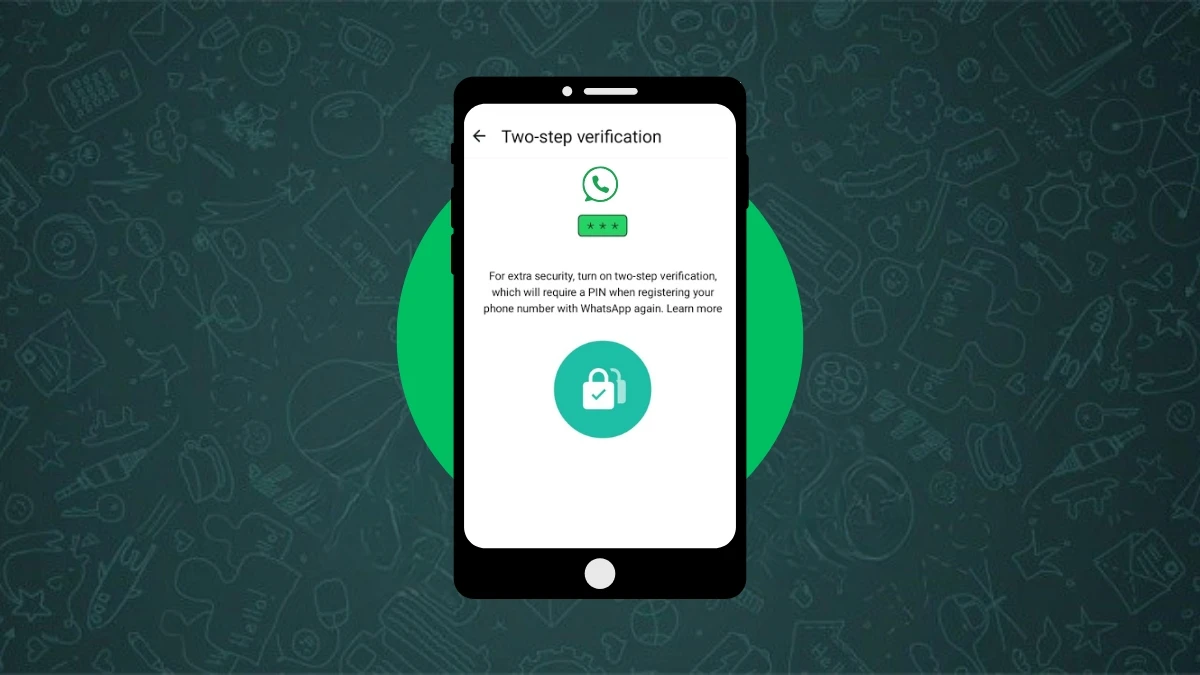
In today’s digital time, WhatsApp is not just a messaging app. It holds your personal data, chats, and important contacts, which makes it important to keep secure. That is why WhatsApp gives a feature called two-step verification, which adds an extra layer of security to your account.

Contents
  • WhatsApp Security Guide to Set Up and Manage Two-Step Verification
  • What is two-step verification?
    • How to enable two-step verification on WhatsApp
    • What to do if you forget your PIN
    • How to manage two-step verification settings
      • To change your PIN
      • To add or change your email address
      • If you no longer want to use this feature
    • One small but useful tip
  • Final advice

But just enabling it is not enough. Managing it is also equally important, which people often ignore. Here you will learn how to manage WhatsApp’s two-step verification feature so your account stays safe and you never face any trouble accessing it.

- Advertisement -

What is two-step verification?

How to Secure Your WhatsApp Account Using Two-Step Verification
two-step verification

This is an optional feature where you set a six digit PIN for your WhatsApp account. Whenever you reinstall WhatsApp or try to log in with your number, it asks for this PIN. This way only you can access your account.

This PIN is different from the six digit code you get through SMS when installing WhatsApp.

- Advertisement -

If you add your email address then if you ever forget your PIN, WhatsApp can send a reset link to that email.

How to enable two-step verification on WhatsApp

  1. Open WhatsApp and go to Settings
  2. Tap on Account
  3. Select the two-step verification option
  4. Tap on Turn on or Set up PIN
  5. Enter your six digit PIN and confirm it
  6. Enter an email address that you can access or tap Skip if you do not want to add it
  7. Confirm the email and tap Save or Done

What to do if you forget your PIN

  • If you have added an email address, WhatsApp will send the reset link to it
  • If not, you will have to wait for seven days to reset your PIN
  • WhatsApp cannot speed up this waiting period or disable your account during this time

How to manage two-step verification settings

Too Curious? Here's How To Read Deleted WhatsApp Messages
WhatsApp

To change your PIN

  • Go to WhatsApp Settings
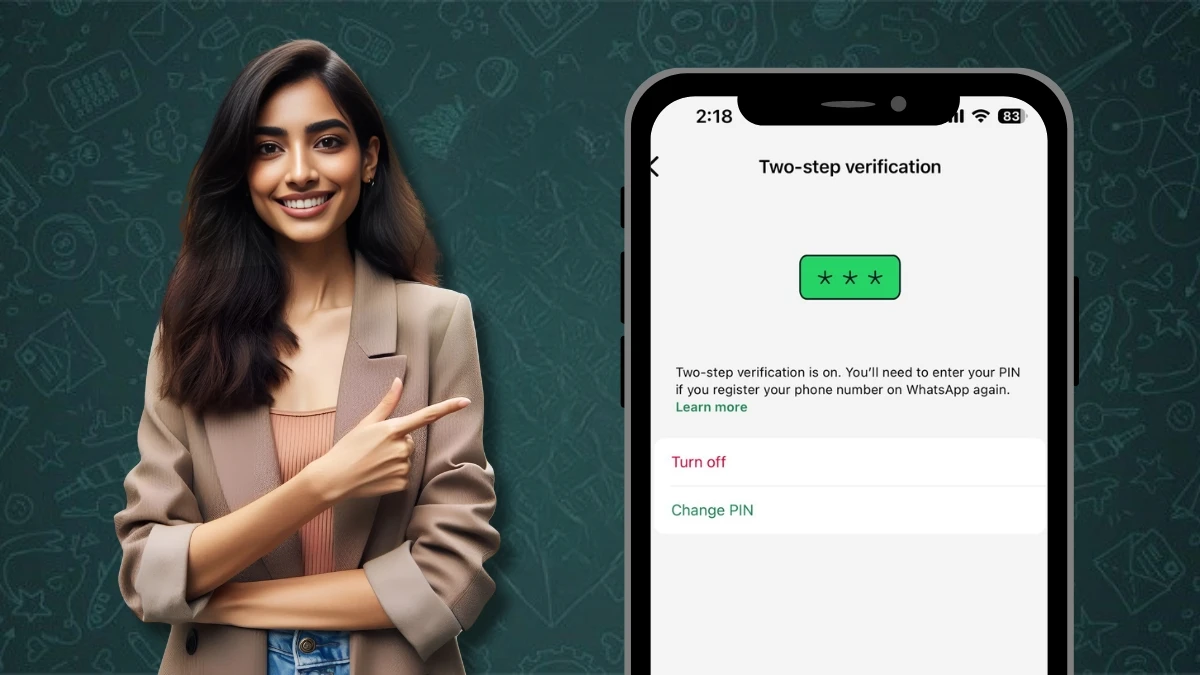
  • Go to Account, then two-step verification then tap Change PIN

To add or change your email address

  • Open Settings
  • Go to Account, then Email address then tap Add email address or Change email address

If you no longer want to use this feature

  • Go to WhatsApp Settings
  • Go to Accoun,t then two-step verification then select Turn off

One small but useful tip

WhatsApp asks for your PIN once every week to make sure you do not forget it. This reminder is also part of your security. So whenever it asks for your PIN, do not skip it. Enter and confirm it.

Final advice

WhatsApp today is not just for chats. It holds your whole network. Two-step verification is a simple step but it protects your account from hackers, unauthorized access, and unnecessary risks. If you have not enabled this feature yet, do it today and give your digital privacy smart protection.

- Advertisement -

ALSO READ: How to Use Effects, Filter, Touch up, and Background on WhatsApp Video Call

- Advertisement -
TAGGED:enable WhatsApp securitymanage WhatsApp settingssecure WhatsApp accountWhatsApp account securityWhatsApp email setupWhatsApp PIN resetWhatsApp PIN tipsWhatsApp privacy featureWhatsApp safety guideWhatsApp two step verification
Share This Article
Facebook Flipboard Copy Link

Must Read

Garmin Drops Powerful New Update
News

Garmin Drops Powerful New Update- Check The New Features, Fixes & Supported Watches

Is TikTok Tracking You?
Features

Is TikTok Tracking You? Here’s How To Check Privacy Settings

Phone Battery Draining Quickly
Features

Phone Battery Draining Quickly? Here Are 10 Ways To Stop It

Phishing Scam
Guide

How To Avoid Phishing Scams

You Might also Like

OpenAI Introduces ChatGPT Projects: Organize All Your AI Chats In One Place
NewsGuide

Scheduled Tasks By ChatGPT: A New Way To Streamline Your Work

Transform Your Home Screen: Customize The Google Widget In Seconds
Guide

Transform Your Home Screen: Customize The Google Widget In Seconds

Step-by-Step Guide: Deleting Apps On Samsung Devices
Guide

Step-by-Step Guide: Deleting Apps On Samsung Devices

This One Apple Intelligence Setting Completely Change Your Phone Habit
Guide

This Apple Intelligence Setting Will Transform Your Phone Habits

Devicology
Whatsapp Instagram X-twitter Linkedin

The website Devicology is a repository of information on mobile devices, mobile gadgets, their functions and how to manage the devices for better user control. It offers expert advice on how to manage the settings of the hand-held devices so that the control remains with the user. From custom settings to optimum device utilization, the website covers multiple subjects of user interest and value. 

  • About Us
  • Terms of Use
  • Privacy Policy
  • contact us

© 2026 – Devicology. All Rights Reserved