Apple released iOS 26 Beta 2 update on June 24, 2025, and it’s now available for developers. Hi everyone, Vishwajeet here for Devicology. If this version turns out to be stable, then Apple might release iOS 26 Public Beta 1 within the next week.
- iOS 26 Beta 2 Device Compatibility and Size
- Build Number and Connectivity Improvements
- UI and Design Enhancements
- 1. Liquid Glass Updated
- 2. Notifications Look Sharper
- 3. New Ringtone Options
- 4. Live Radio Widget
- 5. Battery Menu Updated
- 6. Wallpaper and Parallax
- 7. Safari Menu Redesigned
- 8. Transfer eSIM to Android
- 9. Detect Call Waiting
- 10. Smart Order Tracking in Wallet
- 11. CarPlay Large Text + Contrast
- 12. Updated Maps – Visited Places
- 13. New iOS Recovery Mode
- 14. New TestFlight Icon
- 15. Apple Intelligence & ChatGPT Upgrades
- 16. Performance Feels Smoother
- 17. Reduced Heat and Better Battery
- 18. Less System Storage Usage
- 19. Benchmark Scores
- Resolved Issues and Public Notes
- Should You Install iOS 26 Beta 2?
- When Is iOS 26 Beta 3 Coming?
iOS 26 Beta 2 Device Compatibility and Size
iOS 26 Beta 2 drops support for iPhone XR, iPhone XS, and XS Max, just like we mentioned before. However, it still supports all newer devices and brings almost all features to most of them.
On iPhone 16 Pro Max, the update size was 1.76 GB, and it was about the same on other supported devices. Alongside iOS 26 Beta 2, Apple also released:
- iPadOS 26 Beta 2
- macOS 26 Beta 2
- watchOS 26 Beta 2
- tvOS 26 Beta 2
- HomePod OS 26 Beta 2
- visionOS 26 Beta 2
Build Number and Connectivity Improvements
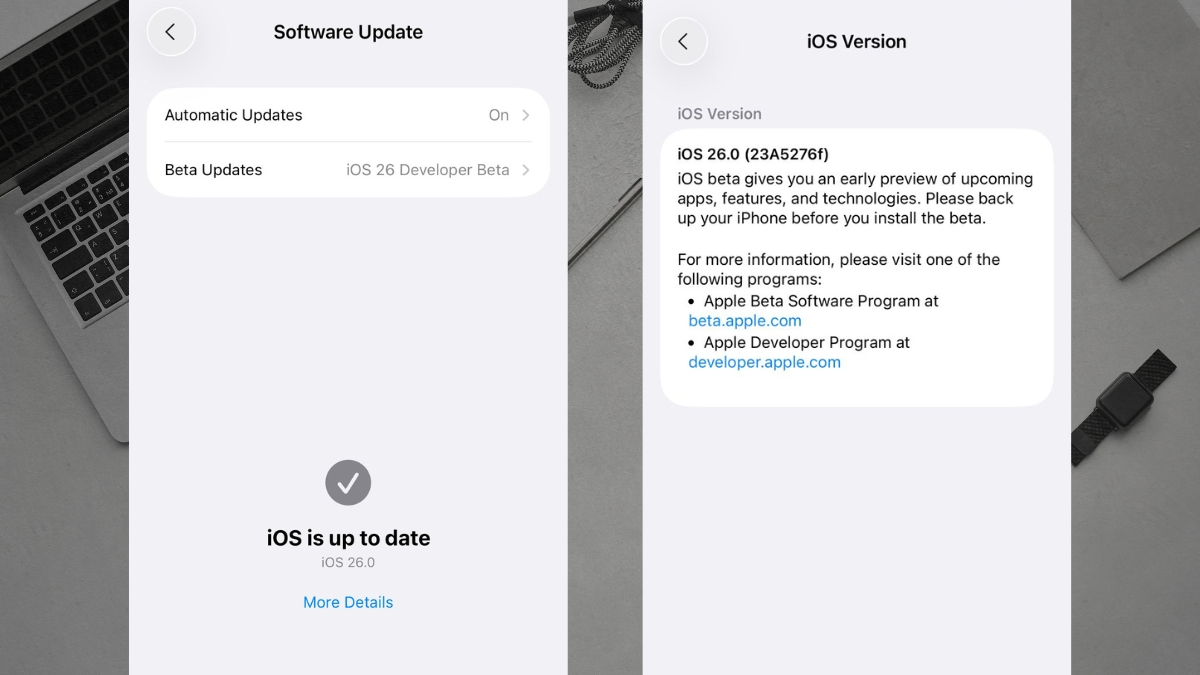
The new build number for iOS 26 Beta 2 is 23A5276F, which shows progress in the development cycle. One of the very first changes here is a modem update, which should ideally improve cellular stability and reduce dropped calls though real-world results will take time to confirm.
UI and Design Enhancements
1. Liquid Glass Updated
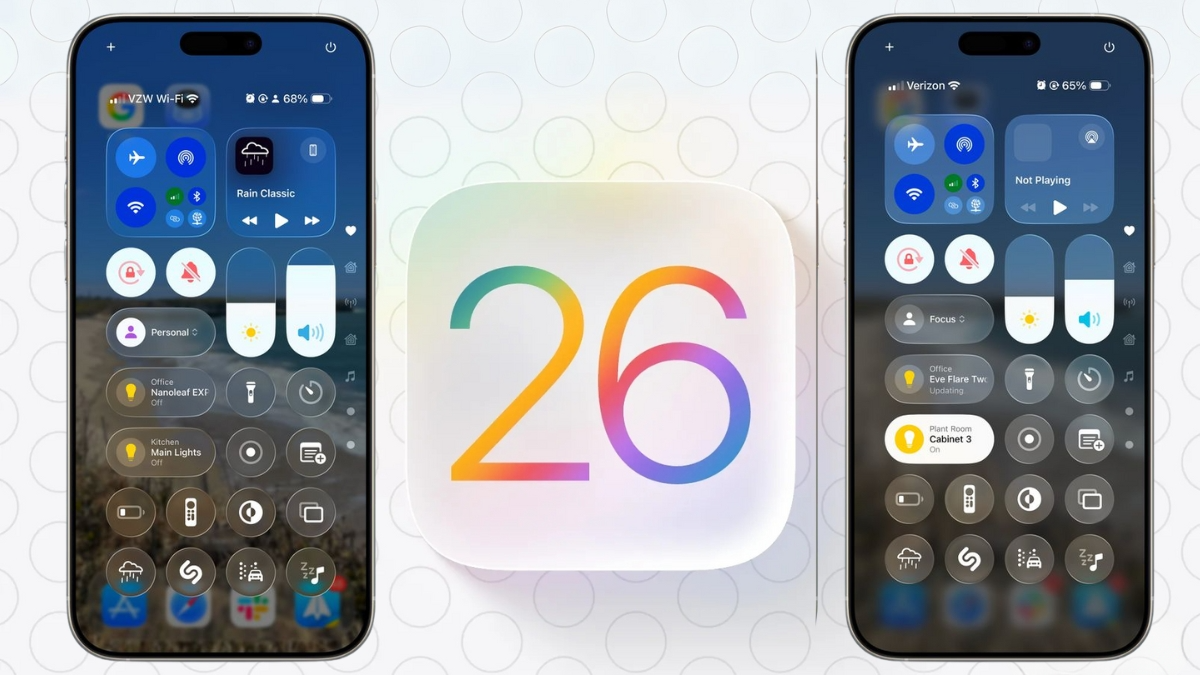
One of the most noticeable visual improvements is to Liquid Glass. When comparing iOS 26 Beta 1 and Beta 2 side by side on the same wallpaper, the new version adds more contrast, blurs the background more effectively, and creates subtle reflection effects that enhance edge visibility and motion response.
2. Notifications Look Sharper
Notifications have been darkened slightly and now show better contrast. This makes them more legible and easier to read at a glance.
3. New Ringtone Options
Apple has unlocked the new “Reflection” ringtone in iOS 26 Beta 2, which was previously hidden. You now get a default and an alternate version within the Sound & Haptics settings.
Widgets and Battery Settings
4. Live Radio Widget
There’s a brand new Live Radio widget under widgets, which can be added to your home screen. It’s perfect for tuning in while on CarPlay or just casually listening through your phone.
5. Battery Menu Updated
The Battery section UI has been tweaked with a cleaner design. In View All Battery Usage, the background is now blue, and the layout is more intuitive.
Additionally, Low Power Mode now gives clearer explanations. It tells you how it reduces processing, screen refresh rate, brightness, and disables features like iCloud sync and 5G.
Wallpaper and Safari Improvements
6. Wallpaper and Parallax
Collections that had disappeared earlier are now restored. The new iOS 26 wallpapers bring back the Parallax effect, which had gone missing in previous betas.
7. Safari Menu Redesigned
Safari has a refined bottom menu bar, with all tab options moved for easier access. The “New Tab” and “Private Tab” buttons have also been repositioned, along with smoother new animations. Tab groups now show a redesigned management interface in the top-left menu.
Cellular, Phone & Wallet Enhancements
8. Transfer eSIM to Android
iOS 26 Beta 2 now supports transferring your eSIM to Android devices. This setting is available at the bottom of Cellular settings and makes cross-platform switching easier.
9. Detect Call Waiting
A new Detect Call Waiting toggle is available in Phone settings. It lets your iPhone notify you when another call can be picked up after putting the current one on hold.
10. Smart Order Tracking in Wallet
Wallet has been updated to track order statuses by scanning your emails using Apple Intelligence. It now works inside the “Orders” tab and asks for permission to fetch data from Mail.
Accessibility and Maps Updates
11. CarPlay Large Text + Contrast

Under Accessibility > Display & Text Size, a new CarPlay Large Text option has been added. Also, the Increase Contrast setting now brings bolder outlines to buttons and menus, making navigation more comfortable, especially for visually impaired users.
12. Updated Maps – Visited Places
Apple Maps now shows “Places You’ve Visited” with larger icons and a better-organized layout. This feature now works more reliably and is customizable if you want to turn it off.
Recovery Mode and Other Changes
13. New iOS Recovery Mode
Apple has introduced a recovery mode and assistant to help users boot or restore their iPhones without needing a Mac or PC. This is especially useful when your device is stuck or won’t update normally.
14. New TestFlight Icon
The TestFlight app icon has been redesigned in Beta 2 for those testing third-party apps.
15. Apple Intelligence & ChatGPT Upgrades

If you check ChatGPT integration in Apple Intelligence, there are now advanced usage settings showing limits on image requests and how to upgrade.
Performance, Battery, and Storage Insights
16. Performance Feels Smoother
The overall performance has improved compared to Beta 1. Opening apps like Camera, Music, and scrolling through the App Library feels smoother, even on older devices like the iPhone 11.
17. Reduced Heat and Better Battery
Initial overheating from Beta 1 is noticeably reduced. Battery performance also seems improved, with lighter usage consuming less charge. For example, on iPhone 16 Pro Max:
- Day 1 (Beta 1): 2h 54m screen active, nearly 100% used
- Day 2 (Beta 2): 3h 42m screen active, less battery used
Battery health remains at 100% with 240 charge cycles.
18. Less System Storage Usage
Compared to Beta 1, iOS 26 Beta 2 uses less storage. The OS now takes up 13.7 GB, while iOS 26 uses 6.58 GB, down slightly. System data still fluctuates based on usage.
19. Benchmark Scores
Geekbench scores are still low but expected to rise as the system stabilizes:
- Single Core: 287
- Multi-Core: 887
Performance is expected to improve with upcoming betas.
Resolved Issues and Public Notes
Apple’s release notes for iOS 26 Beta 2 mention hundreds of resolved bugs, including:
- App Store
- TV app
- Image Playground
- Genmoji
- AutoMix
Some issues from Beta 1 re-release still exist, like system update storage management.
Should You Install iOS 26 Beta 2?
If you are already on Beta 1, it’s highly recommended to upgrade to iOS 26 Beta 2 for better performance and new features. But if you haven’t joined the beta yet, you should wait for Public Beta 1, especially if you don’t have a second device or Mac to restore from.
When Is iOS 26 Beta 3 Coming?
Apple usually follows a bi-weekly beta release cycle, so we can expect iOS 26 Beta 3 by July 7, 2025. Public Beta 1 might land just before or after that depending on stability.
As always, the final release of iOS 26 is expected by mid-September 2025.
That’s everything new in iOS 26 Beta 2. From system performance to fresh features and better visuals, this beta shows clear progress. If you’ve discovered more changes, feel free to share them in the comments. And don’t forget to check out our weekend follow-up video for continued updates.
ALSO READ: Apple Parental Control Tools Get Smart iOS 26 Features for Better Child Protection