



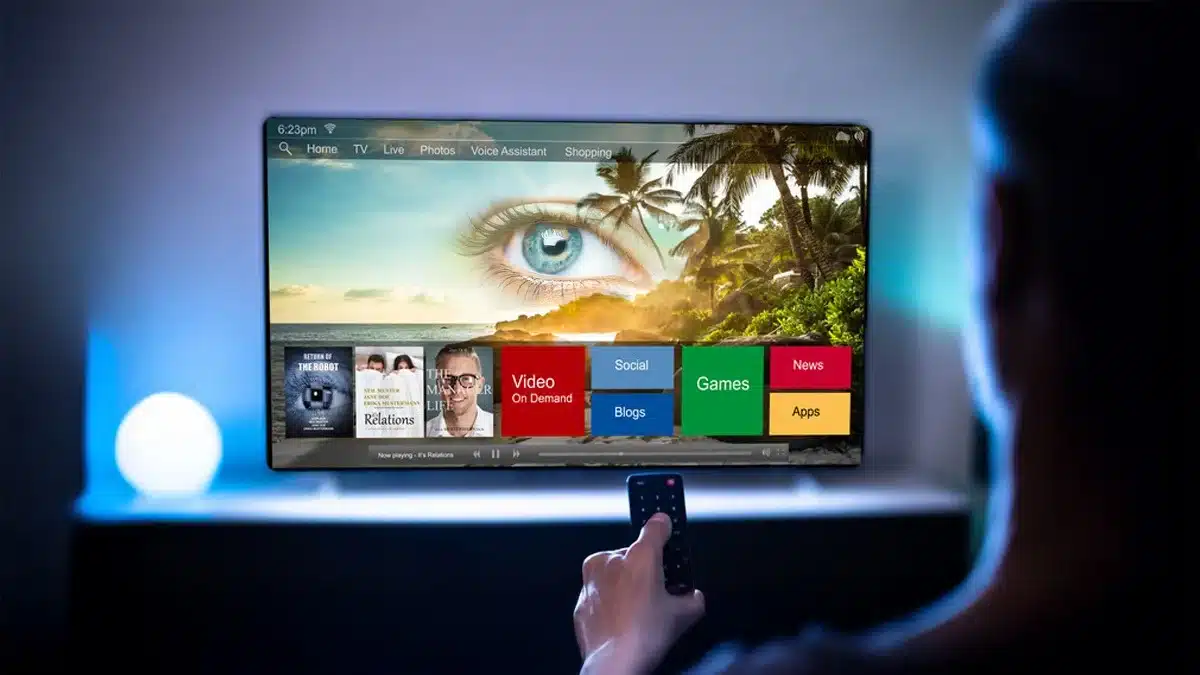
Smart TV and Privacy Concerns: Smart Ways To Protect Your Digital Privacy – In the modern homes of today, Smart TVs have become quite common. Everyone is streaming the latest movies and shows, and it makes sense. Smart TVs make it easier to browse and give commands using their voice control features, and also have the ability to sync devices with each other.
- Here are some ways that your Smart TV might be spying on your activities:
- Tracking what kind of content you watch
- Camera Access and Microphones that are always on
- Wifi Tracking
- App Tracking and Data Sharing with Third-Party Advertisers
- Connected device monitoring
- Software Updates as backdoors
- Using Technology Mindfully and Protecting Your Digital Privacy is Key
Smart TV And Privacy Concerns: Smart Ways To Protect Your Digital Privacy
However, Smart TV and Privacy Concerns is not a topic that is coming up for the first time; it has been in talks ever since they entered the market, and it is only recently that the privacy of the users is being given attention.
A question that comes up is whether all that Smart TVs are doing is displaying content we want to see, or are they slowly invading our privacy and tracking our activities.
Have the present televisions become a surveillance device rather than a tool for entertainment, as it is collecting the information, storing it, and sharing our personal data to target content and advertisements to us?

Here are some ways that your Smart TV might be spying on your activities:
Smart TVs these days are using ACR Technology, which analyzes the content that is displayed on your screen and samples pixels, and matches them against a database to identify what you are watching without even knowing the source.
Though this may appear harmless, and only suitable for giving content recommendations, the truth is, it is primarily being used to keep a track of the viewing habits of the user to then display targeted ads.
Tracking what kind of content you watch
Typically, Smart TVs have a record of your watch history, which includes not just what you watched but also how long you watched it.
While it may enhance your user experience, it can be used for targeted advertisements as well.
To manage this, you can go to the system settings, look for ‘Viewing History’, and pause it.
Camera Access and Microphones that are always on
Built-in microphones and cameras are no new thing for Smart TVs; however, to prevent active listening or viewing, it is recommended that you go to the settings and manually turn off the microphone and camera.
Wifi Tracking
Smart TVs are usually connected to your home Wi-Fi, which helps to receive data for viewing. This connection could also potentially be used to get information about your viewing habits across apps, and potentially over any other network activity.
To prevent this, consider using a VPN (Virtual Private Network), which will help mask your network traffic.
App Tracking and Data Sharing with Third-Party Advertisers
There are pre-installed apps in smart TVs that often collect data about users’ preferences and personal information.
These apps may include certain data collection policies like collecting demographic information, accessing location, etc. This can also be used for targeted advertising.
To stop this, look for the app settings and limit data sharing related to ‘third-party services’, ‘Ads’, ‘Ad Tracking’, or ‘Personalized Ads’.
Connected device monitoring
Any devices that have been connected to your Smart TV by way of HDMI or the same network can be tracked, which raises serious privacy concerns.
Software Updates as backdoors
Software updates are for fixing bugs and enhancing the performance of devices. However, most of the time, post installation of these updates, the settings go back to default mode, and it is advised that you disable any access that you might not want to grant to your Smart TV.
Using Technology Mindfully and Protecting Your Digital Privacy is Key
The world has been continuously moving towards technological advancements. In 2025, digital privacy is hard to maintain.
Data is everywhere; however, privacy is not up for negotiation. It is a necessity, and devices, no matter how smart they might have become, should not be allowed to have unrestricted access to their users’ information. The user should still be able to enjoy the benefits of the devices without foregoing their privacy.
Tips to safeguard your digital privacy :
- Disable the features that say ‘Internet-assisted ads’, ‘Viewing data’, or ‘Content Recommendation’. Though this may affect some features that your Smart TV has to offer, if your privacy is important to you, it will significantly increase it.
- You can ensure that you are prioritizing buying devices with a strict privacy control policy and transparent data-related policies.
- Avoid purchasing Smart TVs that have built-in cameras.
- Use voice features using a streaming device instead of any built-in features for better control of your digital privacy.
ALSO READ: How to Keep Siri, Alexa, and Google Assistant From Listening Too Much