

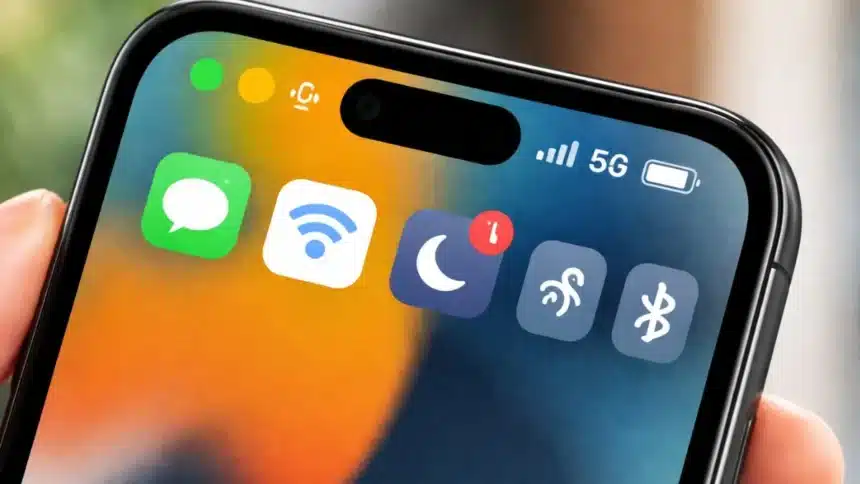
Many individuals do not pay close attention to the tiny images located at the top of their mobile devices, such as a small dot, a moon, a weak signal for Wi-Fi, or an arrow that pops up and disappears. It is easy to overlook these little pictures; however, this is a major mistake.
The purpose of the small icons is to signal to the user/information about events such as errors, notifications about items that are presently operating or how the device is functioning.
- 1. Notification icons are easy to ignore until you miss something important
- 2. Privacy dots can be a warning, not just a feature
- 3. Update icons are boring until your phone starts acting weird
- 4. The Wi-Fi icon tells you more than just whether you are connected
- 5. The aeroplane icon can quietly wreck your connectivity
- 6. A red battery icon is not just a reminder
- 7. The Bluetooth icon
- 8. 4G, 5G, or LTE icons
- 9. The moon icon could be the reason nobody can reach you
- 10. The location icon is your privacy clue
For example, on iPhones, Apple has said that when there are either orange or green indicators lit up on an iPhone device, it means that some application is presently utilizing the microphone or camera. Both Android and iPhone utilize privacy indicators to indicate whether there is any access by the camera/microphone.
Therefore, if you have seen a small icon and thought, “Who cares?”, please take note of this article, as it will encourage you to become more aware of your devices.
1. Notification icons are easy to ignore until you miss something important
That small bell, badge, or dot usually means you have unread notifications waiting. It could be a message, a missed call, a payment alert, a delivery update, or a reminder from an app you forgot you even installed.
2. Privacy dots can be a warning, not just a feature
This is one of the biggest icons people overlook. On iPhone, Apple says a green dot appears when the camera is in use, and an orange dot appears when the microphone is being used without the camera. Apple also says you can check Control Centre to see which app has recently been used.
3. Update icons are boring until your phone starts acting weird
A small arrow, badge, or update symbol may not look urgent, but software updates often carry security fixes, bug patches, and performance improvements. Leaving your phone outdated for too long can mean slower performance, app glitches, or missed protections against known issues.
4. The Wi-Fi icon tells you more than just whether you are connected
The Wi-Fi icon is one of the most common status symbols, but people still underestimate it. On iPhone, Apple says the more bars shown for Wi-Fi or cellular, the stronger the connection.
5. The aeroplane icon can quietly wreck your connectivity
If that tiny aeroplane shows up, your phone has likely shut off its wireless connections. That includes mobile network access, and depending on settings, it can affect other connections too.
6. A red battery icon is not just a reminder
When your battery icon turns red, your phone is basically saying it is running on fumes. Keep pushing it, and the device may power off when you need it most.
7. The Bluetooth icon
If your earbuds are not connecting, your smartwatch is not syncing, or your car audio is refusing to cooperate, the tiny Bluetooth icon is one of the first things to check.
8. 4G, 5G, or LTE icons
Mobile data icons are not just network labels. They can tell you what kind of speed and connection quality your phone is currently working with. If your phone keeps jumping between 5G, 4G, or LTE, that may point to network instability in your area.
9. The moon icon could be the reason nobody can reach you
That tiny crescent moon usually means Do Not Disturb, or a Focus mode is active. On Apple devices, Focus icons can appear in the status bar when a Focus is turned on.
10. The location icon is your privacy clue
The tiny location arrow is another symbol worth paying attention to. Apple says an arrow icon appears in the status bar or Control Centre when Location Services is active for an app.
Also Read: Why Modern Phones No Longer Have A Headphone Jack