Losing your iPhone or having it stolen can be upsetting. Your phone likely contains personal photos, private messages, banking apps, passwords, and access to important accounts. Acting quickly can help you recover the device or protect your information from misuse.
Here are the steps you should take right away.
Use ‘Find My’ As Soon As Possible
The first and most important step is to use Apple’s Find My feature. If it was enabled on your device, you can log in to iCloud through a web browser or use another Apple device to locate your phone.
With Find My, you can:
- See your phone’s last known location
- Play a sound to help locate it nearby
- Lock the device remotely
- Put it into Lost Mode
Even if the phone is offline, you may still see its last recorded location.
Turn On Lost Mode in iPhone
Protecting your data is what Lost Mode is all about! With Lost Mode, your phone will be set up in such a way that only people who know the passcode can get into it and interact with it. The other benefit to Lost Mode is that you can create a custom message on your phone’s screen, including a contact number, so if someone finds your phone, they can call you to let you know they have found your device.
Additionally, when you enable Lost Mode, you will also disable the use of Apple Pay on your phone, along with limiting access to personal and private data.
Consider Remote Erase
If you believe your iphone cannot be recovered, you may choose to erase it remotely. This will delete all personal data from the device.
However, once erased, you will no longer be able to track it using Find My. Because of this, remote erase should usually be a last step after other recovery attempts have failed.
Contact Your Mobile Carrier
Call your mobile service provider as soon as possible. Ask them to suspend your SIM card to prevent calls, messages, or data use by someone else.
If your phone was stolen, you may also need to request a SIM replacement later.
File a Police Report
If theft is suspected, filing a police report can be important. This may be required if you plan to make an insurance claim. Be sure to keep a copy of the report for your records.
Having documentation can also help if your device is later recovered.
Take Preventive Steps for the Future
While no one plans to lose a phone, be it android or an iPhone, preparation can make a major difference. Always use a strong passcode and enable two-factor authentication on your Apple ID and important accounts. Make sure the Find My feature is turned on.
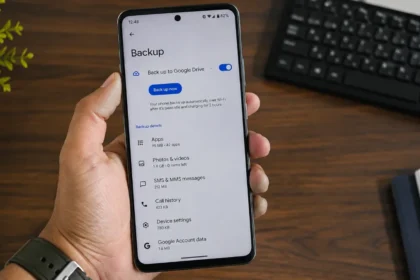
Also, regularly backing up your data to iCloud or a computer ensures that you do not lose valuable photos, contacts, and files.