



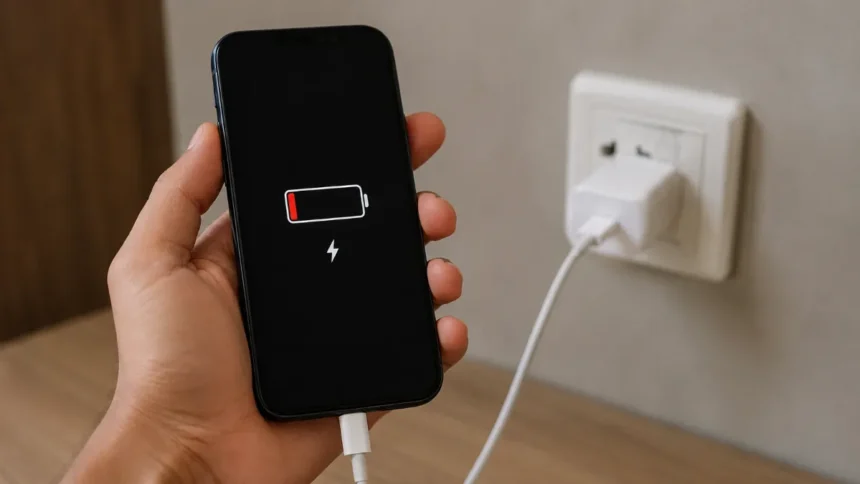
If you charge your phone before bed and then wake up to find that it’s still at 2%, there aren’t many things worse. If you need your phone for work, navigation, or staying in touch with family, having one that won’t charge can ruin your entire day. There are a few common reasons why charging problems happen, which could help get through the issue without too much of a hassle. You can fix many of them at home instead of taking your phone to a repair shop.
In this guide, the most likely problems are listed along with how to fix them, starting with the easiest ones.
- Phone Not Charging: Common Problems and Quick Fixes
- Start with the Basics
- 1. Inspect the Charging Cable
- 2. Clean the Charging Port
- 3. Check the Wall Adapter and Power Source
- 4. Update or Restart Your Software
- 5. Check for Overheating Issues
- 6. Inspect the Battery Health
- 7. Look for Physical Damage to the Charging Port
- When to See a Professional
- Final Thoughts
Phone Not Charging: Common Problems and Quick Fixes
| Common Problem | Possible Cause | Quick Fix |
| Phone does not charge at all | Faulty cable, adapter, or outlet | Try a different cable, adapter, or wall outlet |
| Charging starts and stops | Damaged cable or loose connection | Check the cable and charging port |
| Phone charges very slowly | Weak power source or damaged charger | Use a compatible wall charger |
| Charging cable feels loose | Dust, lint, or damaged port | Inspect and safely clean the charging port |
| Phone gets too hot while charging | Heat buildup or heavy usage | Remove the case and let the phone cool |
| Phone shows low battery after charging | Battery health has declined | Check battery health and consider replacement |
| Wireless charging does not work | Incorrect placement or incompatible charger | Reposition the phone and check charger compatibility |
| Phone still will not charge | Hardware or liquid damage | Stop using the port and seek professional repair |
Start with the Basics
Before you think the worst, you should rule out the easy things. A small thing that is easy to miss is often to blame for charging problems. It begins by ruling out the simplest of the reasons.
- Check the plug. Try plugging something else into the same outlet to make sure it’s really working.
- Use a different cable to charge. When you bend and twist cables, especially near the connector ends, they wear out.
- Change the wall adapter you’re using. The adapter, which is the block that plugs into the wall, can break without the cable.
- Starting up your phone again. Software bugs that make charging impossible can be fixed with a simple restart.
After these simple checks, if your phone still won’t charge, it’s time to look into it more.
1. Inspect the Charging Cable
One of the most common places where things break is in charging cables, especially where they are stressed near the connectors.
- Carefully look for fraying, wires that are showing, or connectors that are bent.
- While the phone is plugged in, move the cable around. If the phone charges and then stops charging, the cable is probably broken.
- This will help you figure out if the cable itself is broken. You can also use a different cable with a different device.
When the cable is worn out, you should get a new one that is official, MFi-certified (for iPhones), or from a reputable third-party company. Using cheap cables that aren’t certified can make it impossible to charge your phone, and they can even damage the port over time.
2. Clean the Charging Port
After a while, lint, dust, and other small things get stuck in charging ports. This is especially true if you keep your phone in a pocket or bag. The connector might not be able to make good contact because of this buildup.
How to clean it safely:
- Turn off your phone before you clean it.
- Look inside the port with a flashlight for things you can see.
- Grab a can of air and tilt it backwards to get rid of dust and lint.
- A soft, dry toothbrush, a wooden toothpick, or a plastic SIM ejector tool can help loosen things up if you need to. Keep metal things away from the pins inside; they could damage them.
- Do not put wet things in the port.
There may be damage from liquid inside the port if you see rust or discoloration. This needs to be fixed by a professional.
3. Check the Wall Adapter and Power Source
It’s not always your phone or cable that’s broken.
- Check to see if the adapter can still charge it with a different phone or machine.
- If you want to use a USB port, keep in mind that some computer and car ports don’t give off as much power. Many ports will charge things very slowly or not at all while they are being used.
- You should charge your phone from the wall outlet if you can, instead of using a USB hub or an extension cord, which can slow down the process.
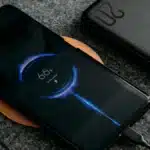
- When you use a wireless charger, put the phone in the right place next to the charging coil and make sure that the charger can give your phone the power it needs.
4. Update or Restart Your Software
Firmware bugs can sometimes make it impossible for your phone to charge.
- In the settings on your phone, check to see if there are any software updates coming up soon. If there are, install them.
- If you want to reset the charging system, restart your phone after you fix or clean any hardware.
- You should only do this if you have backed up your data and are sure that the software problem with your phone is fixed.
5. Check for Overheating Issues
It will either stop charging or charge more slowly if your phone gets too hot. It’s not broken; this is meant to keep you safe.
- When you charge your phone, take off big cases, especially if you are somewhere warm.
- When you charge your phone, don’t leave it out in the sun or on furniture or beds that are soft and will trap heat.
- Your phone should feel warm when you touch it. Don’t try to charge it again until it’s cool.
6. Inspect the Battery Health
If you charge your phone but the battery dies quickly or turns off at higher percentages for no reason, the battery may be dying.
- Go to Settings > Battery > Battery Health & Charging to see how much power your iPhone battery can hold.
- You can see how healthy the battery is on most Android phones by going to Settings → Battery. Though, the exact spot varies from manufacturer to manufacturer.
- If the health percentage of the battery is less than 80%, you might want to get a new one.
This is a normal part of a phone’s life, especially after two years or more of daily use. Batteries lose power over time and after being charged a lot.
7. Look for Physical Damage to the Charging Port
If the charging port is broken, none of those steps might work. This could happen from normal use, drops, or getting wet.
These are some signs that a port is broken:
- The plug feels loose when a cable is plugged in.
- It looks like the port is broken, bent, or pushed close to the body.
- You have to hold the cable at a certain angle for it to charge.
This kind of damage usually needs to be fixed by a professional because it involves taking out parts and putting them back in.
When to See a Professional
You might need to get it fixed if you’ve tried a different cable, adapter, and cleaned the port well but it still won’t work. Here are some signs that you need help from a professional:
- Water or corrosion inside the port has caused damage that can be seen.
- A charging port that feels loose or broken
- One that doesn’t charge as well as it used to
- Even after being charged for a long time, the phone won’t turn on.
A lot of companies offer official repair services, and third-party shops can usually figure out what’s wrong for little or no cost.
Final Thoughts
Sometimes a phone won’t charge because the cable is broken, the port is dirty, the adapter is broken, or the battery is dying. By planning ahead and starting with the easiest and least expensive options, you can usually solve the problem. If you’ve tried everything else and your phone still won’t charge, the safest thing to do is take it to a repair shop.
Must Read: What Really Happens When You Charge Your Phone To 100% Every Day
Visit Devicology for the latest Tech News, Guides, and in-depth Reviews. Follow us on Whatsapp, LinkedIn, X (Twitter) and Instagram to never miss an update!