Ads on your phone aren’t just annoying, they’re mood killers. You’re vibing through an article or watching a video, and boom some loud ad for toothpaste ruins everything. But it’s not just the irritation. Ads can track your data, drain your battery, and even slow down your apps.
Some shady ones sneak in malware or redirect you to sketchy sites. Blocking ads doesn’t just clean up your screen, it protects your privacy, saves data, and gives you the smooth, clutter-free scroll you deserve. So yeah, block those ads. Your phone (and your sanity) will thank you.
You may disable the ads on your Realme Phones with the below steps:
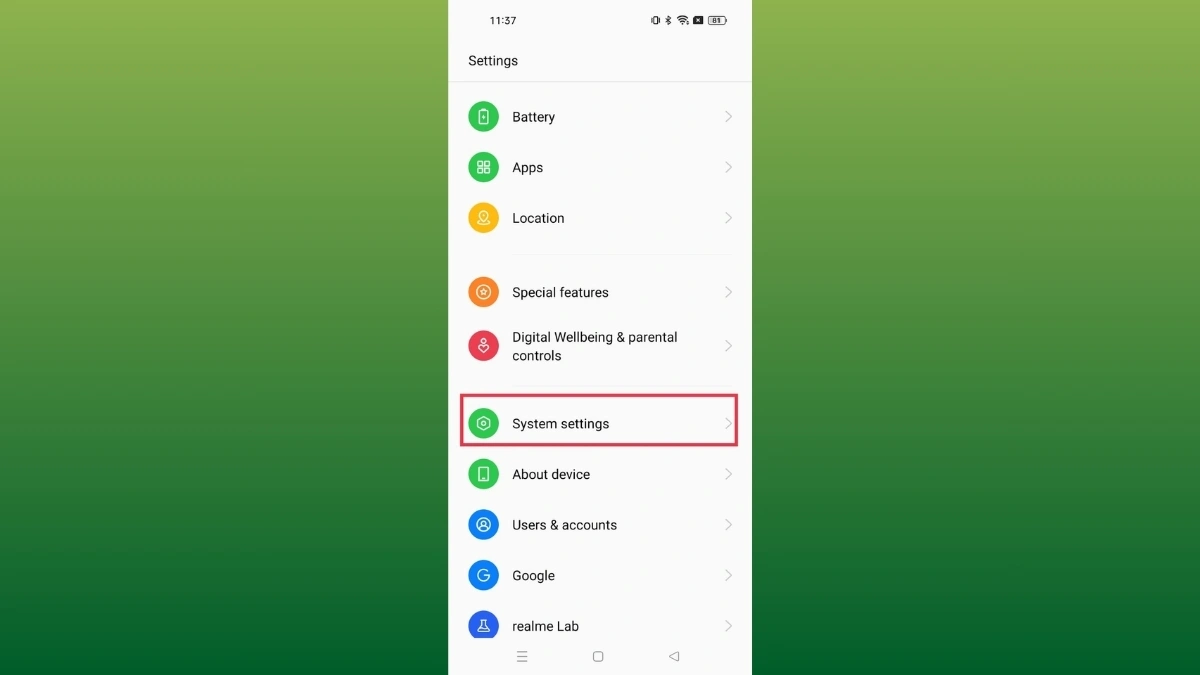
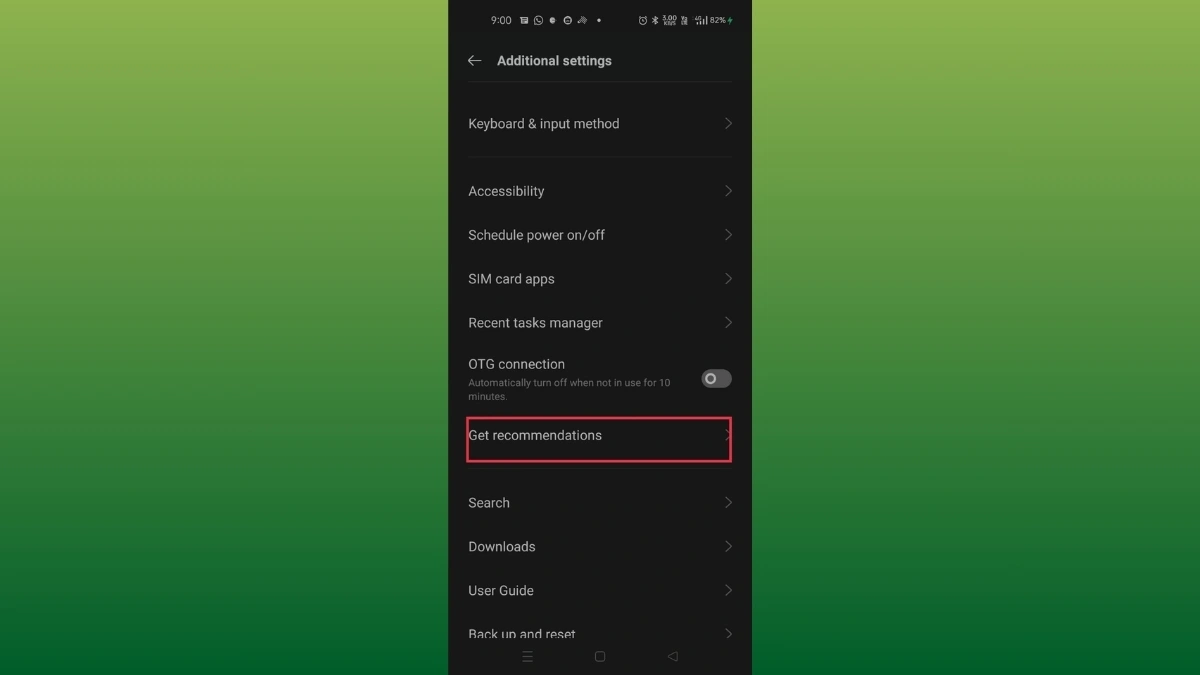
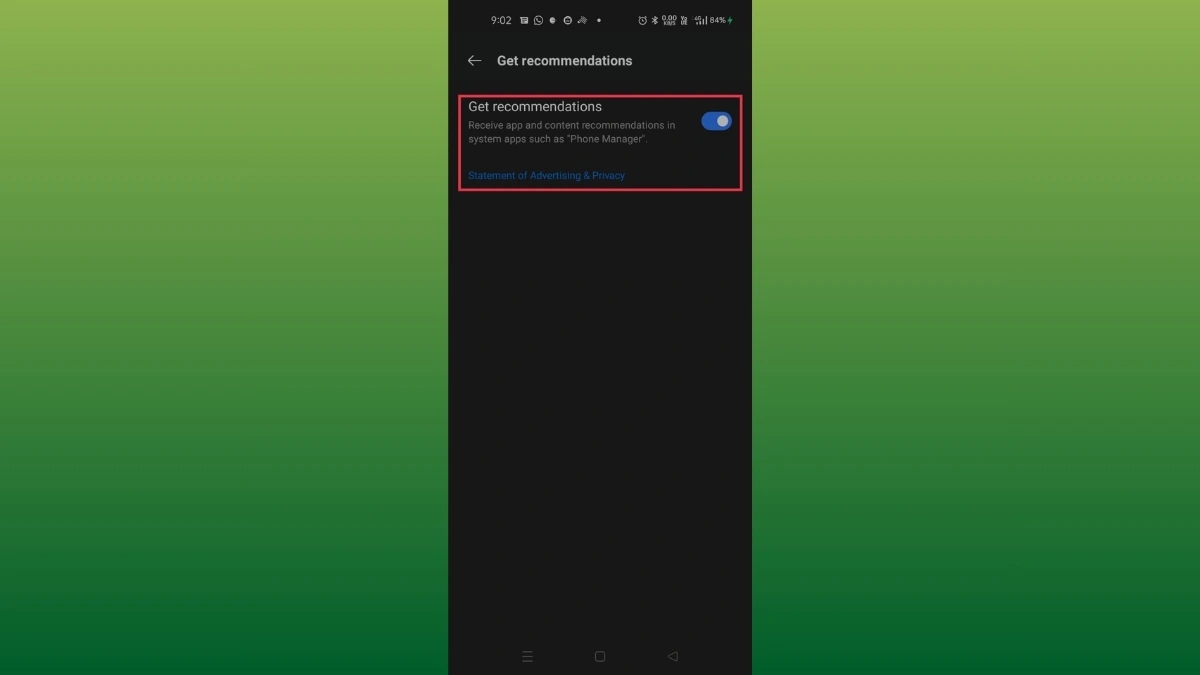
Realme UI 4.0 & 3.0 & 2.0 & 1.0: Settings > Additional/System Settings > Get Recommendations > Click to Disable.
Realme UI R & T & S & Go Edition: Settings > search Personalized news in the Search bar > click Personalized news > Disable.
Realme UI 6.0 & 5.0: Not supported

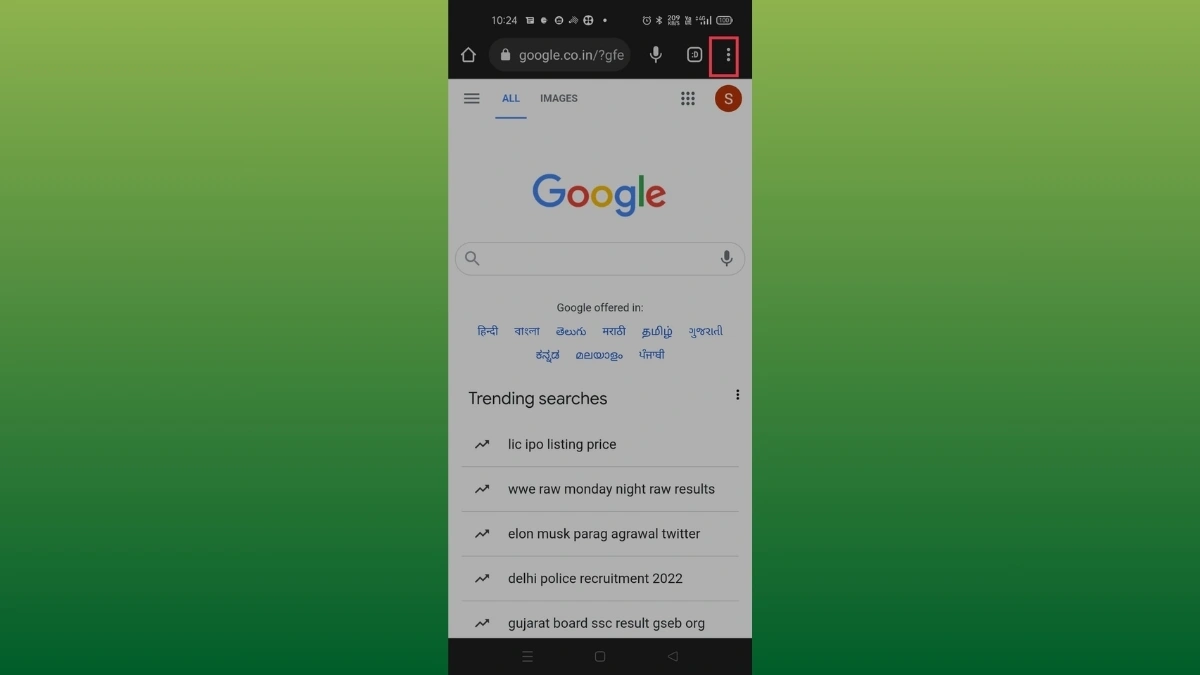
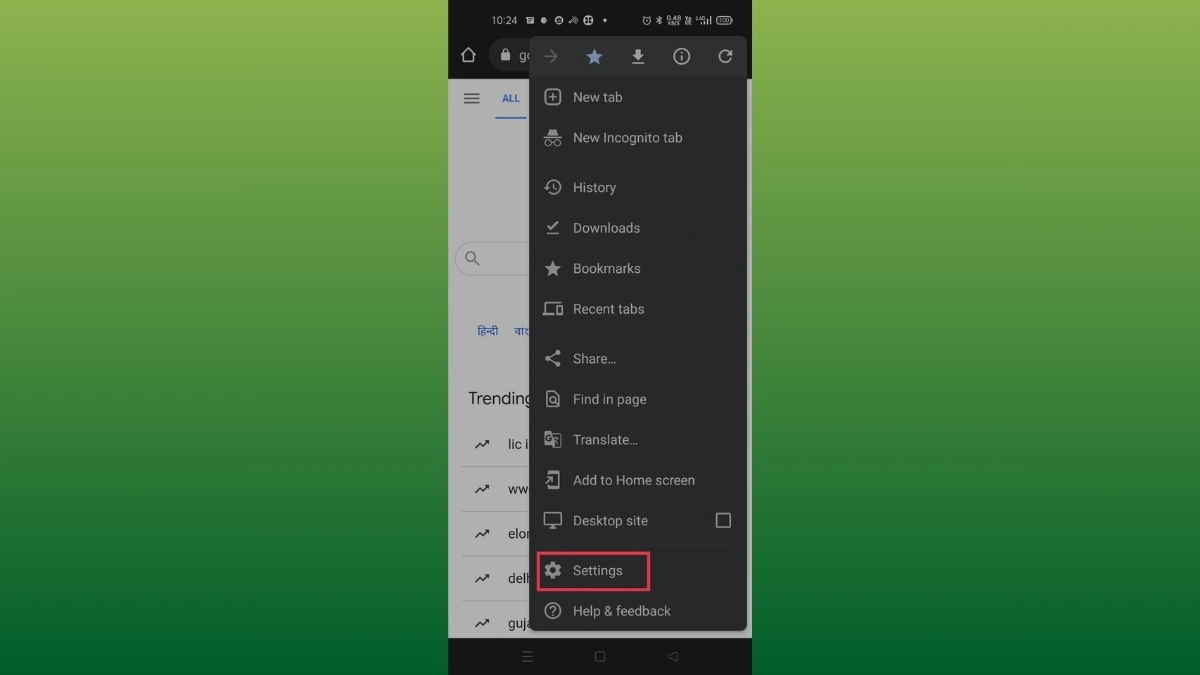
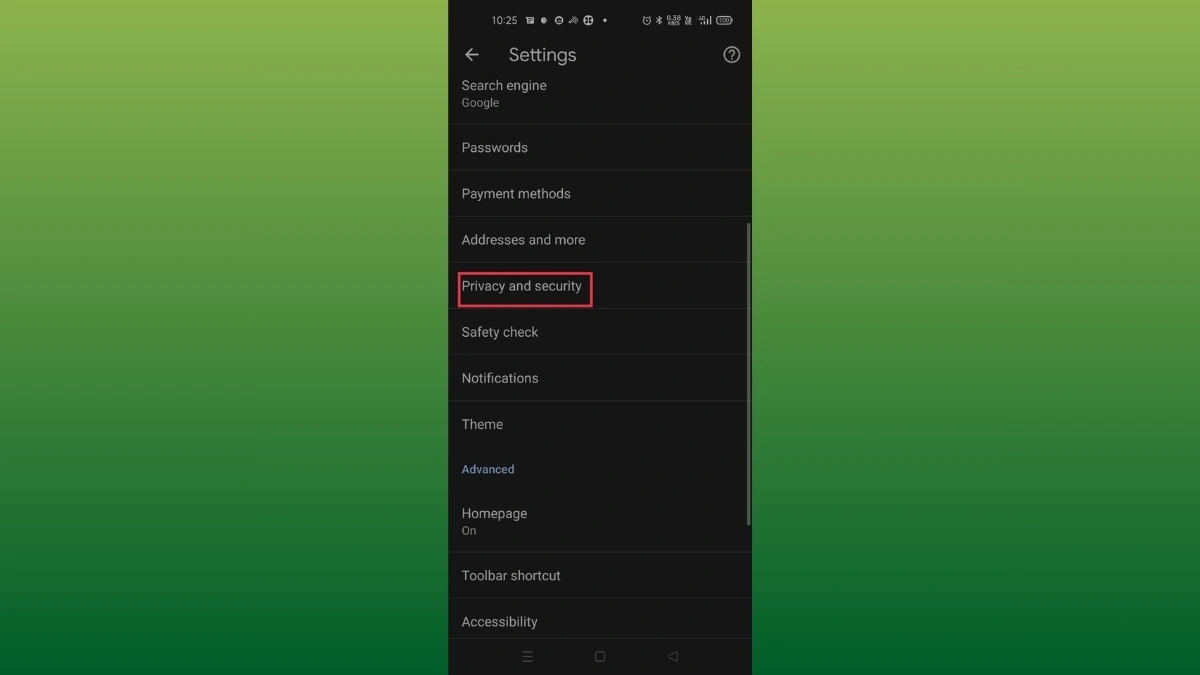
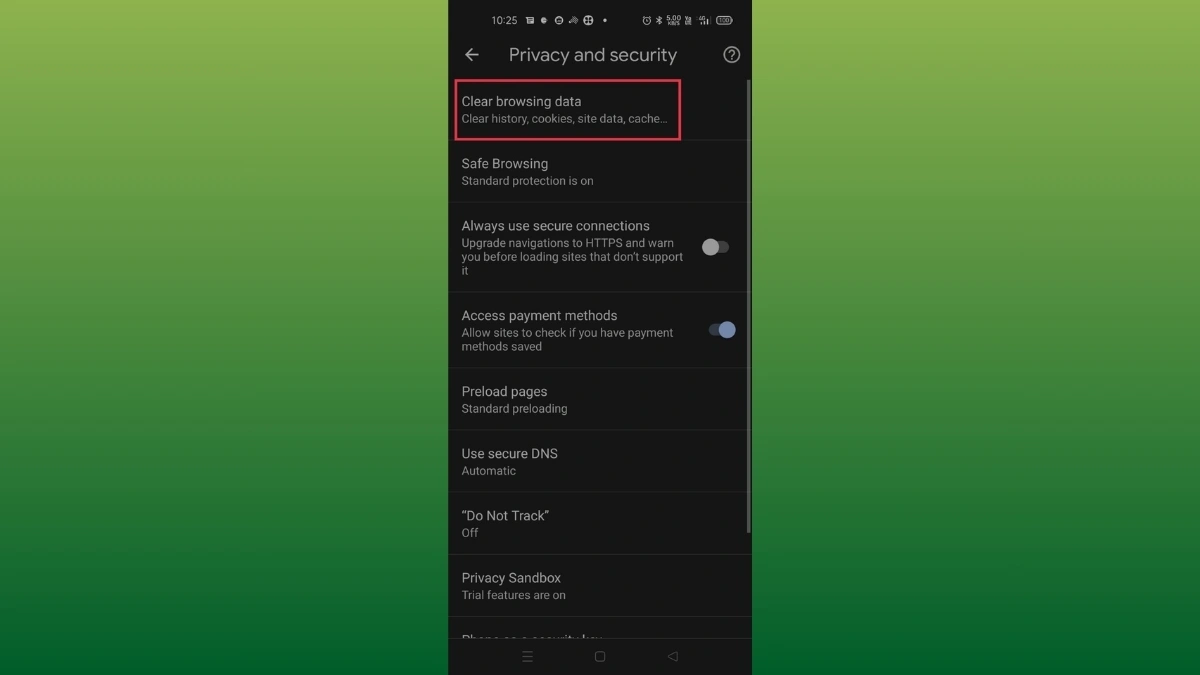
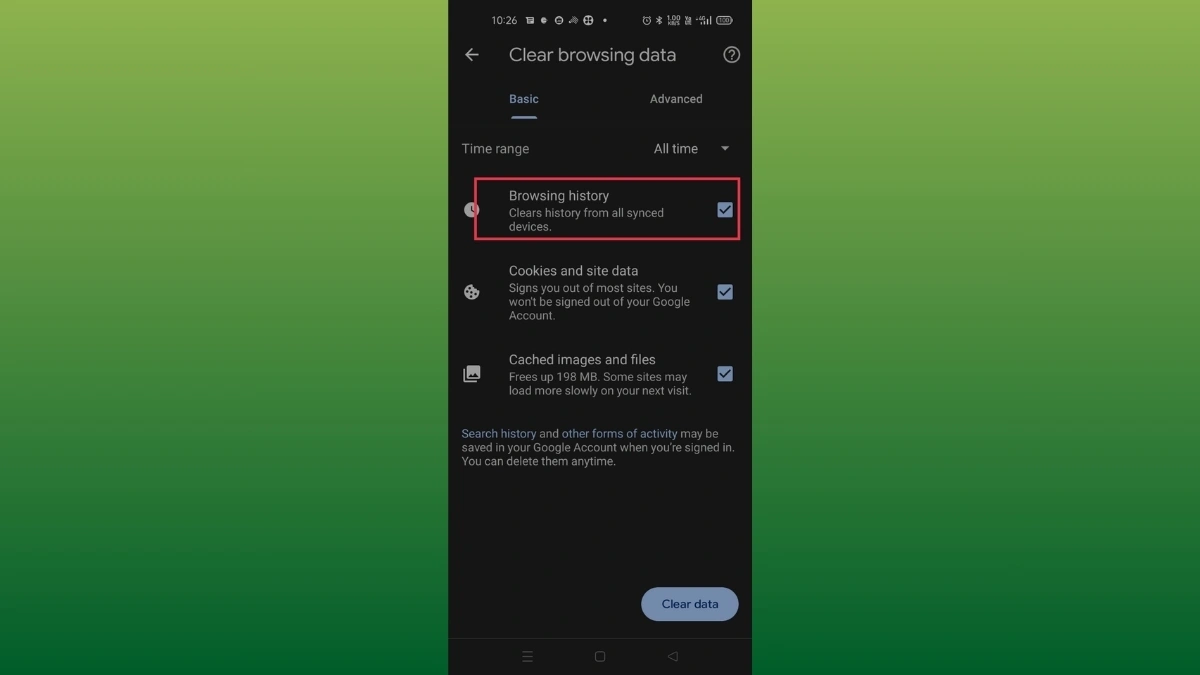
Sometimes, the advertisements you see may be caused by some third-party apps or website caches stored in the browsers. And not by the device’s built-in advertisements if the advertisements show up through browsers. Please clear the entire browsing history (from the beginning) and block ads in Google Chrome by following these steps:
Google Chrome:
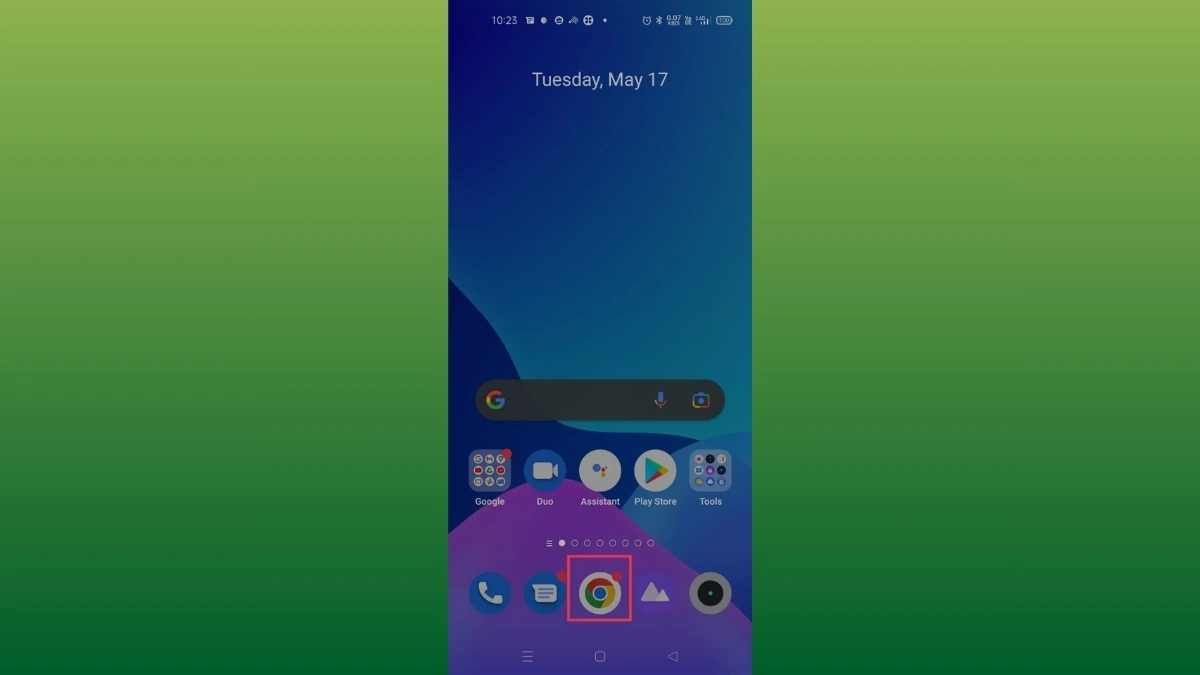
Step 1: Click on Chrome > Click on the Three Dots at the right top side > Settings > Privacy & Security > Clear Browsing Data.
Step 2: Chrome > Settings > Site settings > Ads > Disable Ads.
Also Read- How To Use Bluetooth Audio Sharing On A Google Pixel Phone