Do you have a cluttered mess of subscriptions and spam in your Gmail inbox? We can accumulate so many emails over time on Gmail accounts, as if they are a type of digital currency.
Each time you use the “Sign in with Google” button to register for something new, you end up with a digital footprint. It makes it easier for someone to find you through mutual friends.
In addition, third-party services interact with each other when you “Sign in with Google,” creating a complicated web of access to your data and clutter in your digital life.
So, it’s necessary to clean up your Gmail account properly over time, but cleaning up your inbox is not only about deleting individual emails but also about revoking access rights from services that allow others into your space initially.
By managing these connections, you essentially “change the locks” on your digital home, ensuring that only the services you currently use and trust have a key.
How to Remove Your Gmail from Websites
As you’ve been using your account for years, you likely have dozens of “ghost” apps still attached to your data. Here is how to remove them.
Step 1: Open your Gmail account.
Step 2: Go to Manage Your Google Account
Step 3: Open the Security tab/ Security & Sign-in
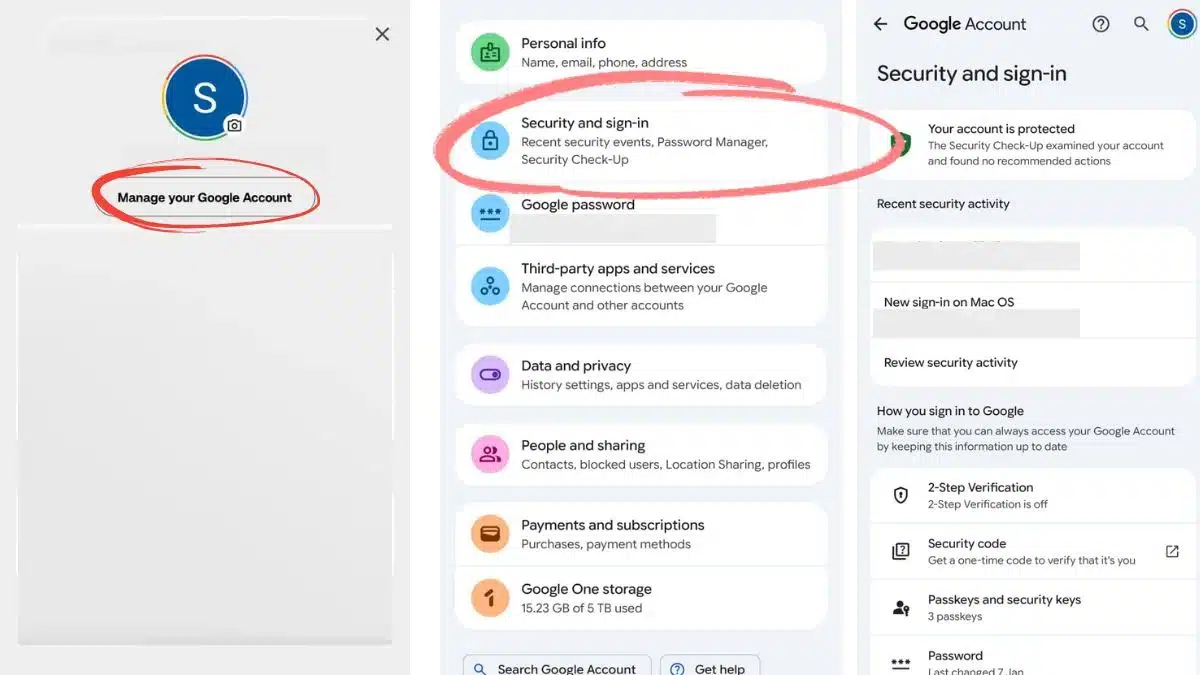
Step 4: Scroll down & find Third-Party Apps and services
Step 5: Find connected apps and websites
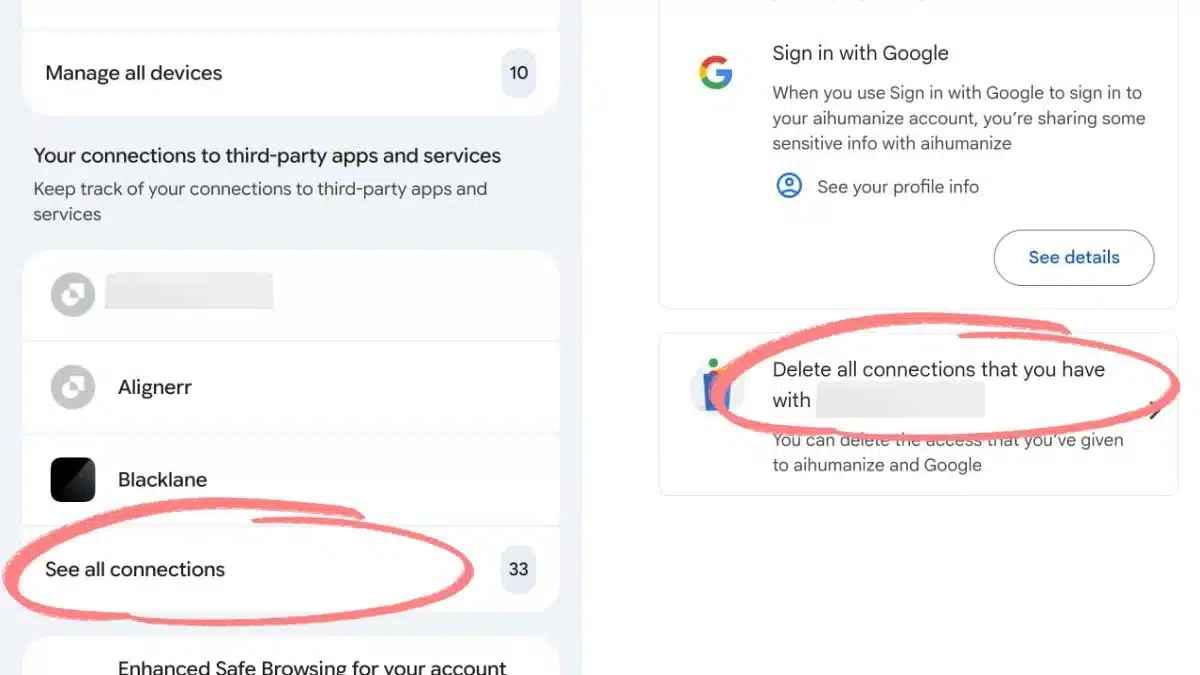
Step 6: Remove access from unwanted sites
Step 7: Repeat for all unwanted connections
Now, once you revoke access, the ‘handshake’ between Google and that website is broken. They can no longer pull new information from your profile.
If that third-party site is ever hacked, your Google Account remains safe because the bridge between them has been burned.
Also, note that following these steps does not delete your account on the third-party site; it only stops the site from using your Google credentials to verify who you are.
When was Gmail Started?
So, now, we know how to perform this ‘Digital Audit’ and all, but let’s see where it all started.
Gmail was first launched by Google on April 1, 2004. But because of this specific date, many people initially thought it was just another April Fool’s joke, and it turned out that it was not.
Then initially, for years, Gmail was an “invite-only” service. This exclusivity created massive demand, with some people even auctioning off invites on eBay.
That time when competitors like Hotmail offered only a few megabytes of storage, Gmail was launched with a then-unheard-of 1GB of free space.
And today, as Google transitioned from a search engine to a platform, your Gmail address became your Google Identity.
Also Read: How to Finally Change Your Outdated Gmail Username- A Step-By-Step Guide