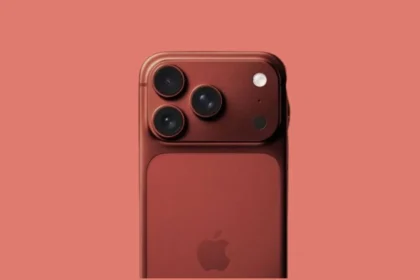
The iPhone 17 and the brand-new iPhone Air were both announced by Apple on September 9, 2025. Following pre-orders, both smartphones were officially launched and hit store shelves a few days later on September 19, 2025.
If you own an iPhone 17 or iPhone Air, Apple’s recent update has fixed one of your very important things: the battery.
Many times, you must have seen that you plugged your dead phone into the charger, and then nothing happens. No charging sign, no screen light-up, nothing.
And that’s when you panic. But, now Apple has recently rolled out a small free iPhone update, which will resolve this issue, especially in iPhone 17 and iPhone Air
iPhone iOS 26.5.1 Update
Apple has recently released iOS 26.5.1, a software update, which is specifically made for iPhone 17 and iPhone Air. As per Apple’s release statement, this update addresses the issue, which will prevent wired charging from working properly when the battery is dead.
Although Apple has mentioned that this problem was affecting a very small number of users, it was still frustrating enough to leave some phones unresponsive.
iPhone Unresponsive While Charging
This battery issue was first highlighted in April, when some reports were making the rounds online from the affected users.
The reports have also suggested that this issue has appeared when an iPhone is completely dead. Even after plugging in the charger, the device failed to show common charging indicators or power back on. making it feel like the phone isn’t charging at all.
Some of the users also reported that using MagSafe chargers helps their phone get its life back after waiting roughly around 10-15 minutes.
What is the Reason?
The reason behind this unresponsive behaviour is still not revealed by Apple, but it says that iOS 26.5.1 will fix the problem.
Apple’s official release note says that this update fixes an issue that “ may prevent wired charging” on iPhone 17 and iPhone Air models.
So, if you also own any such device, it is good to install the iOS 26.5.1 update as soon as possible.
How to Install the Update
To install the fix,
Step 1: Go to the Settings
Step 2: Tap on General
Step 3: Click on Software Update.
Step 4: Tap on Download and Install.
(Just make sure that your device is connected to Wi-Fi and has at least 50% battery)
The launch of iOS 26.5.1 serves as a final housekeeping measure for Apple’s current software cycle. With WWDC 2026 kicking off on June 8, Apple is expected to shift all focus to iOS 27, which rumour mills suggest will bring deep AI integrations and a completely overhauled power-management system to ensure these hardware-software communication issues don’t follow the iPhone into the next generation.
Also Read: How iPhone Users Can Now Text And Use Apps With Zero Mobile Signal