
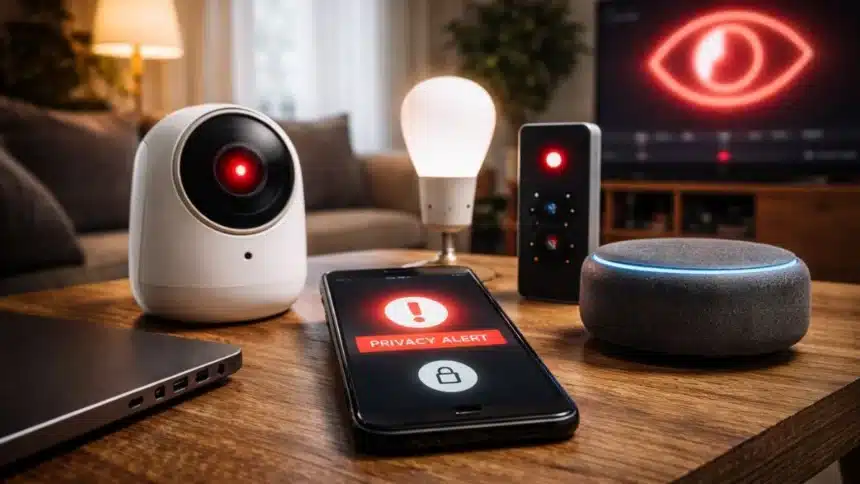
With the growth of smart home devices in recent years, these gadgets have become habitual components of everyday living. They enable individuals to remotely manage lighting, security systems, and appliances from anywhere.
As smart home technology continues to evolve into a more interconnected world, there are also growing concerns about the data collection and privacy associated with these devices.
While most smart home devices are not created to “spy” on you in the traditional sense, they constantly collect information to function and enhance service levels for their users.
Unfortunately, the variety of ways in which such data can be accessed, recorded, or shared may be uncertain to most users.
To help users develop a better understanding of their smart home devices and the ability to better control how they use their smart home devices, the following lists provide important considerations when investigating your smart home device.
Check for hidden microphones
Many devices, including smart TVs and security cameras, come with built-in microphones to support voice commands. However, not all users are aware that these features exist.
Reviewing device specifications and app settings can help identify whether microphones are active. Where voice input is not essential, disabling microphone access can reduce unnecessary data capture.
Review app permissions
Smart home apps often request broad permissions, including access to location, contacts and local networks. In some cases, these permissions go beyond what is required for basic operation.
Users can review and revoke unnecessary permissions through their smartphone settings to limit data exposure.
Monitor voice assistant activity
Devices such as Amazon Alexa and Google Home remain in a passive listening mode, activating when a wake word is detected. However, false triggers can occur, leading to unintended recordings.
Most platforms provide an activity log where users can review, manage and delete stored voice data.
Use physical camera safeguards
Although software controls can disable cameras, security experts often recommend physical barriers as an added layer of protection. Covering cameras in private spaces ensures they cannot be accessed remotely.
Change default passwords
Many smart devices are shipped with standard login credentials, which are widely known and easily exploited.
Setting strong, unique passwords during initial setup is one of the most effective ways to prevent unauthorised access.
Separate devices on a guest network
Placing smart home devices on a dedicated guest Wi-Fi network can limit potential security risks. This approach prevents compromised devices from accessing personal data stored on primary devices such as laptops or smartphones.
Check third-party access
Over time, users may grant access to external apps or services that integrate with their smart home systems. These connections can remain active even if no longer in use.
Reviewing account settings and removing unused integrations can help reduce exposure.
Watch for unusual activity
Unexpected behaviour, such as devices activating without input or cameras making unexplained sounds, may indicate system activity that warrants further inspection.
Smart home technology continues to evolve, offering convenience alongside increased connectivity.
Also Read: How To Restrict Google Search From Revealing User Personal Information?