Google has finally wrapped up its visual makeover for Chrome, and Android users are the last to get the glow-up. The browser’s Android app now sports the Material 3 Expressive redesign – the same modern, colorful style you’ve probably already seen in apps like Messages and Contacts.
Starting with version 141, Chrome on Android is rolling out a clean, slightly bolder design. According to 9to5Google, the update has now reached most users, marking the end of a rollout that began quietly back in late August.
A Cleaner, Friendlier Interface
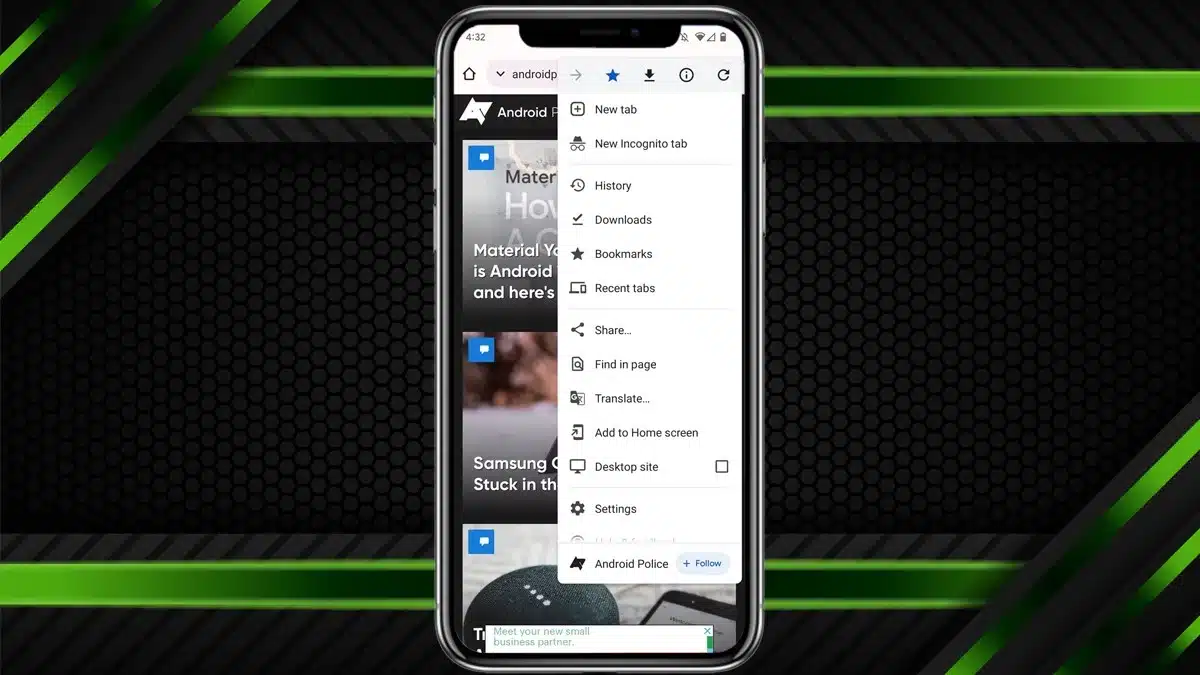
When you tap the three-dot menu now, you’ll notice a more polished look. Key actions: forward, bookmark, download, site info, and refresh, are displayed inside neat circular icons that make everything easier to spot.
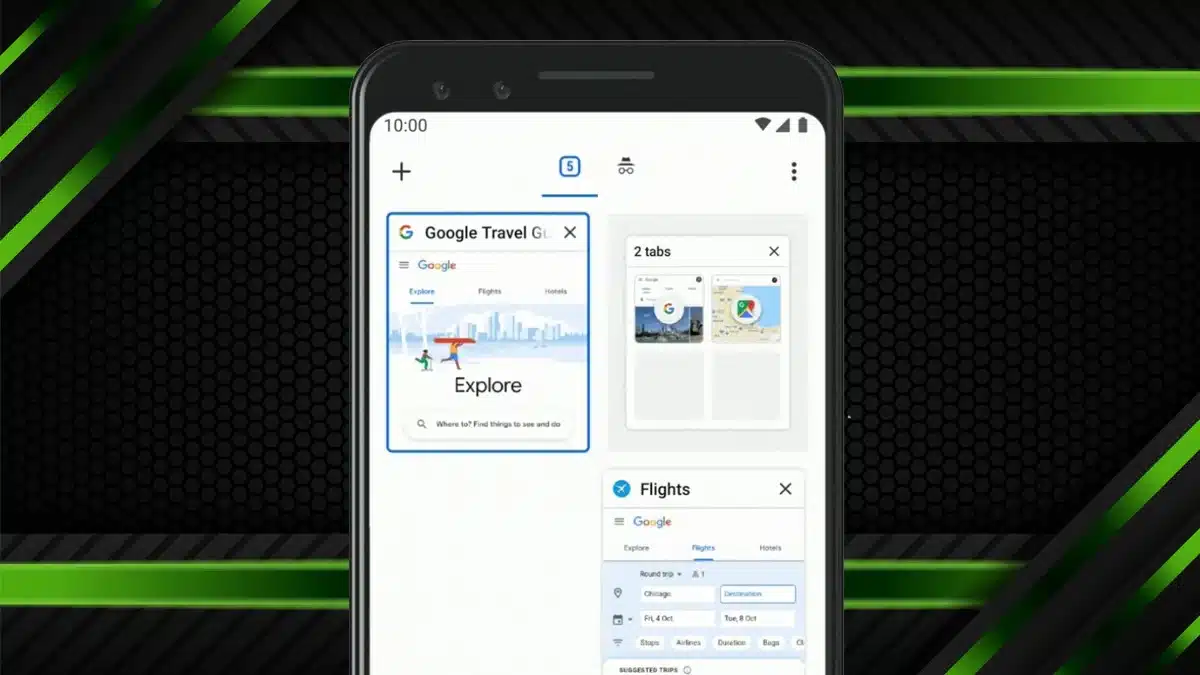
In the Tab Grid view, the familiar “+” button for opening a new tab sits in a rounded square, giving it a softer, more balanced appearance. Tabs, Incognito mode, and Groups all have clearer visual containers, making them easier to tell apart. And yes, Dynamic Color theming is here too, meaning Chrome’s look now adapts to your wallpaper or chosen color palette.
It’s a Makeover, Not a Makeover Show
Despite its stylish new face, Chrome hasn’t really changed how it works. Button sizes, menus, and settings pages are all in the same place. This update focuses on looks, not layout.
So if you’re used to how Chrome has always felt, don’t worry, you won’t need to relearn anything. This update is more about bringing Chrome in line with Google’s wider design style than reinventing the wheel.
Little Touches That Make a Difference
Look closely, and you’ll notice a few fun details sprinkled throughout. As a page loads, the progress bar now appears in segments with rounded corners, a small but satisfying tweak. And when you visit a website you’ve already bookmarked, the star icon in the menu now sits inside a rounded square background, adding a nice visual cue.
Haven’t Got the Update Yet? Here’s Why
If Chrome on your phone still looks the same, don’t panic. The new design is being rolled out server-side, so it’s not just about having the latest app version. Even if your Chrome says version 141 or higher, it might take a bit longer for the redesign to reach you.
Want to try speeding things up? There’s a quick trick. Head to your Android Settings → Apps → Chrome → Force Stop, then reopen the app. Sometimes that gives the update the little push it needs to appear.
Chrome’s new look may not reinvent browsing, but it makes your daily experience feel fresher, smoother, and more in tune with Google’s evolving design vision. It’s familiar, but with just the right touch of new.
ALSO READ: Casio Launches Back To The Future-Inspired Watch For 2025