


Your phone’s lock screen is supposed to be your first line of defence. But a newly reported Android vulnerability suggests that, in some cases, that protection may not be enough.
Security researchers have flagged a serious flaw that could allow attackers to bypass your passcode entirely and access sensitive data within seconds.
What Is the Issue?
CVE-2026-20435 is a vulnerability found in some Android phones with MediaTek processors using Trustonic’s Trusted Execution Environment (TEE).
What’s important is as follows:
- The bug affects 25% of Android phones.
- The majority of devices impacted are budget and mid-tier Android phones.
- Cybercriminals are able to remove the passcode on a device.
Devices confirmed to be affected include the CMF Phone 1, Moto G Play (2026) (other devices exist).
How to Check If Your Phone Is Affected
You do not need to panic, but you should check a few things immediately.
- Check for Security Updates
Go to:
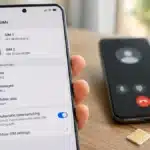
- Settings
- Security & Privacy (or just Security)
- Tap Security Update
- Select Check for updates
Look for:
- Latest Android security patch date
- Any pending updates
If an update is available, install it immediately.
- Check Your Security Patch Level
Go to:
- Settings
- About Phone
- Software Information
Look for:
Android security patch level
If it is older than 10-12 months, your device may no longer be receiving updates.
- Confirm Your Processor (Optional but Useful)
Check your phone model on the manufacturer’s website to see if it uses a MediaTek chipset listed in recent security bulletins.
Although chipmaker fixes have already been released. However, they do not reach users directly.
Brands like Samsung, Google, and OnePlus roll out updates on their own timelines. Which means some users will get the fix quickly, others may wait weeks, and older phones may never receive it.
What You Should Do Right Now
- Install the latest security update
- Avoid leaving your phone unattended
- Do not connect your device to unknown systems
- Back up important data regularly
Android still remains secure for most users, but vulnerabilities like this show one thing clearly- your security is only as strong as your latest update.
Also Read: Skip The Google Pixel 10a! 5 Smartphones That Offer Better Value Right Now