



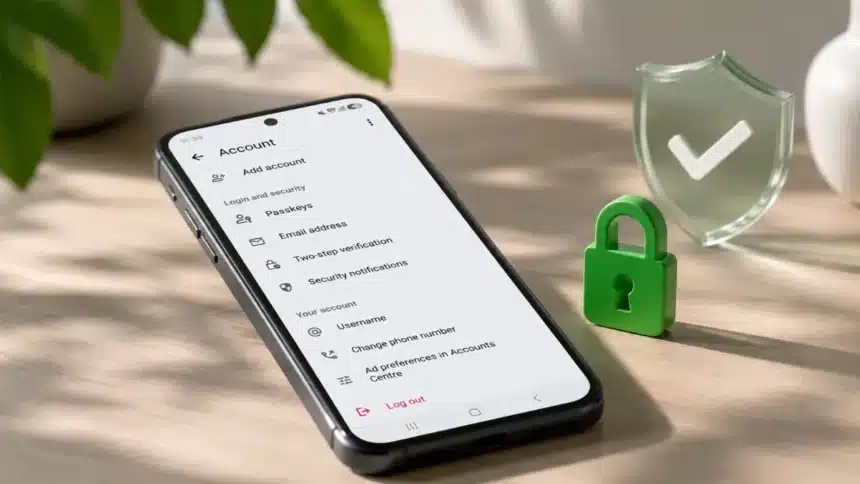
WhatsApp just dropped a security update that every single user should pay attention to. And no, this isn’t one of those minor tweaks that you’ll never notice. This one actually changes how you protect your account, how you verify your identity, and how you deal with unknown callers.
WhatsApp has always been a massive target for hackers and scammers. WhatsApp already uses end-to-end encryption by default for personal messages and calls, but encryption alone doesn’t prevent someone from taking over your account. That’s where these three new features come in.
Let’s break them down.
1. Two-Step Verification Just Got a Serious Upgrade
This is probably the biggest change of the three, and honestly, it was long overdue.
What it was before
Until now, WhatsApp’s two-step verification relied on a six-digit PIN. You’d set it up once, and it would act as an additional layer of protection if someone tried to register your number on a new device.
The problem? A six-digit PIN has only one million possible combinations. A stronger password gives users a much larger space of possible combinations and makes it harder to guess.
What’s changed now
WhatsApp is upgrading the six-digit PIN used for two-step verification to a password. The new password can be longer and use letters and numbers, with special characters also supported.
Here’s how the old and new systems compare:
| Feature | Old System | New System |
| Format | 6-digit numeric PIN | Password |
| Character types | Numbers only | Letters, numbers and supported special characters |
| Length | Fixed at 6 digits | Minimum 8 characters |
| Brute-force difficulty | 1 million possible PIN combinations | Much larger combination space |
| Example | 482917 | Tr0pic@lSunr1se! |
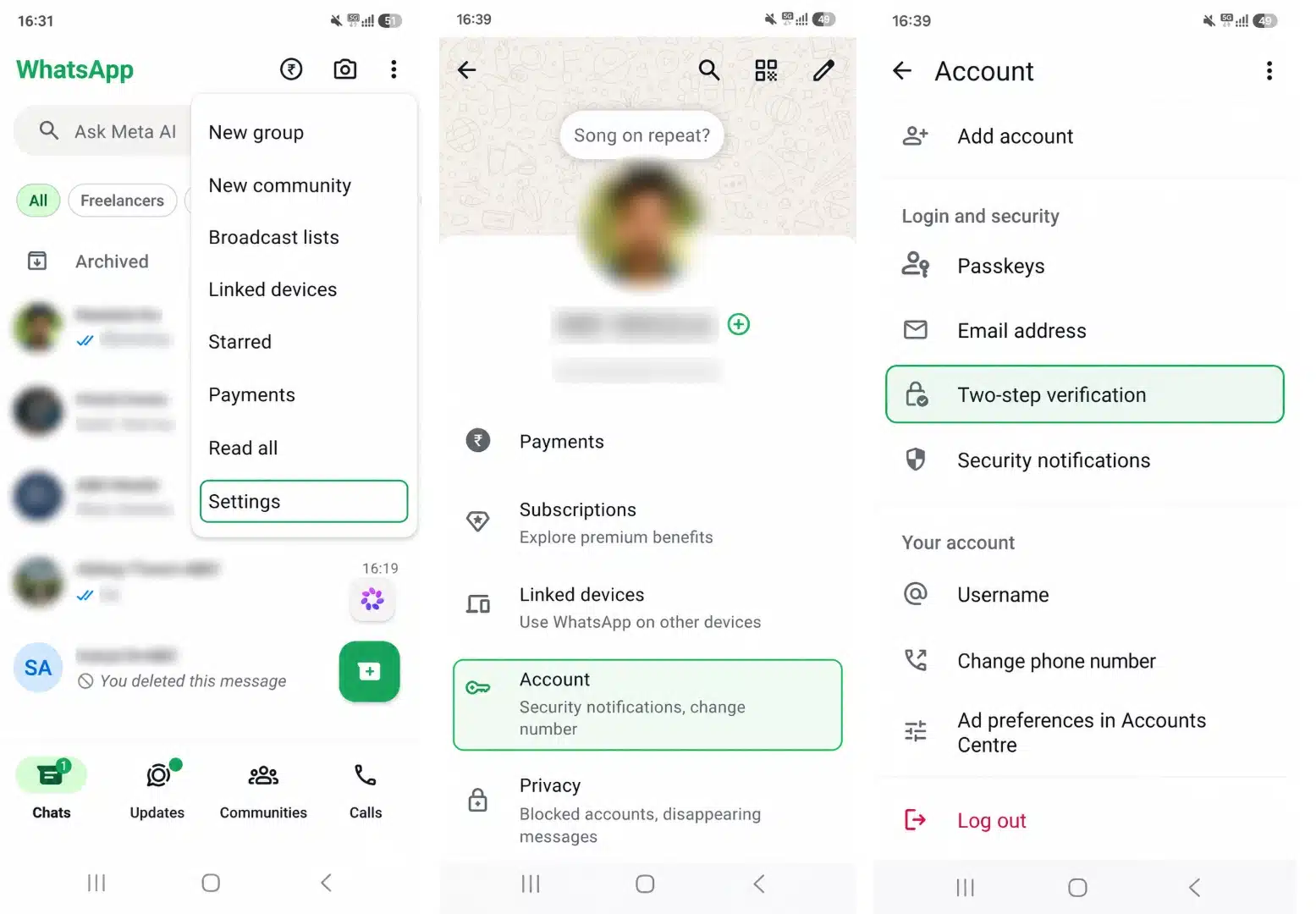
How to set it up
- Open WhatsApp
- Go to Settings > Account > Two-step verification
- If the password upgrade is available on your account, follow the prompts to create your password
An Honest Take: This should have happened years ago. A six-digit PIN in 2026 felt like locking your front door with a piece of string. If WhatsApp has already made the password upgrade available on your account, take the time to switch from the old PIN to a stronger password.
2. Multiple Passkeys Across Your Devices
If you’ve already set up a passkey on WhatsApp, you’re part of a pretty big club. More than 1 billion people have already enabled passkeys on WhatsApp, according to the company.
What are passkeys, exactly?
Passkeys let you log back into WhatsApp using your biometrics, such as a fingerprint or Face ID, or your device’s screen lock. No passwords to remember, no codes to type in. They use your device’s security system to verify your identity.
If you want a deeper explanation of how the technology works, Devicology has already covered WhatsApp passkeys and account security in detail.
What’s new
Previously, WhatsApp’s passkey setup was limited to one passkey per account. Now, WhatsApp says you can add more than one passkey to your account if you use both Android and iOS devices.
Each device can have its own passkey, making the feature more practical for people who regularly switch between devices.
Why this matters
- Multi-device users: If you carry both an Android phone and an iPhone, each device can now have its own passkey
- Better recovery: Having more than one passkey can give you another way to verify your identity if one device becomes unavailable
- Backup protection: WhatsApp already supports passkey-encrypted chat backups, allowing you to protect backups using your fingerprint, face recognition or screen lock instead of remembering a separate 64-digit encryption key
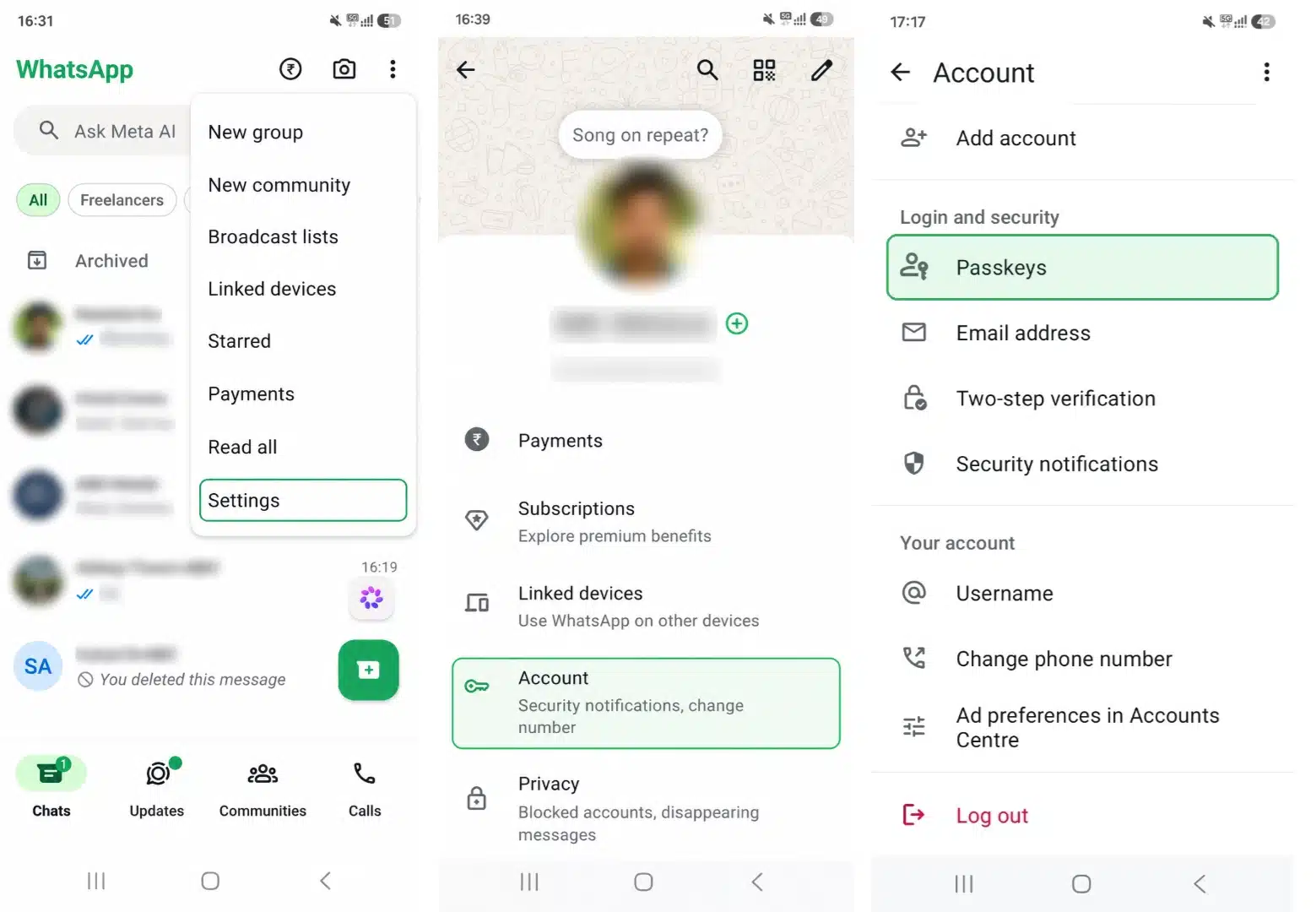
How to set it up
- Go to Settings > Account > Passkeys
- Add a passkey for each device you use regularly
The Honest Take: This is a smart move for anyone juggling multiple devices. The single-passkey limitation was a real pain point, and removing it makes the whole system more practical for everyday use.
3. Smarter Call Context for Unknown Numbers (Android)
This one is Android-only for now, but it’s genuinely useful if you’ve ever stared at an unknown number ringing on your screen and wondered whether to pick up.
The problem it solves
Scammers love WhatsApp calls because they create urgency. Your phone rings, you see an unknown number, and your instinct is to answer it. Maybe it’s important. Maybe it’s your bank. Maybe it’s a delivery. That split-second decision is exactly what scammers can exploit.
What WhatsApp now shows you
When an unknown number calls you on WhatsApp, the app can now display additional context to help you decide whether to pick up:
- Country information: You can see if the phone number is registered in a different country
- Shared groups: You can see whether you and the caller have any groups in common
When this helps
| Scenario | What you’ll see | What it means |
| Random international call | Number registered in another country with no shared groups | Could be spam or a scam |
| Someone from a work group | Number from your country + 1 group in common | Could be someone you know through the group |
| Unknown local number | Number from your country with no shared groups | Could go either way, use your judgment |
How to use it
You don’t need to turn on a separate setting for this new caller context. When an unknown number calls, look at the additional details on the caller screen before deciding whether to answer.
WhatsApp also has a separate Silence Unknown Callers feature if you want calls from unknown numbers to stop ringing your phone.
The Honest Take: This is one of those features that sounds small but could help people avoid falling for scam calls. The country information and shared-group details give you more context before you decide whether to answer.
Quick Summary: All Three Features at a Glance
| Feature | Platform | What it does | Action needed |
| Stronger two-step verification | Android + iOS | Upgrades the 6-digit PIN to a password | Manual setup or upgrade required |
| Multiple passkeys | Android + iOS | Add more than one passkey to the same account | Manual setup required |
| Call context for unknown numbers | Android | Shows country information and shared groups | Automatic, no separate setup |
Should You Actually Care About This Update?
Yes. Here’s why.
Most people don’t think about account security until something goes wrong. And by then, it’s usually too late. Someone has already taken over their account, messaged their contacts pretending to be them, or locked them out entirely.
These three features don’t require you to be a tech expert. They are designed to add more protection without making everyday WhatsApp use much more complicated.
If you do nothing else today, at least check your two-step verification settings and see whether the new password upgrade is available on your account. WhatsApp says the stronger password provides an additional layer of protection against account takeover.
If you want to review more WhatsApp privacy controls at the same time, check out Devicology’s guide on how to run a WhatsApp Privacy Checkup.
How to Check If You Have the Update
The new security features are rolling out gradually. If you don’t see them yet:
- Make sure your WhatsApp is updated to the latest version
- Check the App Store (iPhone) or Google Play Store (Android) for pending updates
- Give it some time if the features haven’t appeared yet, as availability can vary during the rollout
That’s it. Three security-focused improvements, no extra cost, and more ways to keep your WhatsApp account protected.