

Reusing passwords is still one of the biggest reasons accounts get hacked. When one login is exposed in a data breach, attackers often try the same email and password combination on other websites and apps. This technique, known as “credential stuffing,” is one of the simplest ways for attackers to take over multiple accounts.
Top password manager apps fix this problem by generating a unique, complex password for every account and storing them securely behind one master password. They can also autofill your login details whenever you need them, making strong and unique passwords much easier to use every day.
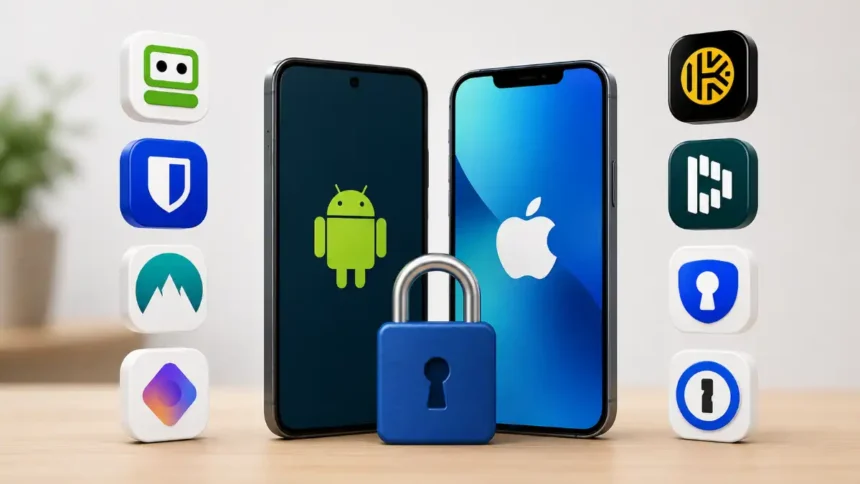
Every app on this list works on both Android and iPhone, but “works on” and “works well on” are not always the same thing. Autofill reliability, biometric unlock, and the way each app handles Android and Apple’s built-in autofill systems can vary significantly between platforms. That is why the seven password managers below are ranked separately for Android and iPhone.
Top 7 Password Manager Apps for Android
1. RoboForm
RoboForm has become the reference point for Android autofill. It uses Android’s accessibility services to reliably fill in logins across both apps and browsers, even on complex multi-page forms that trip up other managers. It also bundles a built-in TOTP (Time-based One-Time Password) authenticator, so two-factor codes autofill alongside your password instead of requiring a separate app. AES-256 (Advanced Encryption Standard with a 256-bit key) encryption, passkey support, and an optional local-only storage mode round it out.
2. Bitwarden
Bitwarden is the best free password manager on Android, full stop. The free tier includes unlimited passwords and unlimited devices, which most competitors gate behind a paid plan. It’s fully open-source and independently audited, using AES-256 encryption with PBKDF2 (Password-Based Key Derivation Function 2, which slows down password-cracking attempts). Premium is just a few dollars a year and adds YubiKey support and vault health reports, but most Android users will never need to upgrade.
3. NordPass
NordPass uses XChaCha20 (an extended-nonce version of the ChaCha20 encryption cipher) paired with Argon2id (a modern password-hashing algorithm), a newer and more brute-force-resistant standard than the AES (Advanced Encryption Standard) setup most competitors use. The Android app is clean and fast, with a one-device free plan good enough to try before committing. Premium adds unlimited devices, breach scanning, and email masking. It’s independently audited and has never disclosed a breach.
4. Proton Pass
Built by the team behind Proton Mail, Proton Pass leans hard into privacy: unlimited passwords and unlimited devices on its free plan, plus built-in email aliasing so you can sign up for accounts without exposing your real address. Encryption and syncing are handled the same way Proton secures its email product, which makes it an easy pick for anyone already inside the Proton ecosystem.
5. Keeper
Keeper’s Android app pairs strong security fundamentals with useful extras like secure file storage and a built-in digital vault for sensitive documents, not just logins. It supports biometric unlock, passkeys, and dark web monitoring on paid tiers. It’s a slightly more “enterprise-feeling” app than some rivals, which makes it a strong pick for business or family accounts as much as personal use.
6. Dashlane
Dashlane’s Android app wraps password management, a built-in VPN (Virtual Private Network, which encrypts your internet connection), and dark web monitoring into one subscription. Its autofill is reliable, though not quite as polished as RoboForm’s on tricky forms. Where it stands out is the all-in-one pitch: fewer separate apps to manage if you want password security and a basic VPN bundled together.
7. Enpass
Enpass works best when you’re not online. Your vault can be stored on your device and only synced with a cloud service you choose, like Google Drive or a self-hosted server, not with Enpass’s servers. That appeals to Android users who specifically don’t want a subscription company holding their encrypted data. It supports multiple vaults (Work, Personal, Family), passkeys, and TOTP codes, and it’s a strong free-to-try option before any subscription kicks in.
Top 7 Password Manager Apps for iPhone
1. RoboForm
RoboForm tops iPhone rankings for the same reason it wins on Android: autofill accuracy. Its redesigned iOS (Apple’s mobile operating system) app uses browser-style navigation and imports credentials directly from Safari, and it auto-captures new logins the moment you sign into a site or app rather than requiring manual entry. Face ID unlock, passkey support, and built-in dark web monitoring are all included, with everything encrypted locally before it ever syncs.
2. NordPass
NordPass is often rated as the best all-around iPhone app because it is fast, well-designed, and has been checked by a third party. It also has a design that feels like it was made for iOS and not Android. Passkey support, Face ID unlock, and Safari extension integration all work smoothly, and its modern XChaCha20 encryption gives it a slight technical edge over AES-based competitors.
3. 1Password
1Password is widely considered the most trusted name in the category, and on iPhone that trust is backed by genuinely excellent execution: native passkey support, deep Touch ID and Face ID integration, and a design language that feels purpose-built for Apple’s ecosystem. It adds a unique 128-bit Secret Key on top of your master password, meaning even a leaked master password alone isn’t enough to unlock your vault.
4. Keeper
Keeper stands out specifically on iPhone for its Siri integration, letting you search and retrieve credentials through voice commands. Beyond that novelty, it offers the same strong encryption, biometric unlock, and dark web monitoring as its Android version, plus secure file storage for documents you’d rather not leave in iCloud.
5. Bitwarden
Bitwarden’s iOS app carries over everything that makes it the best free option on Android: unlimited passwords, unlimited devices, and open-source, audited encryption, all for free. The iPhone app supports Face ID unlock and Safari AutoFill integration cleanly, and the paid tier remains inexpensive if you eventually want extras like YubiKey support.
6. Proton Pass
The Proton Pass app for iPhone is very similar to the app for Android. The free plan lets you use unlimited passwords and devices, and it also has built-in email aliasing so you can sign up for services privately. iOS users who already rely on Proton Mail or Proton VPN will find it slots into that ecosystem with minimal setup, and Face ID unlock is fast and reliable.
7. Dashlane
Dashlane’s iPhone app bundles the same VPN-plus-password-manager pitch as its Android counterpart, with Face ID unlock and dark web monitoring included on paid plans. It’s a reasonable choice for iPhone users who want to consolidate multiple security subscriptions into one app, even if its autofill is a step behind RoboForm’s on the trickiest login forms.
Which One Should You Actually Pick?
If you just want the most reliable autofill on either platform, RoboForm tops both lists for good reason. If price matters most, Bitwarden gives away more for free than anyone else. If you want the most “at home” experience on iPhone specifically, 1Password and NordPass are hard to beat. And if privacy is the deciding factor over convenience, Proton Pass is worth a serious look on either device.
No matter which one you pick, the real improvement isn’t the app itself; it’s getting rid of passwords that have already been used. Choose one, import the logins you already have, and let it do the rest.