

Smartphone battery life remains one of the biggest concerns for users across the world. Despite improvements in battery technology, brighter displays, faster processors, and power-hungry apps continue to put pressure on daily battery performance.
One setting often sits at the center of the battery-life debate: Screen Brightness.
- Why Screen Brightness Matters So Much
- What Is Auto-Brightness?
- What Is Fixed Brightness?
- Which Setting Uses Less Battery?
- Auto-Brightness vs. Fixed Brightness Comparison
- The Hidden Battery Cost of High Brightness
- Why Modern Auto-Brightness Is Better Than It Used to Be
- When Fixed Brightness Makes More Sense
- When Auto-Brightness Is the Better Choice
- Other Display Settings That Affect Battery Life
- Common Brightness Myths
- Myth #1: Auto-Brightness Always Saves Battery
- Myth #2: Maximum Brightness Is Only Slightly Worse
- Myth #3: The Light Sensor Uses Lots of Power
- Best Brightness Strategy for Most Users
- Final Verdict
Many users wonder whether enabling auto-brightness saves more power than manually setting brightness at a fixed level. Some leave auto-brightness enabled at all times, while others insist that manually controlling brightness is the key to squeezing extra hours out of a phone battery.
The reality is more nuanced. The best choice depends on how, when, and where you use your smartphone.
Why Screen Brightness Matters So Much
For most smartphones, the display is one of the largest battery consumers.
Whether you’re:
- Watching videos
- Browsing social media
- Reading articles
- Playing mobile games
- Using navigation apps
The screen can consume more power than many background processes.
As brightness increases, the display generally requires more energy, causing battery drain to climb significantly.
This is why brightness settings often have a greater impact on battery life than many users realize.
What Is Auto-Brightness?
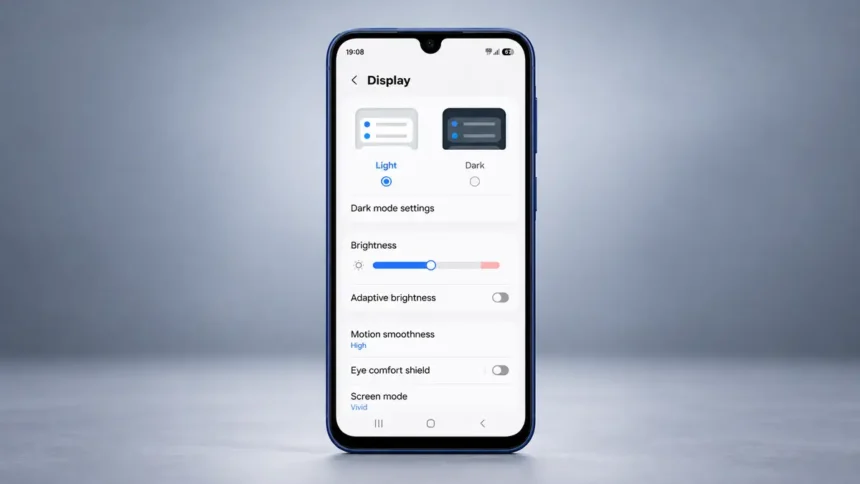
Auto-brightness uses ambient light sensors to measure surrounding lighting conditions and automatically adjust screen brightness.
For example:
- Outdoors in sunlight, brightness increases
- Indoors, brightness decreases
- At night, brightness drops further
The goal is to maintain screen visibility while minimizing unnecessary power consumption.
Some modern smartphones use machine learning and adaptive brightness systems that learn a user’s preferences over time.
Benefits of Auto-Brightness
- Automatic adjustments throughout the day
- Better screen visibility outdoors
- Reduced manual intervention
- Lower brightness in dark environments
- Potential battery savings in mixed lighting conditions
What Is Fixed Brightness?
Fixed brightness means manually selecting a brightness level and leaving it unchanged until adjusted again.
Many users prefer this approach because it provides complete control over screen intensity.
Common settings include:
- 25% brightness
- 50% brightness
- 75% brightness
- Maximum brightness
With manual control, the screen generally remains at the chosen level regardless of environmental lighting, unless the device adjusts it for thermal or other system limits.
Benefits of Fixed Brightness
- Consistent viewing experience
- No unexpected brightness changes
- Greater user control
- Easier battery management
- Reduced brightness fluctuations
Which Setting Uses Less Battery?
The answer depends on your chosen brightness level.
Scenario 1: Fixed Low Brightness
If you manually keep your screen around 20% to 30% brightness throughout the day, battery consumption will often be lower than auto-brightness, provided auto-brightness would otherwise select a higher level.
Why?
Because auto-brightness may frequently raise screen intensity higher than necessary, especially in moderately lit environments.
In this situation, fixed brightness often wins.
Scenario 2: Fixed High Brightness
If you keep your screen locked at 80% to 100% brightness, battery drain increases dramatically.
In this case, auto-brightness is usually more efficient because it lowers brightness whenever maximum illumination is unnecessary.
Scenario 3: Typical Daily Usage
For most people who move between:
- Homes
- Offices
- Cars
- Outdoors
- Restaurants
- Stores
Auto-brightness generally provides more convenient battery management because it continuously adjusts screen output based on changing conditions.
Auto-Brightness vs. Fixed Brightness Comparison
| Factor | Auto-Brightness | Fixed Brightness |
| Convenience | Excellent | Moderate |
| User Control | Moderate | Excellent |
| Outdoor Visibility | Excellent | Depends on Setting |
| Battery Efficiency (Average User) | Depends on Usage | Depends on Setting |
| Battery Efficiency (Low Fixed Setting) | Depends on Ambient Light | Often Excellent |
| Comfort in Different Environments | Excellent | Moderate |
| Requires Adjustments | Usually No | Yes |
The Hidden Battery Cost of High Brightness
Many people underestimate how much power high brightness consumes.
Maximum brightness is often necessary only when:
- Walking outdoors
- Using navigation in sunlight
- Taking photos outside
- Viewing content on bright days
Yet some users leave their phones near maximum brightness all day.
Common consequences include:
- Faster battery drain
- Increased device heat
- More frequent charging
- Potentially faster battery aging over time due to increased heat
Even reducing brightness from 100% to 70% can noticeably improve battery life during a typical day.
Why Modern Auto-Brightness Is Better Than It Used to Be
Years ago, auto-brightness systems often made frustrating adjustments.
Users complained about:
- Screens becoming too dim
- Excessive brightness swings
- Slow responsiveness
- Poor environmental detection
Today’s smartphones can use far more sophisticated algorithms.
Modern adaptive brightness systems can:
- Learn preferred brightness levels
- Adjust gradually
- Respond faster to lighting changes
- Improve comfort and battery efficiency simultaneously
As a result, many of the frustrations associated with older auto-brightness systems have been reduced, although they haven’t disappeared entirely.
When Fixed Brightness Makes More Sense
Despite improvements in automatic systems, fixed brightness still has advantages.
Mobile Gaming
Gamers often want consistent visibility and color performance.
Unexpected brightness shifts during gameplay can be distracting.
Video Editing and Creative Work
Content creators may prefer a known brightness level when reviewing:
- Photos
- Videos
- Design projects
Consistent brightness helps maintain visual accuracy.
Battery Optimization Enthusiasts
Users focused on maximizing battery life often manually set extremely low brightness levels whenever possible.
This approach can outperform auto-brightness in controlled environments.
When Auto-Brightness Is the Better Choice
Auto-brightness shines in real-world usage.
Frequent Travelers
People moving between indoor and outdoor environments benefit from automatic adjustments.
Outdoor Workers
Construction workers, delivery drivers, and field technicians often experience rapidly changing lighting conditions.
Auto-brightness helps maintain visibility without constant manual changes.
Everyday Users
Most smartphone owners simply want a device that works efficiently throughout the day.
Auto-brightness reduces micromanagement while balancing comfort and battery performance.
Other Display Settings That Affect Battery Life
Brightness isn’t the only display-related battery factor.
Consider these additional settings:
Screen Timeout
Shorter timeout periods reduce unnecessary screen-on time.
Always-On Display
Although convenient, always-on displays consume additional power.
Refresh Rate
Higher refresh rates such as 120Hz can use more battery than standard 60Hz settings, depending on the content and display technology.
Dark Mode
On OLED displays, dark mode can reduce power consumption because black pixels require less energy.
Combining these settings with smart brightness management often yields the best battery improvements.
Common Brightness Myths
Myth #1: Auto-Brightness Always Saves Battery
Not necessarily.
A low manually selected brightness level can consume less power than auto-brightness.
Myth #2: Maximum Brightness Is Only Slightly Worse
False.
Very high brightness levels can significantly increase power usage.
Myth #3: The Light Sensor Uses Lots of Power
The ambient light sensor consumes very little energy compared to the display itself.
The screen can be a major power draw.
Best Brightness Strategy for Most Users
If your goal is maximizing battery life without constantly adjusting settings, the most effective approach is:
- Keep auto-brightness enabled
- Reduce overall brightness preference when possible
- Use dark mode on OLED devices
- Lower screen timeout duration
- Avoid unnecessary maximum brightness use
This combination balances battery efficiency, comfort, and usability.
Final Verdict
For most smartphone users, auto-brightness is a practical choice for managing daily battery drain. Modern adaptive brightness systems intelligently reduce screen intensity when high brightness is unnecessary, helping conserve power throughout changing environments.
However, users willing to manually maintain a consistently low brightness level can potentially achieve even better battery performance. The catch is that it requires constant adjustment and may lead to poor visibility outdoors.
In practical everyday use, auto-brightness offers a good balance of convenience, comfort, and battery efficiency. While fixed brightness can outperform it under carefully controlled conditions, most people will get more convenient brightness management by letting their phone manage brightness automatically.