How to Save Mobile Storage Without Deleting Your Apps: That annoying “Storage Full” alert can feel like it always pops up at the worst time. You rely on your phone for banking, messages, work, and daily life, so deleting important apps is not really an option. The good news is you do not have to.
With a few smart storage habits, you can free up a surprising amount of space without removing the apps you depend on. Most of the problem comes from hidden clutter that quietly builds up in the background.
How to Save Mobile Storage Without Deleting Your Apps
Here are some of the best and easiest ways to clear storage and keep your phone running smoothly.
1. Clear Cache and Temporary Files First
This is one of the fastest ways to get space back. App cache is made up of temporary files that help apps load quicker. Over time, these files pile up and take up more space than you might expect. Clearing the cache is safe and will not erase your personal information, accounts, or saved files.
For Android: Go to Settings > Storage > Cached data and tap to clear everything at once. You can also go to Settings > Apps, choose an app using a lot of space, then tap Storage & cache > Clear cache.
For iPhone (iOS): iPhones do not have a single button to clear all cache. Instead, many apps let you clear cache inside their own settings. Another option is offloading or deleting the app, which is explained later.
2. Use Cloud Storage to Your Advantage
Photos and videos are usually the biggest space eaters on any phone. Storing everything locally is no longer necessary thanks to cloud services.
Back Up and Delete: Services like Google Photos, iCloud Photos, and Dropbox can automatically back up your photos and videos. Once your files are safely uploaded, use tools like “Free up space” in Google Photos to remove the local copies. Your memories stay accessible anytime you are online.
Stream Instead of Downloading: Music and video apps such as Spotify, Netflix, and YouTube Music can take up a lot of space if you download content. Streaming saves storage. If you do need offline access, lower the download quality to standard instead of high definition.
3. Clean Up Messaging Apps
Apps like WhatsApp and Telegram quietly collect photos, videos, voice notes, and GIFs from every chat. Over time, this turns into a major storage problem without you even noticing.
Turn Off Auto-Download: In your messaging app settings, disable automatic media downloads on Wi-Fi and mobile data. This way, only the files you actually want will be saved.
Use Built-In Storage Tools: Many messaging apps have a Storage and Data section that shows which chats and files take up the most space. Use it to delete large files, duplicates, or old media you no longer need.
4. Offload or Archive Apps Instead of Deleting Them
Both iPhone and Android offer smart features that reduce app size without removing your data.
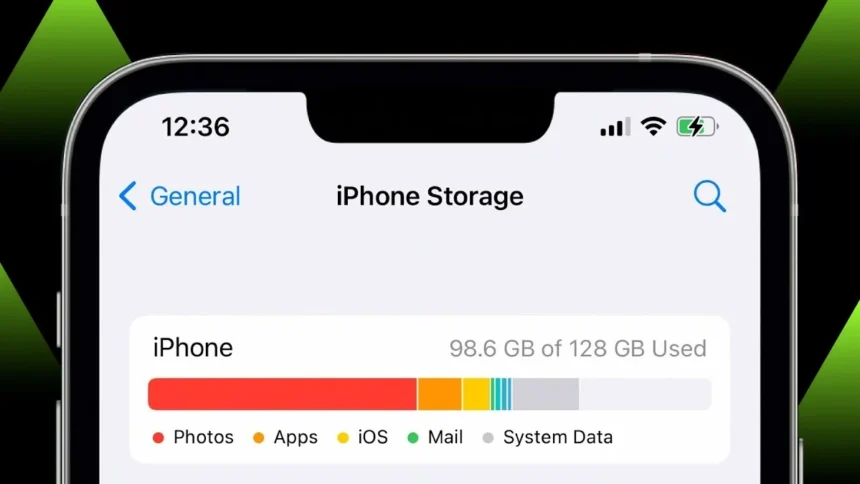
iPhone Offloading: Go to Settings > General > iPhone Storage and look for “Offload Unused Apps.” This removes the app itself but keeps all your data, documents, and progress. If you reinstall the app later, everything comes back instantly.
Android Archiving: On newer Android phones, the Archive feature shrinks apps by removing parts of the installation while keeping your personal data. You can usually find this in Play Store settings under “Automatically archive apps” or by long-pressing an app icon.
5. Clean Out Downloads and Junk Files
The Downloads folder often becomes a dumping ground for files you only needed once. Old PDFs, tickets, installers, and random documents can sit there for months.
Review and Delete: Open your File Manager or Files app and check the Downloads folder. Remove anything you no longer need.
Find Large and Duplicate Files: Many phones include storage tools like Device Care or Smart Storage that help spot large files and duplicates. Deleting these can instantly free up a lot of space.
Build a Simple Storage Habit
Keeping your phone clutter-free does not have to be complicated. Instead of waiting for storage warnings, do a quick cleanup once a month.
- Clear the cache for your most-used apps.
- Check your Downloads folder.
- Review storage inside your messaging apps.
With these small habits, your phone will feel faster, more organized, and ready for new photos, videos, and apps without sacrificing the ones you already rely on.