





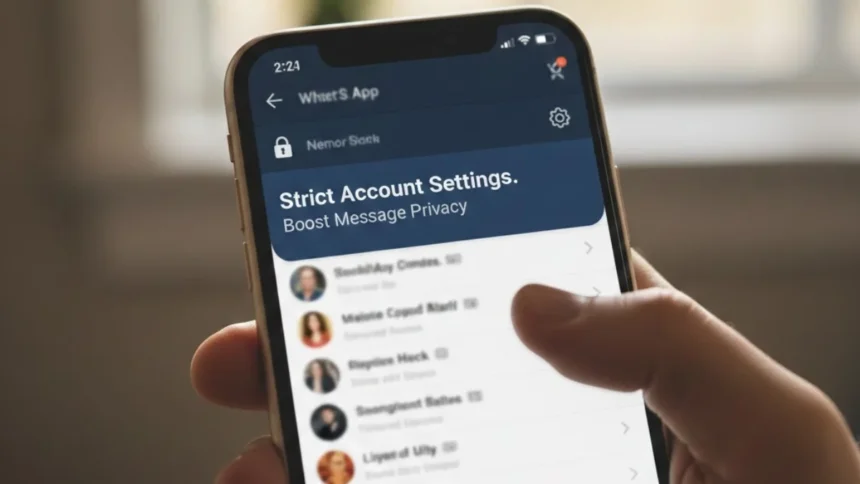
WhatsApp has introduced a new lockdown-style feature designed to make your conversations more secure. The messaging app, owned by Meta, now offers something called Strict Account Settings, which focuses on giving users stronger protection and more control over who can interact with them.
A New Level of Privacy for Your Messages:
WhatsApp describes this feature as an “extreme safeguard”. Once turned on, it aims to provide strong protection against hackers, surveillance tools, and even government-level threats. One of the biggest changes is that incoming attachments, photos, and videos from people outside your contacts are blocked automatically. This reduces the risk of harmful files or suspicious messages reaching you.
What WhatsApp Says About the Feature:
In its FAQ, WhatsApp explains: “Strict account settings is an optional, lockdown-style security feature that, when enabled, reduces your vulnerability to cyber attack by limiting functionality. Your account is locked to more private settings and your chats with others outside your contacts will have limitations.”
Why This Matters More Than Ever:
If someone gains access to your messages, they could steal personal details, pretend to be you, or even target your finances. Cyber criminals are getting more creative, too, finding new ways to bypass traditional security checks. There have even been reports of hackers hijacking WhatsApp accounts without triggering authentication alerts, and recent data breaches have exposed millions of accounts online. Features like this are designed to help users stay one step ahead.
WhatsApp’s Official Announcement:
When introducing the feature, WhatsApp said: “The company said in a statement: “At WhatsApp, we think you should be able to have a private conversation online, just like you would in person.
“We will always defend that right to privacy for everyone, starting with default end-to-end encryption. But we also know that a few of our users – like journalists or public-facing figures – may need extreme safeguards against rare and highly sophisticated cyber attacks.”
How to Turn On Strict Account Settings:
To enable this feature, go to Settings, then Privacy, and tap Advanced. From there, you can switch Strict Account Settings on or off whenever you need. If you cannot see the option yet, do not worry. The feature is being rolled out gradually, so it may take some time to appear on all devices.
Stronger Account Security – Once activated, two-step verification turns on automatically, making it much harder for anyone to log into your account without permission. Security notifications are also enabled, alerting you if a contact changes devices, reinstalls WhatsApp, or modifies linked devices. These alerts help ensure your chats remain end-to-end encrypted even when changes happen.
End-to-end encryption means that only you and the person you are chatting with can read the messages. The feature also backs up encrypted messages automatically, giving extra protection for your chat history stored in cloud services.
Safer Messaging and Media – With Strict Account Settings enabled, link previews are turned off when you send multiple links. This helps keep sensitive browsing activity more private. WhatsApp also blocks messages from unknown accounts that send unusually high volumes of messages, which often signals potential scams or spam attempts.
Greater Control Over Your Profile – Your last seen status, profile photo, about information, and any links on your profile are hidden from strangers. Only your contacts, or specific people you have approved, will be able to view this information. This reduces the chance of unwanted attention or data scraping.
More Secure Group Chats – Group chat access is also restricted. Only people already in your contacts can add you to new groups. This helps prevent fraudsters from pulling you into suspicious group chats filled with fake opportunities or misleading links that may look convincing at first glance.
A Stronger Way to Stay Protected:
Strict Account Settings give users an extra layer of protection without being overly complicated to use. For anyone concerned about privacy or targeted scams, this new lockdown-style feature could be a helpful way to keep conversations safer while maintaining control over personal information.














