



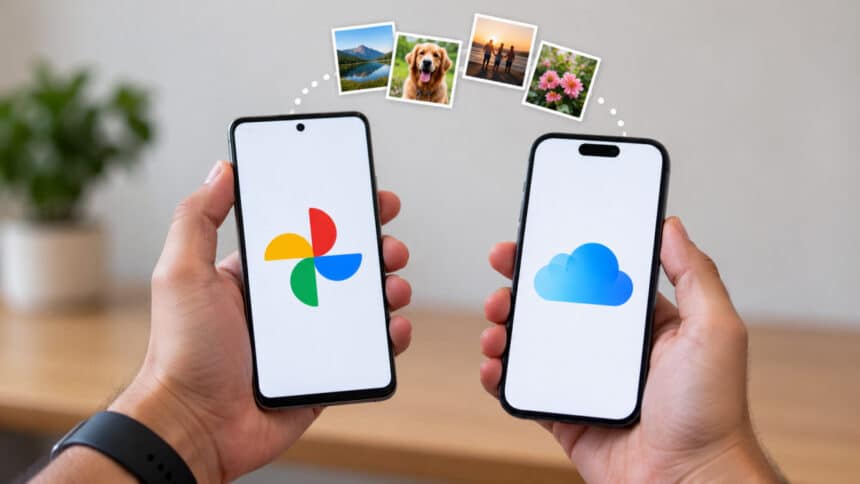
Digital photography has replaced traditional photo albums. Every year, hundreds of images and movies are produced by mobile devices. For regular smartphone users, secure cloud storage is increasingly a necessary feature.
The market for cloud storage is dominated by Apple iCloud and Google Photos. Cross-device syncing and dependable photo backup are provided by both platforms. Their pricing strategies and fundamental design philosophies, however, are very different.
- The Fundamentals of Cloud Photo Storage
- Free Tier Comparison and Storage Allocation
- Pricing Tiers and Expansion Plans in the US Market
- Cross-Platform Accessibility and Ecosystem Compatibility
- Search Capabilities and Artificial Intelligence Features
- Sync Mechanics and Local Storage Management
- Data Privacy and Security Standards
- Final Assessment: Choosing the Right Solution
Users can choose the ideal platform by being aware of these distinctions. This article assesses long-term expenses, search capabilities, ecosystem integration, and storage limitations.
The Fundamentals of Cloud Photo Storage
Digital media backups are made off-site using cloud photo storage. It protects memory from hardware failure while freeing up physical device space.
For the most part, Google Photos is a stand-alone media management solution. For picture indexing, artificial intelligence plays a major role. Any device with an internet connection can access media that has been uploaded to the service.
Apple iCloud functions as a full-featured device syncing and mirroring service. The file architecture of iOS and macOS incorporates iCloud Photos directly. It smoothly synchronizes identical photo libraries across all linked Apple devices.
For automated background backups, both services need an active internet connection. Both of them have paid membership plans in addition to free storage levels.
Free Tier Comparison and Storage Allocation
Storage allocation is a primary consideration for most consumers. Every user starts with a default free storage limit upon account creation.
Each Google Photos account comes with 15 GB of free cloud storage. Google Drive, Gmail, and Google Photos all share this allotment. Original quality uploads consume this quota rapidly.
For each Apple Account, Apple iCloud offers 5 GB of free storage. Photos, complete device backups, and application data all share this quota. After a few months of active use, the 5 GB limit frequently runs out.
| Service Feature | Google Photos | Apple iCloud |
| Free Storage Allocation | 15 GB (Shared across Google Account services) | 5 GB (Shared across iCloud Photos, backups, and data) |
| Primary Platform Focus | Cross-platform web and mobile apps | Deeply integrated Apple Ecosystem |
| Compression Option | Storage Saver (photos over 16 MP resized to 16 MP; videos over 1080p resized to 1080p) | Original-resolution photos and videos, with storage-saving versions available on devices through Optimize Storage |
| Web Interface Access | Fully functional across all browsers | Access to photos and videos through iCloud.com, with some feature limitations |
Google provides three times the initial free storage space as compared to Apple. However, both free tiers eventually require paid upgrades for active smartphone users.
Pricing Tiers and Expansion Plans in the US Market
When local storage fills up, users must upgrade to paid storage tiers. Both companies offer tier-based monthly and annual subscription plans in the United States.
Google One powers the paid tier plans for Google Photos. The basic plan starts at $1.99 per month for 100 GB of storage. A 200 GB plan costs $2.99 per month.
Google also offers a popular 2 TB tier for $9.99 per month. Family sharing allows up to five additional members to share this pool.
Apple iCloud+ handles the premium storage tiers for Apple device owners. The entry-tier plan costs $0.99 per month for 50 GB. The medium plan provides 200 GB for $2.99 per month.
Additionally, Apple offers a 2 TB tier for $9.99 a month. TV+, Arcade, Apple Music, and storage are all included in Apple One Premier memberships.
- Entry Level: $0.99/mo for 50 GB (iCloud) vs. $1.99/mo for 100 GB (Google One).
- Mid Level: $2.99/mo for 200 GB on both Google One and iCloud+.
- High Level: $9.99/mo for 2 TB on both Google One and iCloud+.
- Family Sharing: Both platforms support sharing a storage plan with up to five additional family members at no extra storage-plan charge.
Cross-Platform Accessibility and Ecosystem Compatibility
Customer preference is frequently determined by platform availability. Overall customer satisfaction with these cloud services is significantly influenced by mobile operating system selections.
Google Photos excels due to its widespread cross-platform accessibility. Web browsers, iOS, iPadOS, and Android all support it natively. Users can switch mobile OS platforms without losing access to their image libraries.
iCloud Photos was designed with Apple hardware in mind. It works incredibly well on Mac computers, iPhones, and iPads. Web capability is still restricted, but Windows users can install an iCloud desktop client.
Direct media syncing to Apple iCloud is difficult for Android users. As such, Google Photos is the best choice for households with several devices.
Search Capabilities and Artificial Intelligence Features
Strong search capabilities are necessary to locate certain images in large libraries. Current image recognition systems are powered by machine learning techniques.
When it comes to machine learning and artificial intelligence, Google is a major player. Users can search for particular items, places, and dates using Google Photos. Concepts like “sunset,” “beach,” or “dog” can help users find relevant results.
Google Photos uses facial recognition to automatically group photographs of particular people. The software also offers advanced editing tools and automatic animation generation.
Apple has achieved notable advancements in computer vision and image processing. On-device machine learning protects user privacy while safely indexing images.
iCloud provides visual search and face grouping on Apple devices. However, complex natural language queries may perform better inside Google Photos, depending on the query and available features.
- Google Photos Search: Strong recognition of natural language queries for uploaded media.
- iCloud Search: On-device indexing that prioritizes user privacy.
- Metadata Indexing: Both platforms efficiently index timestamps, camera information, and geotags.
- Editing Tools: Both services offer automated enhancing filters and non-destructive image modifications.
Sync Mechanics and Local Storage Management
Managing physical phone storage is a main reason users adopt cloud services. Local file management is handled differently by each platform.
A cloud-first storage architecture is used in Google Photos. With just one press, users can delete backed-up data from local phone storage. While whole files are securely stored in the cloud, the app shows high-resolution thumbnails.
iCloud Photos employs a device-to-device synchronization approach. When an iPhone photo is deleted, it is removed from all synced devices.
Users need to activate the “Optimize iPhone Storage” feature in order to conserve local space. This replaces full-resolution photos with lower-resolution versions locally on the device. When a full-resolution file is opened or changed, it automatically downloads from iCloud.
Data Privacy and Security Standards
When keeping private images in the cloud, data security is essential. User media is safeguarded during server storage and transmission by encryption techniques.
Apple places a high priority on privacy as a fundamental component of its products. Strong encryption is used by iCloud for both in-transit and at-rest data. For iCloud backups and photo libraries, Advanced Data Protection offers end-to-end encryption when enabled.
For data stored in Google Photos, Google uses enterprise-grade encryption. Both on Google servers and while in transit, data is encrypted.
Google does not use photos in Google Photos for advertising unless users choose to make that data available to other Google services that support ads. However, photos may be processed to provide features such as search, editing, and AI-powered tools, depending on the features enabled.
Final Assessment: Choosing the Right Solution
The choice between iCloud and Google Photos is influenced by ecosystem habits. This ultimate decision is also influenced by primary device hardware and budgetary constraints.
For consumers of proprietary Apple devices, iCloud Photos is the best option. Smooth background syncing makes using an iPhone, iPad, and Mac effortless. The entry-level basic backup capacity is reasonably priced at $0.99 per month.
When it comes to mixed-device households and multi-platform settings, Google Photos is the obvious winner. Its search techniques facilitate quick and easy retrieval of particular memories. For novice users, the big 15 GB free allotment offers a solid foundation.
For the demands of contemporary digital media, both providers offer dependable cloud storage architecture. The best course of action is determined by assessing individual hardware selections.