

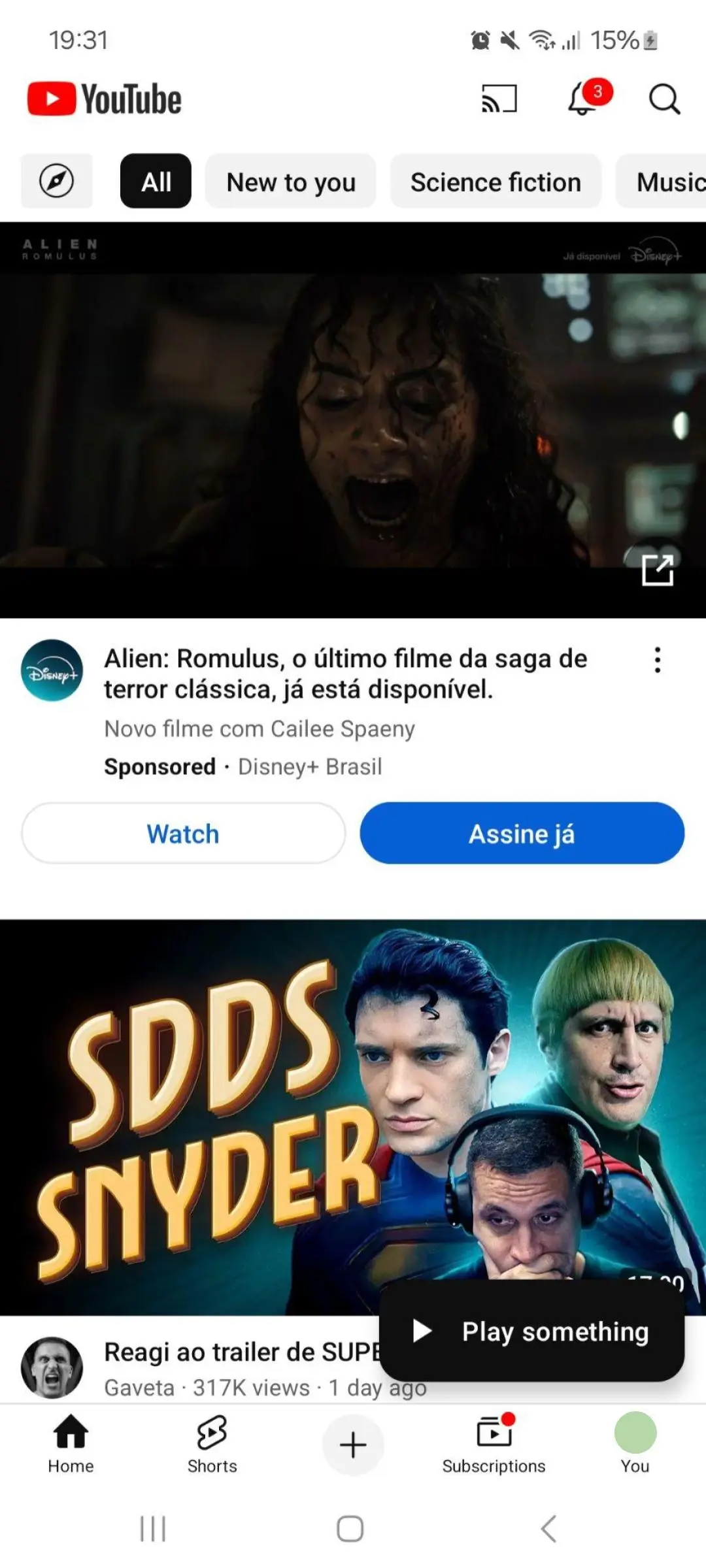
YouTube is one of the best video streaming platforms, but finding the right video can sometimes be difficult. To make it easier, YouTube is testing a new “Play something” button that floats on the screen.
YouTube’s New “Play Something” Button: A Game Changer for Content Discovery
A recent report from 9to5Google says that the new “Play something” button has a black background with white text and appears just above the bottom bar. When you tap the button, it starts playing a random video in the Shorts player. However, it can also play regular videos in portrait mode. The right side of the screen shows options like “like,” “comment,” and “share,” along with a timeline at the bottom.
This isn’t YouTube’s first try at a “Play something” feature. In 2023, a Reddit user spotted a “Play something” banner, and another source saw a floating button that seemed to do the same thing, though it didn’t say “Play something” at the time. The current test looks like a mix of these earlier ideas.
It’s unclear when or if this feature will be available to everyone. However, it’s known that Google has been testing it for a while, and they might still be deciding whether to fully launch it. They could be working on fixing any problems or figuring out the best way to add it to the app.
How YouTube’s “Play Something” Button Competes with Streaming Platforms
This new feature could be useful when you’re not sure what to watch, helping you discover content easily. It might also give YouTube an advantage over other streaming services, like Netflix, which already has a “Play Something” feature that plays a random show or movie.
Some users might find the “Play something” button annoying, but YouTube will probably give the option to turn it off for those who don’t want to use it. The feature might also only appear for users who haven’t watched anything in a while.
ALSO READ: Best Foldable Phones Of 2024: Compact, Powerful, And Versatile