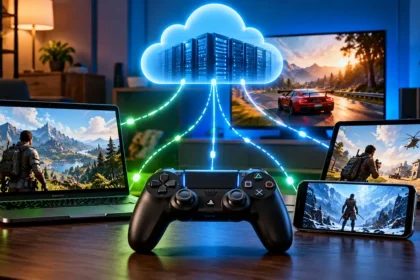




Remember when you used to play Super Mario, Pokémon, or old PlayStation games? The good news is that you don’t have to get out your old game console to play your old favorites again. For those who have an Android phone or an iPhone, the right emulator can turn them into portable retro game consoles.
With a few emulators, you can play old Nintendo games, PSP games, and PlayStation games to get nostalgic. Some are very simple to set up, while others have advanced features for people who really love old video games.
- What Is a Retro Gaming Emulator?
- Best Retro Gaming Emulators for Android in 2026
- 1. RetroArch: Best Overall Multi-System Emulator
- 2. Lemuroid: Best for Beginners
- 3. PPSSPP: Best PSP Emulator
- 4. DuckStation: Best PlayStation 1 Emulator
- 5. Dolphin Emulator: Best for GameCube and Wii Games
- Best Retro Gaming Emulators for iPhone in 2026
- 1. Delta: Best Overall iPhone Emulator
- 2. RetroArch: Best for Multiple Gaming Systems
- 3. PPSSPP: Best for PSP Gaming on iPhone
- 4. Provenance: Best Multi-System Alternative
- 5. Gamma: Best for Classic PlayStation Games
- Final Verdict
In 2026, let’s look at what the best retro game emulators for Android and iPhone have to offer and which ones you should try.
What Is a Retro Gaming Emulator?
A retro gaming emulator is a piece of software that makes the hardware environment of an old game console look and feel like it does today. It lets you play games on your phone that were originally made for systems like the Nintendo Entertainment System (NES), Game Boy Advance (GBA), PlayStation, Sega Genesis, and PlayStation Portable (PSP).
For instance, to play an old Game Boy Advance game on your phone, you can get an emulator that works with it, import the game file, and start playing.
Most modern emulators also have features that the original consoles didn’t have, such as:
- You can save your progress at almost any point by using “save states.”
- Touchscreen controls that can be changed.
- Bluetooth controllers can be used.
- Improvements to graphics and higher resolutions.
- Fast-forward and rewind options.
- Cheat codes and controller remapping.
Keep in mind that emulators don’t always come with games. Most of the time, you’ll need to provide your own game files that work with the system. Some systems may also need BIOS files. Make sure you get these files in a legitimate way.
Best Retro Gaming Emulators for Android in 2026
When it comes to old games, Android gives you a lot of options. You can pick an emulator that works with more than one console, or you can install apps that are only for certain gaming systems.
Here are five choices that you should think about.
1. RetroArch: Best Overall Multi-System Emulator
RetroArch is a great choice if you want to play games from a number of old consoles without having to install a separate app for each one.
RetroArch is different from other emulators because it uses separate emulator programs, or “cores,” to do its work. Each core is in charge of a different gaming system, so you can manage multiple games from the same app.
It also lets you change a lot of things, which makes it especially useful for experienced retro gamers.
Key Features:
- Downloadable cores make it work with a lot of different gaming systems.
- You can save game-specific settings and states.
- Controls and controller mapping that can be changed.
- Adding visual effects and graphics shaders.
- Help with retro achievements.
- Netplay features for systems that are supported.
Supported Platforms: NES, SNES, Game Boy, Game Boy Advance, Nintendo 64, PlayStation, Sega Genesis, Atari, and several others.
Best For: Gamers who want a single application for a large collection of retro games.
Limitation: For new users, the interface can be too much to handle. It might take a while to download cores and set up settings.
2. Lemuroid: Best for Beginners
Some people don’t want to spend time setting up an emulator before they play a game. Lemuroid is a great place to start if you want something easy.
Lemuroid is an open-source emulator that works with multiple systems. It has a clean interface and is easy to set up. It automatically checks certain game folders for compatible files, creates a library of games, and scans them.
To get started, you don’t need to know about each emulator core or set up a lot of settings by hand.
Key Features:
- Scan your game library automatically.
- Simple interface that’s easy to use.
- Save states and save them automatically.
- Touchscreen controls that can be changed.
- Support for external game controllers.
- Syncing your cloud saves.
Supported Platforms: NES, SNES, Game Boy, Game Boy Color, Game Boy Advance, Nintendo 64, Nintendo DS, PlayStation, and other supported systems.
Best for: People new to retro games who want an easy experience.
Limitation: It offers fewer advanced customization options than RetroArch.
3. PPSSPP: Best PSP Emulator
One of the most well-known emulators for playing PlayStation Portable games on Android is PPSSPP.
It lets you play old PSP games without having to carry around the original handheld console. It also has improvements to graphics that can make older games look better on modern smartphone screens.
To play games in a more traditional way, you can connect an external controller or use the touchscreen controls.
Key Features:
- Rendering in high definition and increasing the resolution.
- You can save and load your game progress.
- Touchscreen layouts that can be changed.
- Support for external controllers.
- Texture filtering and improvements to the graphics.
- Support for ISO and CSO game files that work together.
Supported Platform: Sony PlayStation Portable (PSP).
Best for: PSP gamers who want to play their favorite games again.
Limitation: How well the game runs, depends on the hardware of your phone and the game being played. Titles that are harder to play may need more configuration.
4. DuckStation: Best PlayStation 1 Emulator
If you played old PlayStation games as a kid, you should check out DuckStation.
DuckStation is a PlayStation 1 emulator that is designed to be accurate and have better graphics than most other emulators. It has features like upscaling the resolution, filtering textures, and widescreen improvements for games that are compatible.
With these features, old PS1 games can look a lot better on modern smartphone screens.
Key Features:
- High-resolution rendering.
- Save states and memory card support.
- Customizable controller layouts.
- Widescreen rendering options.
- Game-specific settings.
- Multiple rendering options.
Supported Platform: Sony PlayStation 1.
Best For: Players who want to revisit classic PS1 games with improved visuals.
Limitation: Some games may require additional configuration or a compatible PlayStation BIOS file. Compatibility can vary between titles.
5. Dolphin Emulator: Best for GameCube and Wii Games
Want to play classic Nintendo GameCube and Wii games on your smartphone? Dolphin is one of the most capable options available.
Unlike older 8-bit and 16-bit systems, GameCube and Wii emulation requires considerably more processing power. Dolphin therefore works best on modern Android phones with capable processors and graphics hardware.
It also supports graphical improvements that can make older games look better on high-resolution displays.
Key Features:
- GameCube and Wii game support.
- HD resolution rendering.
- Save states.
- External controller compatibility.
- Customizable graphics settings.
- Game-specific performance configurations.
Supported Platforms: Nintendo GameCube and Nintendo Wii.
Best For: Experienced retro gamers who want to play more demanding Nintendo titles.
Limitation: Not every Android phone can run these games smoothly. Performance depends on the processor, graphics drivers, and individual game.
Best Retro Gaming Emulators for iPhone in 2026
iPhone gaming emulation has changed considerably in recent years. Apple updated its App Store guidelines in April 2024 to allow qualifying retro game emulator applications.
As a result, iPhone users now have access to several emulator options without necessarily having to jailbreak their devices.
Here are five applications worth considering.
1. Delta: Best Overall iPhone Emulator
Delta is one of the most convenient choices for iPhone users interested in classic Nintendo games.
Developed by Riley Testut, Delta offers a polished interface and supports several popular Nintendo gaming systems. Its customizable controller skins, game library, and straightforward setup make it particularly appealing to beginners.
Key Features:
- Customizable on-screen controller skins.
- Save states and automatic saving.
- Cheat code support.
- Fast-forward functionality.
- External controller compatibility.
- Game library artwork and organization.
- Local multiplayer support for compatible games.
Supported Platforms: NES, SNES, Nintendo 64, Game Boy, Game Boy Color, Game Boy Advance, and Nintendo DS.
Best For: iPhone users who want an easy way to play classic Nintendo games.
Limitation: Delta primarily focuses on Nintendo platforms. It isn’t designed as an all-in-one solution for PlayStation, PSP, or other gaming systems. App availability can also vary by region.
2. RetroArch: Best for Multiple Gaming Systems
RetroArch is also available for iPhone, making it a useful option for users who want to explore gaming systems beyond Nintendo.
It uses the same core-based approach as its Android counterpart. You can download compatible cores and configure different gaming systems within a single application.
Key Features:
- Support for numerous gaming systems.
- Customizable controller mapping.
- Save states and cheat codes.
- Graphics shaders and enhancements.
- Retro Achievements integration.
- External controller support.
Supported Platforms: NES, SNES, Game Boy, Game Boy Advance, Nintendo 64, PlayStation, PSP, Sega Genesis, Atari, and other supported systems.
Best For: Experienced users who want access to multiple gaming systems through one application.
Limitation: Its interface is less beginner-friendly than Delta. Some cores and advanced features may also have platform-specific limitations.
3. PPSSPP: Best for PSP Gaming on iPhone
PPSSPP isn’t limited to Android. It also has an official iOS version, allowing iPhone users to enjoy PlayStation Portable games.
One of its biggest advantages is that it focuses specifically on PSP emulation rather than trying to handle several gaming systems through one interface.
The application supports graphical improvements, customizable controls, and external game controllers.
Key Features:
- High-definition rendering.
- Save and load functionality.
- Customizable touchscreen controls.
- External controller support.
- Texture filtering.
- Support for compatible PSP game files.
Supported Platform: Sony PlayStation Portable (PSP).
Best For: iPhone users who specifically want to play PSP games.
Limitation: It is designed exclusively for PSP emulation. The iOS version also operates under Apple’s platform restrictions, which can affect performance in some situations.
4. Provenance: Best Multi-System Alternative
Provenance is another interesting option for Apple users who want access to a broad collection of retro gaming systems.
It supports several classic consoles and handheld platforms through a unified interface. Its library management, game artwork, controller support, and save functionality make it an appealing alternative to installing multiple individual applications.
Key Features:
- Multi-system gaming support.
- Game library organization and artwork.
- Save states and battery saves.
- External controller compatibility.
- RetroAchievements support.
- Support across Apple devices, including Apple TV.
Supported Platforms: Various Nintendo, Sega, Atari, Sony, and other classic gaming systems.
Best For: Users who want a broader retro gaming library within the Apple ecosystem.
Limitation: Performance and compatibility depend on the gaming system and individual implementation. Some advanced features may require additional configuration.
5. Gamma: Best for Classic PlayStation Games
Gamma is a dedicated PlayStation 1 emulator designed for Apple devices.
It offers an accessible interface for importing and organizing games, making it a convenient option for users who primarily want to revisit the original PlayStation library.
Key Features:
- PlayStation 1 game support.
- Customizable on-screen controls.
- Save states.
- External controller support.
- Graphics enhancement options.
- Game library organization.
Supported Platform: Sony PlayStation 1.
Best For: iPhone users looking for a dedicated PS1 gaming experience.
Limitation: Gamma focuses primarily on PlayStation 1 rather than offering multi-console support. Its free version also includes advertising.
Final Verdict
Retro gaming on smartphones has become a practical alternative to carrying multiple old gaming consoles. Whether you want to revisit Game Boy classics, explore Nintendo titles, or play original PlayStation and PSP games, there are several capable emulator applications available in 2026. The best emulator isn’t necessarily the one with the longest list of supported consoles. It’s the one that runs your favorite games reliably, offers comfortable controls, and works well with your smartphone.