

Image Credit: Jonas Leupe via Unsplash
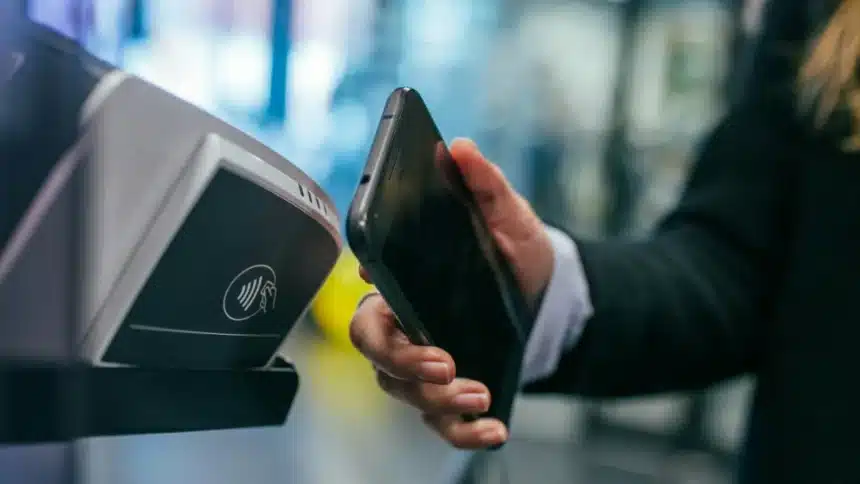
NFC is likely something you use more often than you think. You can pay with a tap on your phone, scan smart tags, and connect to devices that are set up to work with it. But it can be used for a lot more than just contactless payments.
- What Is NFC on a Smartphone?
- How Does NFC Work on Your Phone?
- What Can You Actually Do With NFC Beyond Payments?
- 1. Pair Wireless Headphones and Speakers
- 2. Use Your Phone as a Digital Key
- 3. Control Smart Home Devices
- 4. Scan NFC Tags for Information
- 5. Use Digital Transit Passes and Event Tickets
- 6. Share Information Between Devices
- How Is NFC Different From Bluetooth and Wi-Fi?
- Is NFC Safe to Use on Your Phone?
- How to Check If Your Phone Has NFC
- Final Thoughts
Everyday tasks can also be made easier with NFC technology, like getting into your office, pairing headphones, and controlling smart home devices. Here’s how it works, what your phone can do with it, and why it’s more useful than you might think.
What Is NFC on a Smartphone?
Near Field Communication, or NFC, is a wireless technology that lets two devices that are compatible send and receive small amounts of data when they are very close to each other, usually less than 4 centimeters.
Smartphones that support NFC can talk to payment terminals, smart cards, NFC tags, and other devices that are also NFC-enabled because they have an NFC chip and antenna built in.
Not like Bluetooth or Wi-Fi, NFC doesn’t need a long process to pair. Bringing two devices that can talk to each other close together is all it takes for them to start talking right away.
How Does NFC Work on Your Phone?
NFC uses electromagnetic fields to send information from one device to another that is close by. An NFC controller and a small antenna on your phone help make this connection.
When you tap your phone against an NFC-enabled device, the following things happen:
- The phone detects another device: When your phone comes close to an NFC reader or tag, its antenna detects the electromagnetic field.
- A connection is established: The two devices communicate over a short-range radio connection.
- Data is exchanged: Depending on the application, your phone can read information, send data, or initiate an action.
- The interaction is completed: The connection ends once the required information has been exchanged.
NFC works at 13.56 MHz and only needs to be within a few centimeters to work. This short range lets you connect with someone quickly and intentionally.
What Can You Actually Do With NFC Beyond Payments?
There are many useful uses for NFC besides just tapping your phone at the register.
1. Pair Wireless Headphones and Speakers
Some wireless speakers and headphones already have NFC built in. You don’t have to look for a device in your Bluetooth settings by hand; you can just touch your phone to the NFC connection point to start pairing.
NFC is mostly used to share information about pairing, while Bluetooth handles the actual audio connection.
2. Use Your Phone as a Digital Key
You can use your phone as a digital key in some cars, hotel rooms, and office access systems that are compatible.
You don’t have to carry around a physical key or access card; instead, you can use a compatible reader to tap your phone against to open a door or get into a locked area.
How well it works depends on the device, the access system, and whether it works with smartphones.
3. Control Smart Home Devices
NFC tags can make things easy to do in a smart home.
You could put an NFC sticker on the door to your bedroom, for instance, and set up your phone to do something when you scan it. If you have the right phone and automation app, you might be able to:
- Turn smart lights on or off.
- Activate a bedtime routine.
- Connect to a specific Wi-Fi network.
- Set your phone to silent mode.
- Launch a smart home automation.
You can also put NFC tags near your door, desk, or bedside table to start different routines.
4. Scan NFC Tags for Information
NFC tags are small chips that are built into things like stickers, posters, product labels, and more. If you tap your phone on one, it can show you information that’s been saved or open a certain link.
NFC tags can be used by businesses to share information about their products, restaurant menus, special deals, or digital contact information.
Some companies also use NFC-enabled labels to help customers check the information on a product or make sure it is real.
5. Use Digital Transit Passes and Event Tickets
With NFC, your phone can be used as a digital pass for public transportation or an event ticket.
You don’t have to carry around a physical ticket or access card; instead, you can use a reader on your phone at a bus stop, parking lot, or event.
Availability depends on the transportation company, the ticketing system, and the digital wallets that are supported.
6. Share Information Between Devices
NFC can also help devices that are compatible share data with each other. For instance, an NFC camera might only need a tap on the phone to start a wireless connection for sending photos.
NFC, on the other hand, is not meant to send large files. Most of the time, it’s used to send small amounts of data or start a faster Bluetooth or Wi-Fi connection.
How Is NFC Different From Bluetooth and Wi-Fi?
All three technologies let you talk to each other wirelessly, but they’re used for different things.
| Feature | NFC | Bluetooth | Wi-Fi |
| Range | A few centimeters | Usually several meters | Usually several meters |
| Speed | Low | Moderate to High | High |
| Pairing | Usually not required | Usually required initially | Usually required |
| Power usage | Very low | Low to moderate | Moderate to high |
| Best for | Quick interactions | Device connections | Internet and data transfer |
NFC is made for quick interactions that happen close together. Bluetooth is better for connecting headphones and other accessories, while Wi-Fi is better for fast internet access and moving files.
Is NFC Safe to Use on Your Phone?
Most people think that NFC is a safe technology, especially since devices need to be very close to each other to talk. But because NFC has a short range, not all interactions with it are safe.
Here are a few precautions:
- Trusted payment apps and digital wallets should be used.
- Don’t scan NFC tags from sources you don’t know or that seem sketchy.
- After scanning a tag, check links before you open them.
- Protect payment apps with screen locks and biometric sign-in.
- Update the software on your phone.
To help keep your payment information safe, services like Google Wallet and Apple Pay that let you pay without touching a card reader use security measures like tokenization and device authentication.
How to Check If Your Phone Has NFC
Most modern mid-range and high-end smartphones have NFC, but it’s not always available in all areas and models.
On Android:
- Open Settings.
- Search for NFC in the settings search bar.
- If supported, you’ll find an NFC option under Connected Devices or Connections.
- Turn it on if it’s disabled.
On iPhone:
iPhones that are compatible have NFC built in. Instead of a general “on/off” NFC switch, iOS and apps that work with it control the features that are supported.
To make sure your device supports NFC, you can look at its specs on the maker’s website.
Final Thoughts
NFC is more than just a way to pay without touching a card reader. It speeds up everyday tasks by letting your phone talk to tags, access systems, smart home products, and devices that are compatible with just a tap.
You might not use every NFC feature all the time, but it’s easy to see how useful it is once you start looking into it. It’s possible that NFC will become more useful in everyday smartphone life as more devices and services support it.