
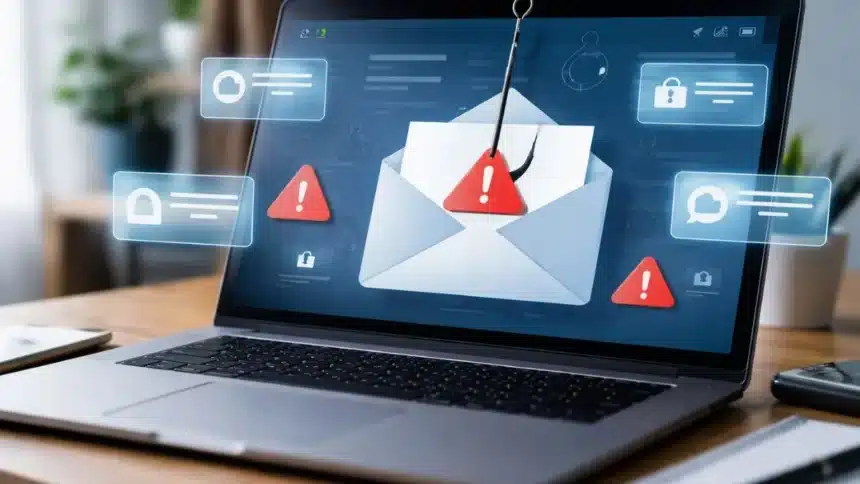
The internet makes life easier, but it also brings new dangers. One of the most common online threats is phishing. Phishing is a trick used by scammers to steal personal and financial information. They pretend to be a trusted company or person and try to fool people into sharing passwords, bank details, or other sensitive data.
Knowing how phishing works can help you stay safe online.
What Is a Phishing Scam?
A phishing scam is a type of online fraud where criminals send fake emails, text messages, or links. These messages usually look real. Scammers often copy the logo and style of well-known companies.
The goal is simple: make you click a link, open an attachment, or enter private information.
If criminals get your data, they may access your bank account, email, or other important accounts.
How to Avoid Phishing Attacks
1. Use Security Software
Install trusted security software on your computer and phone. Keep it updated so it can fight new threats.
Regular updates help protect against viruses and malware.
2. Update Your Devices
Turn on automatic updates for your phone and computer. Software updates often fix security problems.
3. Use Multi-Factor Authentication
Multi-factor authentication adds an extra layer of protection.
It means logging in using two or more methods, such as:
- Password
- One-time code sent to phone or email
- Fingerprint or face scan
This makes it harder for hackers to enter your accounts.
4. Backup Your Data
Save copies of important files.
You can back up data on:
- External storage devices
- Cloud storage services like those offered by Microsoft Corporation or Google LLC
How to Report Phishing Scam
Reporting phishing helps stop scammers.
- Forward phishing emails to the Anti-Phishing Working Group at [email protected]
- Report phishing text messages by forwarding them to 7726 (SPAM)
- You can also report fraud to the Federal Trade Commission through ReportFraud.ftc.gov
Phishing scams are becoming more common as more people use the internet. Staying alert and learning the warning signs can greatly reduce the risk.
Never share passwords, bank details, or personal information through unknown messages. When in doubt, verify before you click.
Online safety is everyone’s responsibility, so take small but smart steps to protect your digital life.
Also Read: How To Fix iPhone 16 Battery Drain After The Latest Update: Step-by-Step Guide