


If you have been using a Google Pixel for a while, chances are you have never touched Rules. This feature quietly showed up years ago and then got buried under newer, flashier features.
But here’s the thing: on the Google Pixel 10 running Android 16, this forgotten feature has aged surprisingly well. In fact, it is one of the easiest ways to automate small, repetitive things your phone does every single day.
And once you start using it, it is hard to go back.
What Exactly Is the Rules Feature?
Think of Rules as a mini automation tool built right into your phone.
It lets your Pixel automatically change settings based on location and Wi-Fi network.
No apps. No coding. No complicated setup.
It is not as advanced as full automation apps, but that is actually the point; it is simple, quick, and does the basics really well.
Why It’s Suddenly Worth Using Again
On newer Pixels like the Google Pixel 10, Google has quietly improved this feature using its on-device intelligence. Your phone can now learn your habits and suggest automations based on what you already do.
For example, if you keep turning on Wi-Fi at home manually, it will suggest automating it, and if you always silence your phone at the office, it will notice.
So instead of you figuring out what to automate, your phone starts thinking.
How to Set Up Rules on Your Google Pixel
Let’s know how to set up rules on your Google Pixel.
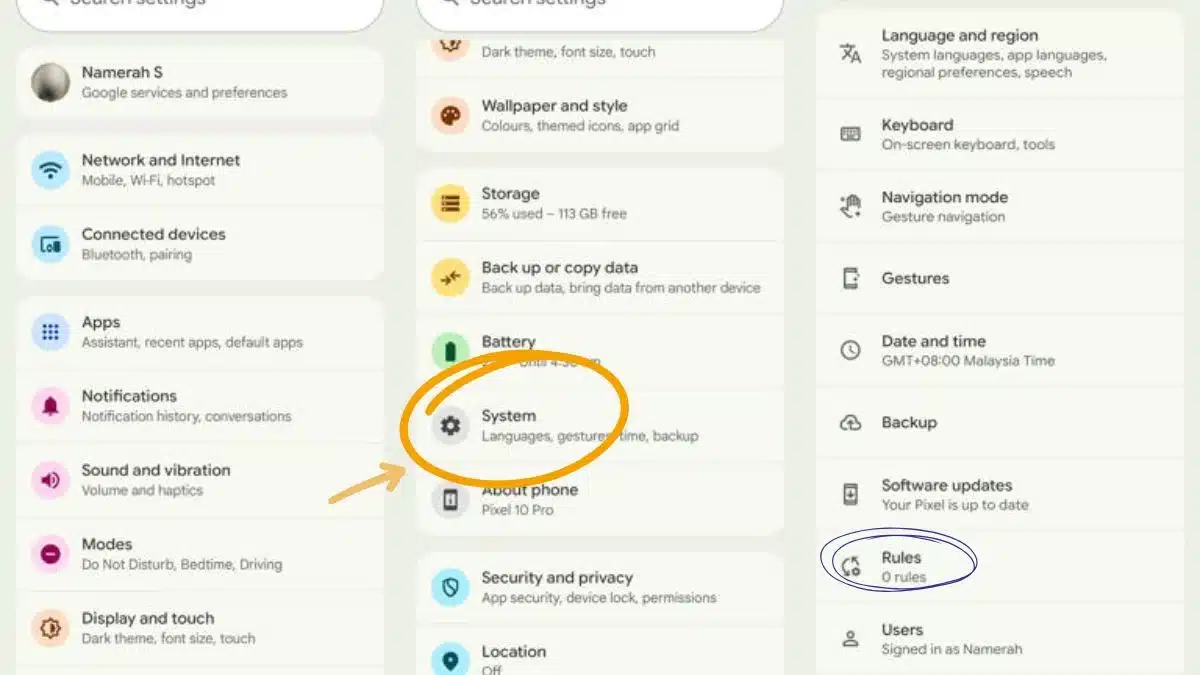
- Open Settings
- Go to System
- Tap Rules
- Allow location and Wi-Fi permissions
- Tap Add rule
Now choose one of two triggers:
- Location
- Wi-Fi network
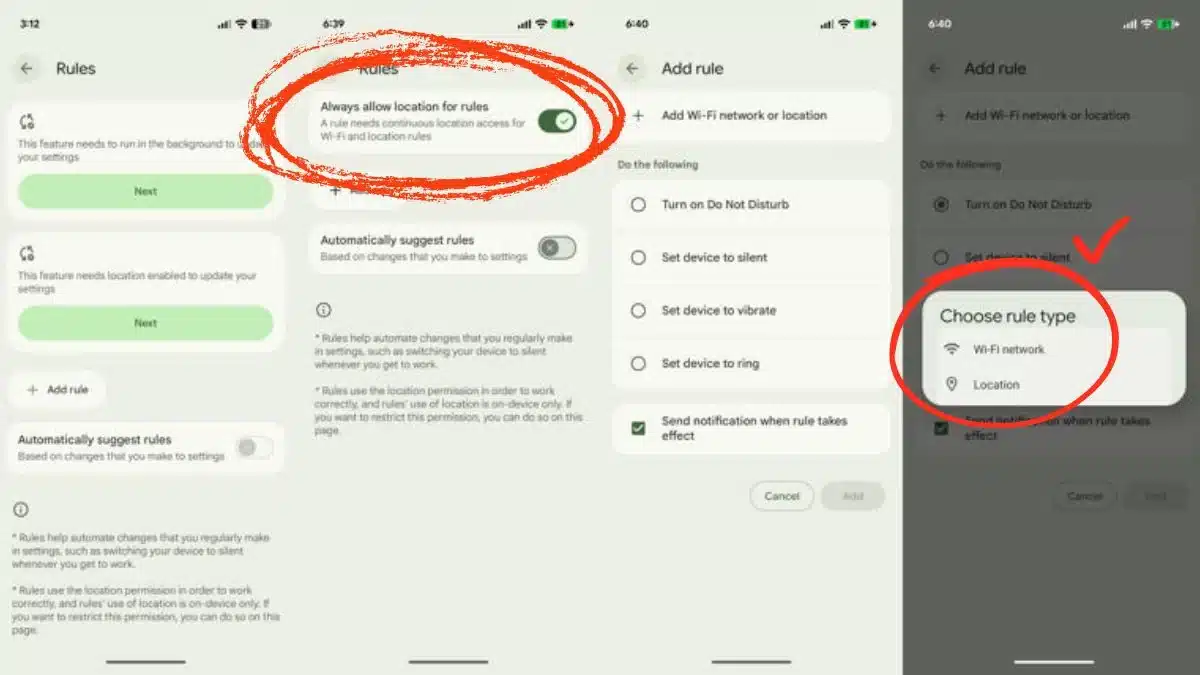
Then:
6. Select your location or network
7. Choose what action you want
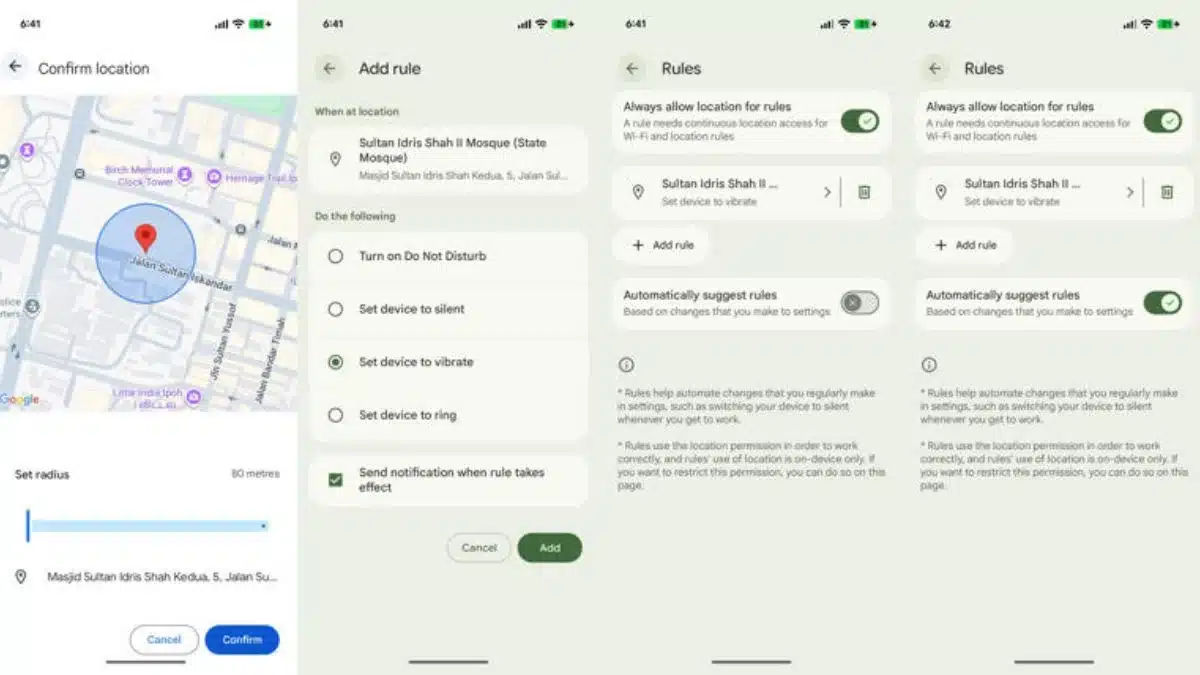
8. Tap Add, and you are done.
What Can You Actually Do With It?
Here are some real-life use cases of rules:
- Automatically Silence Your Phone at Work
- Turn On Wi-Fi When You Reach Home
- Switch to Ring Mode When You Leave Home
- Night Routine Without Thinking
If you connect to your home Wi-Fi late at night, your phone goes silent
So, rules are not something flashy. It will not show up in ads or keynote demos. But it solves a real problem.
Also Read: Skip The Google Pixel 10a! 5 Smartphones That Offer Better Value Right Now