


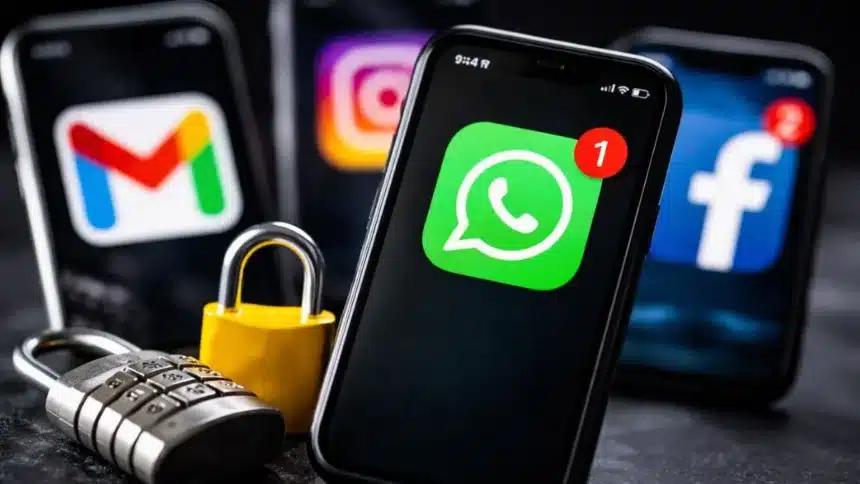
Most people assume their apps are already secure. They are not.
If you have been using apps like WhatsApp, Instagram, Facebook, or Gmail for years, there is a high chance you have never checked some of their most important security settings.
And that is exactly what scammers count on.
A simple check that takes less than five minutes can be the difference between keeping your data safe and losing access to your account.
Two Factor Authentication
If there is one thing you should do today, it is to enable two-factor authentication (2FA)
This adds a second layer of security. So, even if someone gets your password, they still cannot log in without a verification code sent to your phone or email.
This feature is simple, effective and still gets ignored by people.
How to Secure Your WhatsApp
On WhatsApp, this feature is called two-step verification.
- Open Settings
- Tap Account
- Select Two-step verification
- Set a six-digit PIN
- Add a recovery email
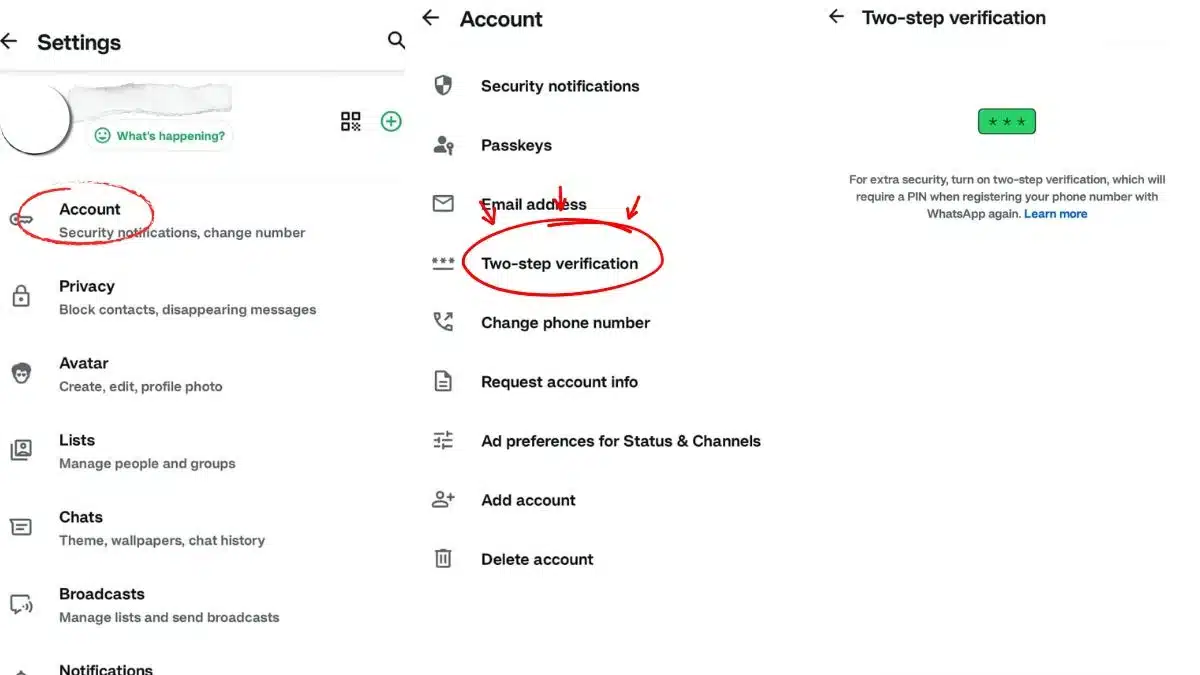
So, even if your phone gets lost or stolen, no one can access your chats without that PIN. It also protects against SIM swap scams.
Facebook and Instagram Users
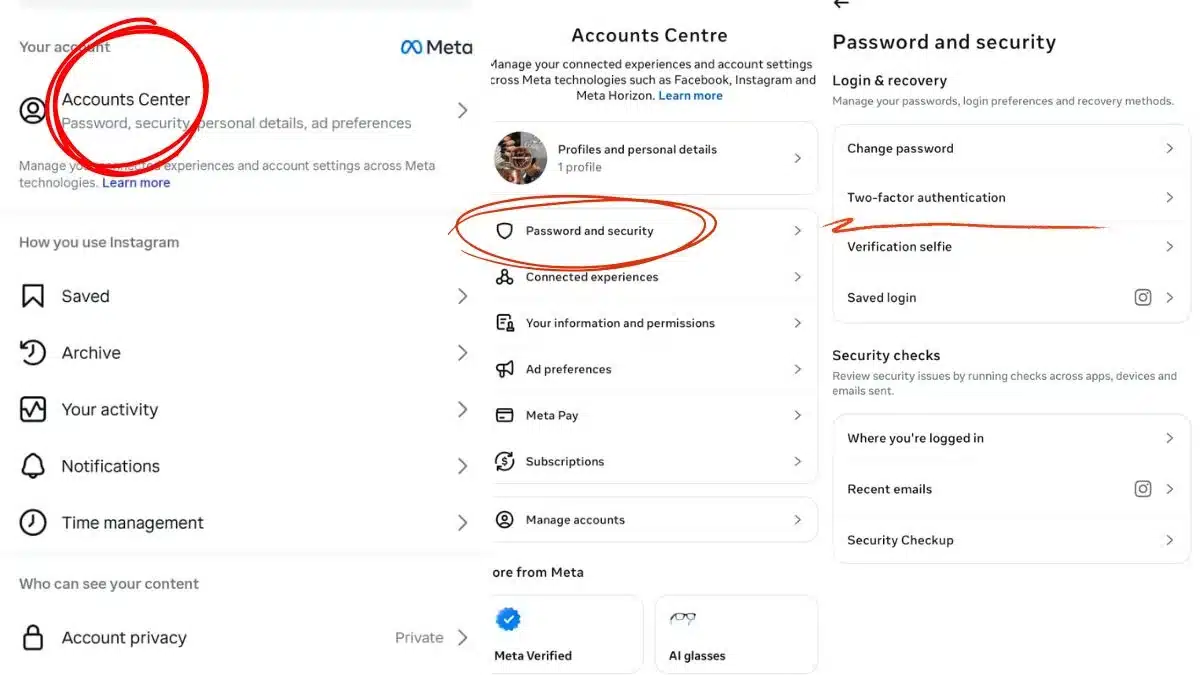
Since both Facebook and Instagram are linked under Meta, you can manage security in one place.
- Go to your profile
- Open Accounts Centre
- Tap Password and Security
- Enable Two-Factor Authentication
Pro tip:
Use an authenticator app instead of SMS if possible. It is more secure and harder to intercept.
Gmail
Your email account is the most important one. If someone gets access to it, they can reset passwords for almost everything else.
- Tap your profile icon
- Go to Manage your Google Account
- Open Security
- Turn on Two-Step Verification
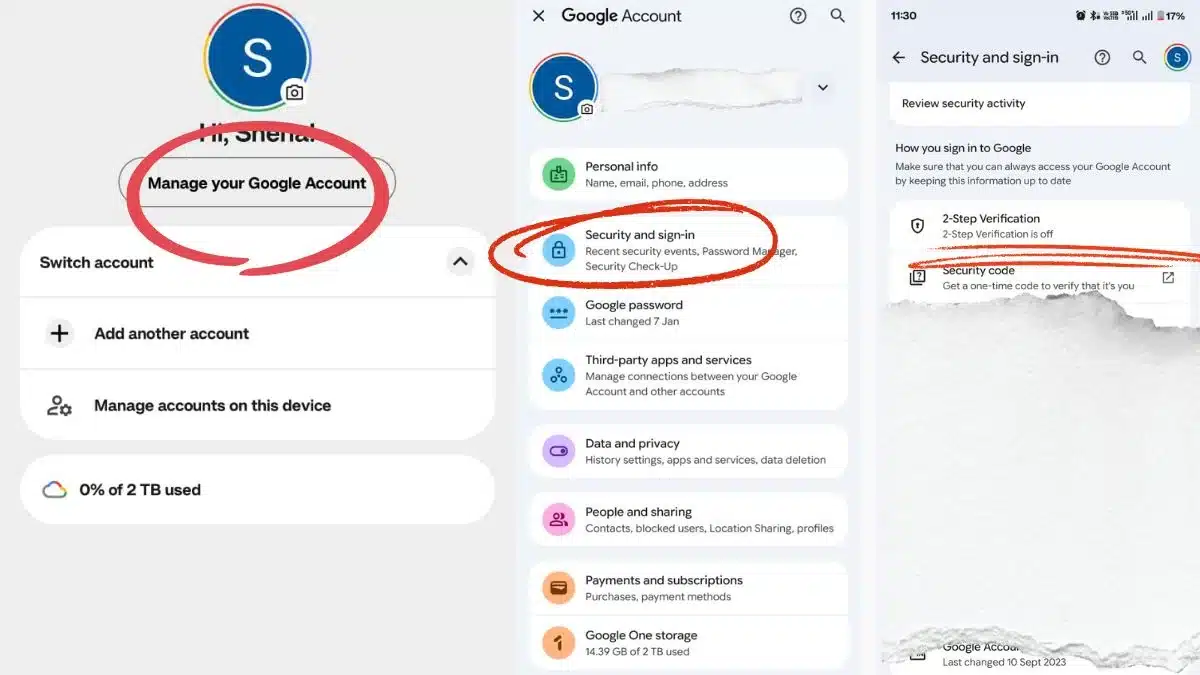
Once enabled, every new login will require a verification code.
So, you do not need to be tech-savvy to protect your data. You just need to stop ignoring the settings that are already there.