


From 2026 on, AI apps will really change how professionals do their work while they are on the go. This means that smartphones will be used for more than just talking on the phone. To get the most out of your smartphone productivity, choosing the top AI apps for professionals can completely transform your daily workflow.
Because the latest smartphones have a lot of AI processing power built in, developers have stopped making silly chatbots and started making tools that understand what you are saying, do repetitive tasks automatically, and work with your busy workday. Starting this year, here is how to make a small but useful set of AI tools for your phone.
- Quick Summary: Essential AI Tools at a Glance
- Top AI Apps for Professionals in 2026
- 1. Claude AI: Deep Thinking, Coding, and Nuanced Drafting
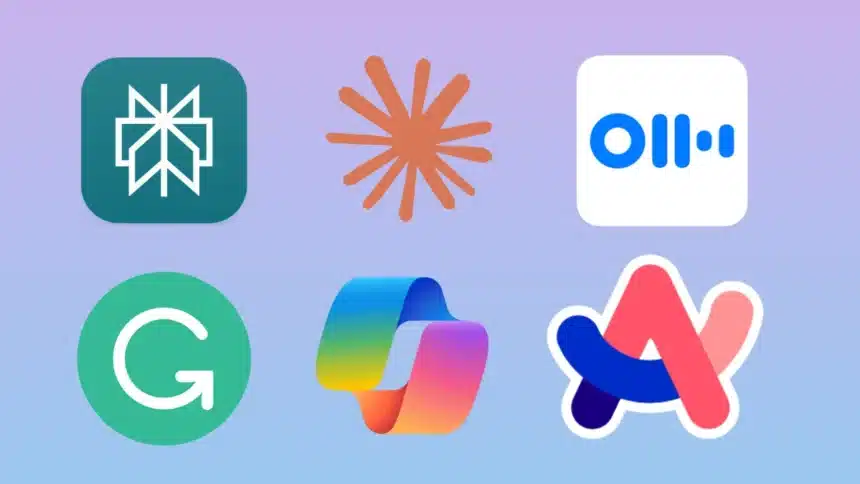
- 2. Perplexity: Research Without the Rabbit Hole
- 3. Otter.ai: Real-Time Meeting Summaries and Automated Notes
- 4. Microsoft Copilot: Your Pocket Assistant for M365 Productivity
- 5. Grammarly: Effortless Writing Polish and Real-Time Grammar Check
- 6. Microsoft Designer: Quick Visual Content and AI-Powered Branding
- 7. Adobe Photoshop Express: Professional Mobile Photo Editing and AI Cleanup
- 8. Arc Search: An AI-First Browser for Clutter-Free Web Research
- 9. Synthesia: Script-to-Video Creation with Photorealistic Avatars
- 10. ChatGPT: The Ultimate Everyday AI Companion and Voice Assistant
- Building Your Own Stack
Quick Summary: Essential AI Tools at a Glance
| App | Core Specialty | Key Advantage for Professionals |
| Claude AI | Deep Reasoning and Long Form Writing | Superior handling of complex logic, coding, and nuanced document synthesis. |
| Perplexity | Real Time Sourced Research | Answers questions with live web citations and direct source links. |
| Otter.ai | Meeting Transcription and Notes | Real time meeting summaries, action items, and voice recording transcriptions. |
| Microsoft Copilot | M365 Ecosystem Integration | Generates content, spreadsheets, and emails across Word, Excel, and Outlook. |
| Grammarly | Keyboard Level Writing Polish | Real time grammar, tone, and clarity adjustments in any mobile app. |
| Microsoft Designer | Quick Brand and Visual Design | AI powered social graphics, logo generation, and photo cleanup. |
| Adobe Photoshop Express | Professional Image Editing | Precision AI photo tools, generative fill, and object removal. |
| Arc Search | AI First Web Browser | Browse for Me AI summarization that eliminates clutter and ad heavy search pages. |
| Synthesia | AI Video Creation | Converts written scripts into video content with photorealistic avatars. |
| ChatGPT | Multi Modal and Voice Assistant | Natural voice interactions, photo analysis, and instant general problem solving. |
Top AI Apps for Professionals in 2026
1. Claude AI: Deep Thinking, Coding, and Nuanced Drafting
While general assistants handle quick daily prompts, Claude by Anthropic has become a key tool for professionals tackling deep, highly nuanced tasks. The Claude mobile app excels at processing large documents, analyzing complex spreadsheets, generating production grade code, and drafting sophisticated executive summaries.
Its ability to understand context without losing the thread makes it ideal for legal review, strategic planning, and editing tone sensitive corporate communications right from your phone.
2. Perplexity: Research Without the Rabbit Hole
As an alternative to general purpose chat assistants, Perplexity has made a name for itself among professionals who spend a lot of time researching things, like when they are researching the competition, checking the truth of a client claim, or learning more about an industry before a meeting.
Instead of just using training data to make an answer, it searches the real web and gives you a sourced, cited summary. This way you can see where each claim came from and click through to the original if you need to. That makes it much more reliable for things that need to be known quickly, like current events, prices, new products, or changes to the law.
The mobile app has voice search and a Discover feed that shows you news about topics that interest you. This is a good way to stay up to date without having to search for it. Perplexity citation first approach makes it a useful tool for professionals whose credibility depends on getting facts right. It is worth installing along with a general assistant for this reason.
Read Also: ChatGPT Go Vs Gemini Pro Vs Perplexity Pro: Which AI Subscription Is Best For You?
3. Otter.ai: Real-Time Meeting Summaries and Automated Notes
If you spend hours on virtual calls every day, this app will pay for itself almost right away. In real time meetings, lectures, and calls, Otter.ai automatically summarizes what is said, highlights key action items, and identifies speaker labels.
It integrates smoothly across Zoom, Google Meet, and Microsoft Teams to ensure no detail falls through the cracks, even when taking calls on mobile while traveling. Whoever still writes meeting notes by hand during calls should get this app.
4. Microsoft Copilot: Your Pocket Assistant for M365 Productivity
As an important mobile companion, Copilot has become important to people who work within the Microsoft ecosystem. It writes emails, summarizes meetings, and lets you make presentations right in Word, Excel, PowerPoint, and Outlook.
Additionally, it can create pictures based on natural language prompts. Working on your phone is easier with Copilot if your company relies on Microsoft 365.
5. Grammarly: Effortless Writing Polish and Real-Time Grammar Check
Grammarly earns its place by working quietly in the background. You can check your spelling, grammar, punctuation, and clarity in all of your phone apps, like Slack, email, and social media posts, without opening a new one.
There is a program built into your mobile keyboard that does this job for you. If you are a professional who communicates regularly with clients, coworkers, or the public, it provides the quick polish needed on mobile.
6. Microsoft Designer: Quick Visual Content and AI-Powered Branding
Professionals often need to make quick visual content and brand themselves all the time. The image could be for LinkedIn, a pitch deck cover, or a social media post. Microsoft Designer interface is simple and asks you to describe what you need. Later, it gives you layout choices based on your photos or pictures that AI made.
With one tap, newer tools let you get rid of background distractions or improve an ordinary picture. There is also a built in brand kit that saves your favorite fonts and colors so that all of your work looks consistent.
7. Adobe Photoshop Express: Professional Mobile Photo Editing and AI Cleanup
It is better for professionals to use Adobe Photoshop Express for mobile to edit photos while they are on the go than a quick design tool. Artificial intelligence can remove unwanted objects, fill background content accurately, and replace lighting or skies effortlessly. Photographers, marketers, and content creators who care about the fine details of a final image should use it.
8. Arc Search: An AI-First Browser for Clutter-Free Web Research
In the old way of browsing on a phone, you had to scroll through pages full of ads to find what you were looking for. Instead of just giving you a list of links, Arc Search takes a Browse for Me approach and synthesizes key information directly. It has also added conversational search features that make a simple query feel more natural. This saves meaningful time throughout the day for professionals who do heavy online research on the go.
9. Synthesia: Script-to-Video Creation with Photorealistic Avatars
Synthesia can turn a written script into a professional video with a photorealistic AI presenter. So you do not need a camera or studio setup to produce clear training material.
This is particularly useful if you are in charge of internal communications or product demos. It can handle scripts in over 100 languages, making it great for global teams and HR or L and D functions.
10. ChatGPT: The Ultimate Everyday AI Companion and Voice Assistant
While specialized tools handle specific workflows, OpenAI’s ChatGPT remains an indispensable all-rounder on mobile. The mobile app features Advanced Voice Mode, allowing you to hold natural, real-time conversations to brainstorm ideas, practice interviews, or translate spoken language on the fly.
Its multi-modal capabilities let you snap photos of complex charts, physical documents, or troubleshooting problems to get instant answers. For professionals needing a fast, versatile assistant for daily problem-solving and rapid drafting, ChatGPT earns a permanent place on any smartphone.
Building Your Own Stack
Most professionals go wrong when they try to install every available AI app at once. A better way to do it is to choose one strong core reasoning or research assistant like Claude or Perplexity, add a meeting notes tool if your schedule is packed, and then integrate one or two specialty apps that fit your daily work, like design, video, or writing polish.
A slim, focused stack of three or four tools will usually deliver far better productivity than a folder full of a dozen apps you rarely open. As you curate your setup in 2026, allow each app to earn its permanent spot on your home screen.
Must Read: Claude AI vs ChatGPT: Which AI Tool is for You?
Visit Devicology for the latest tech news, guides, and in-depth reviews. Follow us on WhatsApp, LinkedIn, X (Twitter), and Instagram to never miss an update!