


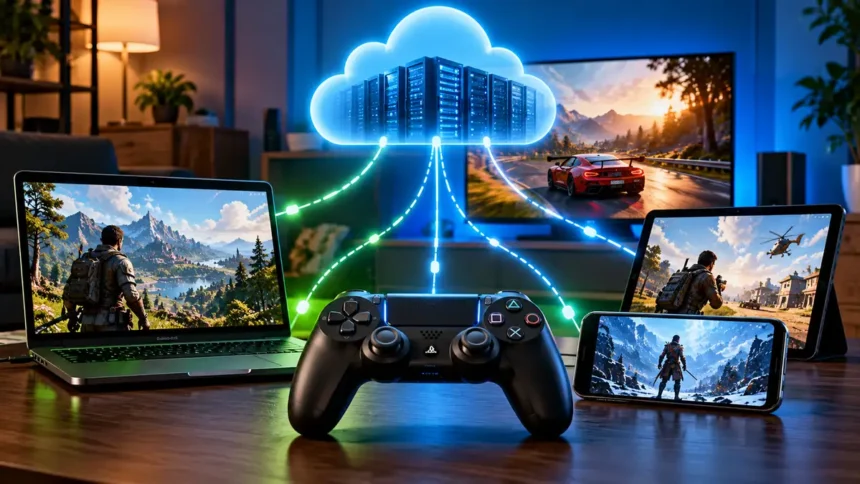
Cloud gaming has quietly gone from a niche experiment to a legitimate alternative to buying hardware. Instead of installing a game locally, you’re streaming a live video feed from a data-center GPU while your inputs travel back over the internet. NVIDIA GeForce Now, Xbox Cloud Gaming, and PlayStation Plus Premium (PS Plus Premium) are three of the most popular services in this field. They all work on the same basic idea, but they make money in very different ways.
Here’s how the technology works, and a detailed, side-by-side breakdown of what each service actually offers.
How the Technology Works
Every cloud gaming service, regardless of who runs it, relies on the same round-trip loop:
- The game is played on a remote server in a data center. This server has a real GPU and CPU and renders frames just like a PC or console in the same room.
- Video encoding (H.264, H.265, or AV1) shrinks each frame so it’s small enough to stream.
- The compressed stream travels over the internet to your device as live video, not game data.
- Your device decodes and displays it, while sending your button presses or mouse movements back to the server.
- The server processes that input and renders the next frame, restarting the cycle.
For a game to feel responsive, this entire loop needs to complete in well under a tenth of a second. Because of this, performance is based on how close the servers are and how stable the connection is, not on bandwidth itself. A fast but unstable connection will feel worse than a slower but stable one.
What you need to stream: roughly 15-25 Mbps for 1080p (45+ Mbps for 4K/120fps on GeForce Now), a wired or strong Wi-Fi connection, a supported device, and in almost all cases, a controller.
GeForce Now vs Xbox Cloud Gaming vs PS Plus Premium: Quick Comparison
| GeForce Now | Xbox Cloud Gaming | PS Plus Premium | |
| Game selection | Your own PC library from supported stores, with 4,500+ accessible games | Hundreds of games through Game Pass, plus select games you own | Hundreds of games plus a Classics Catalog |
| Platform | Browser, Windows, macOS, Android, iOS (via browser), Nvidia Shield, smart TVs | Browser, Android, iOS (via browser), Xbox consoles, smart TVs | PS4, PS5, PS Portal and PC, depending on the streamed content |
| Price | Free / $9.99/mo (Performance) / $19.99/mo (Ultimate) | Bundled into eligible Game Pass plans; Ultimate is $22.99/mo | $19.99/mo or $159.99/yr |
| Session limits | Free: 1 hr Performance: 6 hrs Ultimate: 8 hrs | No monthly cloud-hour limit until November 2026; then Essential: 5 hrs, Premium: 10 hrs, Ultimate: 15 hrs per month | None |
| Top resolution/fps | Up to 5K/120fps or 1080p/360fps on Ultimate | Up to 1440p on supported titles and devices with Ultimate | Up to 1080p on supported cloud-streamed titles |
GeForce Now
- Game selection: Your own library from supported stores, with 4,500+ accessible games
- Platform: Browser, PC, Mac, Android, iOS, Shield, Smart TVs
- Price: Free / $9.99 / $19.99 per month
- Session limit: 1-8 hours depending on tier
GeForce Now isn’t a library that you subscribe to; it’s GPU power that you rent. You link your existing Steam, Epic, Ubisoft Connect, GOG, or Battle.net accounts, and Nvidia streams supported games you already own from its data centers. That means your monthly fee buys performance, not content, and you’re still responsible for actually purchasing games elsewhere.
The Free tier caps you at 1080p/60fps with one-hour sessions and queue waits during busy periods. Performance ($9.99/mo) bumps that to 1440p/60fps with six-hour sessions and priority queuing. Ultimate ($19.99/mo) runs on RTX 5080-class hardware, reaching up to 5K/120fps or 1080p/360fps for competitive play, with ray tracing, DLSS, and Nvidia Reflex for reduced input lag. Paid tiers currently cap monthly playtime at 100 hours, with up to 15 unused hours rolling over and the option to buy extra hours.
Recommended if: You already own a sizable PC game library and just want more horsepower or portability without upgrading your hardware.
Pros:
- Free tier with no game purchase required to try it
- Highest resolution and frame rate ceiling of the three
- It works with Steam, Epic, GOG, and other supported stores, so you don’t have to stick with one.
- Genuinely cross-platform, including smart TVs and phones
Cons:
- You still have to buy paid games separately
- Free tier’s one-hour session cap and queue times are limiting
- Paid tiers now have a monthly playtime cap
- Setup can involve logging into multiple accounts (Nvidia, storefront, sometimes the game’s own launcher)
Xbox Cloud Gaming
- Game selection: Hundreds of titles plus select games you own
- Platform: Browser, Android, iOS (browser), Xbox consoles, Smart TVs
- Price: Bundled into eligible Game Pass plans; Ultimate is $22.99/mo
- Session limit: No monthly cloud-hour limit until November 2026; monthly limits begin in November
Xbox Cloud Gaming is included with Xbox Game Pass Essential, Premium, and Ultimate. Rather than only streaming games from Microsoft’s bundled catalog, you can also stream select games you own.
Essential ($9.99/mo) includes 50+ games with cloud gaming. Premium ($14.99/mo) expands that to 200+ games across console, PC, and cloud. Ultimate ($22.99/mo) unlocks hundreds of games and the best cloud streaming quality, including up to 1440p on supported titles and devices, plus extras like Ubisoft+ Classics and Fortnite Crew. The backend is made of Xbox hardware, so games work very much like they would on a console. Game Pass includes a library of games, and cloud gaming also supports select games you own.
Beginning in November 2026, Game Pass plans will include monthly cloud gaming limits: Essential gets 5 hours, Premium gets 10 hours, and Ultimate gets 15 hours. Additional cloud playtime will be available for purchase. Until then, eligible subscribers can stream without these monthly hour limits.
Recommended if: you want a constantly refreshed library of games without separately purchasing anything, and you’re already invested in the Xbox ecosystem.
Pros:
- You don’t have to buy game after game. The subscription covers the included library.
- Access to Microsoft’s major first-party games from the start on Ultimate, subject to Game Pass release availability
- No monthly cloud-hour limits until November 2026
- Cloud saves sync between console, PC, and cloud play for supported games
Cons:
- Resolution tops out lower than GeForce Now, even on Ultimate
- Not every game in the Xbox catalog is cloud-streamable
- iOS support is browser-only, no native app
- Monthly cloud gaming limits begin in November 2026
PS Plus Premium
- Game selection: Hundreds of games plus a Classics Catalog
- Platform: PS4, PS5, PS Portal and PC, depending on the streamed content
- Price: $19.99/mo or $159.99/yr
- Session limit: None
Sony’s method is in the middle of the three. You stream from a bundled catalog instead of your own games, just like with Xbox. But Premium really stands out by its backward compatibility, with a Classics Catalog of older PlayStation games, including PS1, PS2 and PS3 titles, with PS3 classics available via streaming.
Premium is the next level up from Essential and Extra. It gives you access to the Classics Catalog, timed Game Trials for new games, and cloud streaming to supported PlayStation devices and PC. This includes select digital PS5 games you’ve bought outright on PS5 and PS Portal, not just catalog games. Sony sets a lower technical bar than the other two, requiring just 5 Mbps to stream at all and 15 Mbps for 1080p.
Recommended if: you’re a PS5 owner who also wants easy access to a real archive of older PlayStation games, not just current-gen streaming.
Pros:
- A genuine retro game catalog spanning multiple generations of PlayStation
- Tightest hardware integration, including the PS Portal handheld
- Game Trials let you test select new releases before buying
- Lower minimum bandwidth requirement than the other two
Cons:
- Resolution tops out lower than GeForce Now’s best tier
- Classics Catalog additions vary from month to month
- There is no free tier; it costs money from the start.
- Support for devices that aren’t part of the PlayStation ecosystem is the weakest.
Which One Should You Choose?
- You have an existing PC game library → GeForce Now, Ultimate if you want top-tier visuals
- You want a huge, always-refreshed library with nothing extra to buy → Xbox Game Pass Ultimate
- You own a PS5 and want retro classics alongside new releases → PS Plus Premium
- You just want to try cloud gaming risk-free → GeForce Now’s free tier is the only no-cost subscription entry point of the three
Bottom Line
All three services are built on the same real-time rendering and video-streaming loop, but they’ve turned that technology into fundamentally different products. GeForce Now sells raw compute for supported games you already own, Xbox Cloud Gaming sells a subscription library with streaming built in while also supporting select games you own, and PS Plus Premium blends current-game streaming with a genuine legacy game archive. Less important than which one you choose is the underlying technology, which is becoming more similar across all three. What matters more is which ecosystem – PC storefronts, Xbox’s catalog, or PlayStation’s back library, already fits the way you play.