



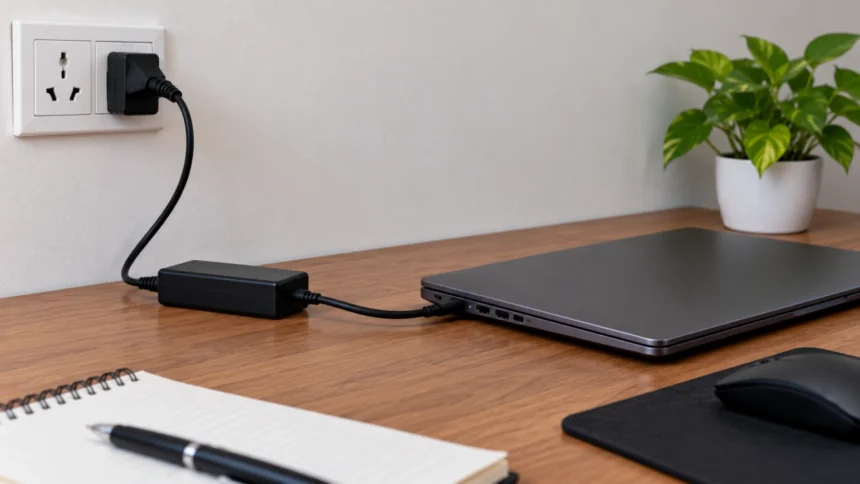
The post-COVID era made work from home a standard mode of operation for employees all over the world. Once the pandemic started subsiding, organizations began shifting to either hybrid mode or complete work from office mode. However, quite a few organizations still resorted to work from home. For those who got the option of work from home forever, they somehow built a habit of keeping their laptop plugged in to a power source for major part of the day or even forever.
Eventually, though, a question starts nagging at most laptop owners:
- The Good News: You’re Not Overcharging Your Laptop
- Why People Still Worry About It
- The Real Villain Isn’t Charging. It’s Heat.
- The Battery Percentage Trap
- The Work-From-Home Reality
- What About Constant Charging Cycles?
- The Biggest Mistake Isn’t Leaving It Plugged In
- Should One Unplug Their Laptop Right Now?
- Final Thoughts
Am I ruining my battery by keeping my laptop plugged in all the time?
It’s one of the most persistent tech debates on the internet. Some people insist you should never leave a laptop plugged in after it reaches 100%. Others claim modern batteries are smart enough that it doesn’t matter.
The truth sits somewhere in the middle.
The Good News: You’re Not Overcharging Your Laptop
Let’s start by killing one of the oldest battery myths.
Modern laptops do not continuously charge forever once they hit 100%.
Today’s devices use sophisticated battery management systems that monitor charge levels, temperature, and voltage. Once the battery reaches full charge, the system generally manages charging to prevent continuous overcharging; how the laptop draws power and maintains its battery level varies by model. This means traditional “overcharging” is largely a myth on modern laptops.
So if you’ve been picturing electricity endlessly flooding your battery every second of the day, that’s not what’s happening.
The laptop has been built to work smartly.
Why People Still Worry About It
If modern laptops prevent overcharging, why do so many experts still advise against leaving them plugged in 24/7?
Because battery health isn’t only about charging.
It’s about stress.
Lithium-ion batteries generally experience more stress when they remain at very high charge levels for long periods. Several battery-care guides note that keeping a battery near 100% continuously can contribute to faster long-term capacity degradation compared to spending less time at full charge.
Think of it like holding a spring fully compressed.
Nothing breaks immediately.
But keeping it under tension all the time isn’t ideal either.
The Real Villain Isn’t Charging. It’s Heat.
Here’s something many laptop owners miss.
When discussing battery lifespan, heat is often a bigger concern than whether the charger is connected.
Laptops running demanding workloads can generate significant temperatures:
- Video editing
- Gaming
- Software development
- Rendering projects
- AI workloads
- Multiple external displays
When a battery sits at high charge levels in a warm environment, battery aging can accelerate over time. Several battery-care resources specifically identify heat and extended periods at full charge as factors that can contribute to long-term wear.
In other words, a cool laptop sitting at your desk plugged in all day is far less concerning than a hot laptop running intensive tasks while permanently parked at 100%.
The Battery Percentage Trap
Many people assume that 100% battery health protection means keeping the battery at 100%.
Ironically, manufacturers increasingly disagree.
That’s why many modern laptops now include battery protection features that intentionally stop charging before reaching full capacity.
Common limits include:
- 80%
- 85%
- 90%
Manufacturers offer these options because limiting the maximum charge can reduce battery stress and help slow long-term wear.
At first glance, it feels crazy.
Why buy a battery and then refuse to use all of it?
Because preserving more battery capacity over time can be better than enjoying 100% capacity today and watching it decline faster.
The Work-From-Home Reality
Most modern professionals aren’t constantly carrying their laptops between coffee shops and airports.
Many laptops now spend their lives functioning like desktop computers.
If this sounds familiar:
- Laptop on desk
- External monitor connected
- Keyboard and mouse attached
- Charger always plugged in
Then you’re exactly the type of user who benefits most from battery-limiting features.
For a device that rarely leaves the desk, sacrificing the top 20% of battery capacity often makes sense because that capacity wasn’t being used anyway.
What About Constant Charging Cycles?
Some people unplug their laptop repeatedly throughout the day because they believe cycling the battery is healthier.
Not necessarily.
Modern lithium-ion batteries have a limited number of charge cycles over their lifetime. A charge cycle represents using and recharging battery capacity over time.
If your laptop spends most of the day plugged in, you’re actually avoiding many unnecessary charging cycles.
That’s one reason the answer isn’t as simple as “always unplug” or “always stay plugged in.”
Battery longevity involves balancing several factors:
| Factor | Impact on Battery Health |
| Excessive Heat | High |
| Constant 100% Charge | Moderate |
| Frequent Charge Cycles | Moderate |
| Deep Discharges to 0% | High |
| Battery Protection Limits | Positive |
| Cool Operating Temperatures | Positive |
The Biggest Mistake Isn’t Leaving It Plugged In
Interestingly, one habit is often worse than leaving a laptop plugged in:
Regularly draining it to 0%.
Many people still believe batteries need occasional complete discharges.
That advice made sense decades ago for older battery technologies.
Modern lithium-ion batteries generally prefer staying away from both extremes: completely full and completely empty. Battery-care guidance often recommends avoiding frequent deep discharges and minimizing time spent at extreme charge levels.
So if you’re constantly running your laptop into the red before plugging it back in, you’re not doing the battery any favors.
For most people, the ideal setup is surprisingly simple.
If You’re Mostly Desk-Bound
- Keep the laptop plugged in
- Enable battery protection mode if available
- Set a charge limit around 80%
- Ensure good airflow around the laptop
If You Travel Frequently
- Charge to 100% when needed
- Use the battery normally
- Avoid excessive heat
- Don’t obsess over percentages
If You’re a Power User
- Watch temperatures more than charge levels
- Clean cooling vents regularly
- Consider a cooling stand for intensive workloads
In practice, heat management often matters more than chasing the “perfect” battery percentage.
Should One Unplug Their Laptop Right Now?
Probably not.
The days when laptops were damaged by simply remaining connected to power are largely behind us. Modern battery management systems prevent traditional overcharging and are designed to handle plugged-in use safely.
However, that doesn’t mean battery health is completely unaffected by sitting at 100% forever. Over the long term, continuously maintaining a full charge, especially in warm conditions, can contribute to faster battery aging.
Final Thoughts
Leaving your laptop plugged in all day is not the battery-killing habit many people think it is. Modern laptops are built to prevent overcharging and intelligently manage power delivery. The bigger concerns are prolonged exposure to high temperatures and spending months at a constant 100% charge.
If your laptop offers a battery health or charge limiting feature, use it. If it doesn’t, don’t panic. Simply focus on keeping the device cool, avoiding frequent deep discharges, and using the laptop the way it was designed to be used.
The battery will age eventually. Every lithium-ion battery does.
The goal isn’t to stop aging entirely.
It’s to avoid accelerating it unnecessarily.