


Many people believe that deleting an app is enough to stop it from collecting their data. However, when it comes to TikTok, the situation may not be that simple.
Recent investigations suggest that the platform may collect information about users even when they are not actively using the app and, in some cases, even if they have never created an account.
How TikTok Tracks Activity
A tracking pixel is used by TikTok, which is a small piece of code that can be embedded into websites. The tracking pixel allows TikTok to collect data about your behaviour on the site by tracking when you access it and sending the data back to app without you knowing about it.
For instance, if you go to an e-commerce store and search for a product, or if you read a health article or other web content, the tracking pixel records what web page(s) you visit and what products you search for. Tracking pixels also collect data about your email address.
Privacy experts report that tracking pixels do not always require the app to be opened on your phone to collect data about your browsing activity; often, just visiting a website with a tracking pixel will result in information being sent to TikTok.
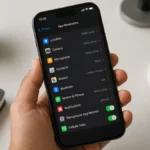
How To Check And Adjust Settings On iPhone
If you use an iPhone, you can limit tracking by adjusting these settings:
- Open Settings
- Tap Privacy & Security
- Select Tracking
- Find TikTok in the list
- Turn off “Allow Apps to Request to Track”
If TikTok does not appear in the tracking list:
- Go to Settings
- Scroll down and tap TikTok
- Turn off Allow Tracking
How To Check And Adjust Settings On Android
If you use an Android device, you can review an app’s permissions by following these steps:
- Open Settings
- Tap Privacy
- Select Permission Manager
- Review permissions such as Location, Microphone, and Camera
- Tap TikTok and choose Don’t allow or Allow only while using the app
To limit advertising tracking on Android:
- Open Settings
- Tap Privacy
- Select Ads
- Choose Delete advertising ID or Reset advertising ID
- Turn off Ad personalisation
The exact wording may vary depending on your device model.
So, checking your settings takes only a few minutes. Making these changes can help you regain greater control over your personal data.
Also Read: How To Actually Use iPhone Camera Control: 6 Features Worth Trying