
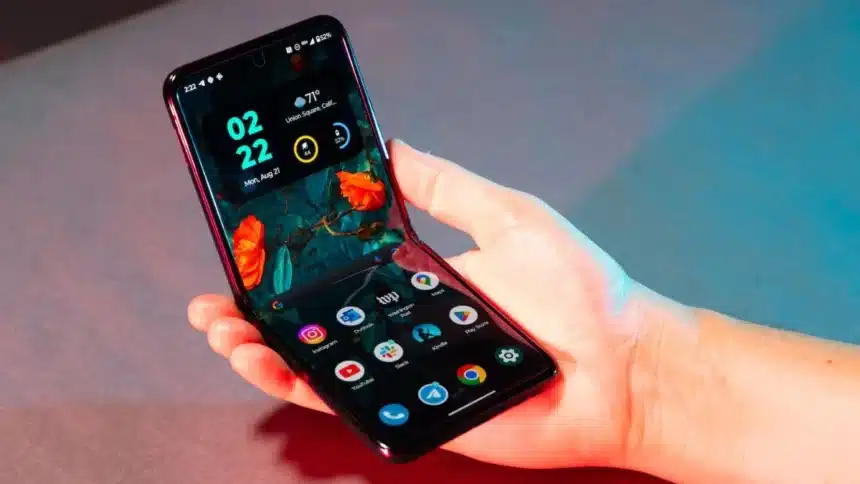
Foldable phones are far from standard smartphones with an oversized display. They operate differently, they feel differently, and you will only be using part of their potential if you do not utilize them properly.
Tips to Know if You Have a Foldable Phone
Below are practical tips that really help to improve the everyday usage of a foldable phone
- Tips to Know if You Have a Foldable Phone
- 1. Make App Continuity Work for You
- 2. Use Flex Mode Like a Pro
- 3. Protect the Inner Screen
- 4. Customize the Taskbar
- 5. Fix App Scaling Issues
- 6. Use Drag and Drop
- 7. Keep the Hinge Clean
- 8. Try Dual Preview for Photos
- 9. Turn On Battery Protection
- 10. Use Tablet Mode for Browsing
- 11. Don’t Remove the Inner Screen Protector
- 12. Set Smart Routines
- 13. Use Palm Shutter for Photos
1. Make App Continuity Work for You
One of the biggest advantages of a foldable phone is switching between the cover screen and the inner display. Turn on app continuity so your apps stay open when you unfold or close the device. It keeps everything seamless instead of forcing you to restart tasks.
2. Use Flex Mode Like a Pro
Flex Mode basically turns your phone into a mini laptop. Fold it halfway, and you can take hands-free video calls, watch content, or even record videos without holding the device. It’s surprisingly useful once you get used to it.
3. Protect the Inner Screen
The inner display is more delicate than a regular phone screen. Avoid pressing too hard, especially with nails or sharp objects. A little care goes a long way in keeping that display smooth and crease-free.
4. Customize the Taskbar
Most foldables come with a taskbar that sits at the bottom of the screen. Add your most-used apps there. It makes multitasking faster and gives you a more desktop-like experience.
5. Fix App Scaling Issues
Not all apps are perfectly optimized for foldables. If something looks stretched or weird, go into settings and adjust the aspect ratio. It makes apps look cleaner and more usable.
6. Use Drag and Drop
This is underrated. You can long-press and drag text, images, or files between apps when using split-screen mode. It saves time, especially for emails, notes, or quick edits.
7. Keep the Hinge Clean
Dust and tiny particles can get into the hinge over time. Just keep it clean and avoid folding it in dirty environments. It helps maintain that smooth open-close feel.
8. Try Dual Preview for Photos
When taking pictures, you can show the preview on the outer screen so the person being clicked can see themselves. It makes portraits and group shots way better.
9. Turn On Battery Protection
Foldables use a lot of power because of their large displays. Use built-in battery protection features to limit overcharging and keep battery health stable in the long run.
10. Use Tablet Mode for Browsing
When unfolded, many websites load in desktop mode. Use that to your advantage. It’s easier to read, scroll less, and it actually feels like using a small tablet.
11. Don’t Remove the Inner Screen Protector
That pre-installed film isn’t just for scratches; it’s part of the display structure. Peeling it off yourself can damage the screen, so just leave it.
12. Set Smart Routines
You can automate actions when you unfold your phone. For example, turning on Do Not Disturb or opening specific apps. It’s a small tweak that makes the phone feel smarter.
13. Use Palm Shutter for Photos
Since foldables can stand on their own, use gesture controls like palm shutter to click photos. No need for a tripod or awkward timer setups.
Once you actually start using these features, a foldable stops feeling like a gimmick and starts making real sense. It’s all about using the form factor the right way.
Also Read: 11 Open Items That Could Risk Your iPhone