



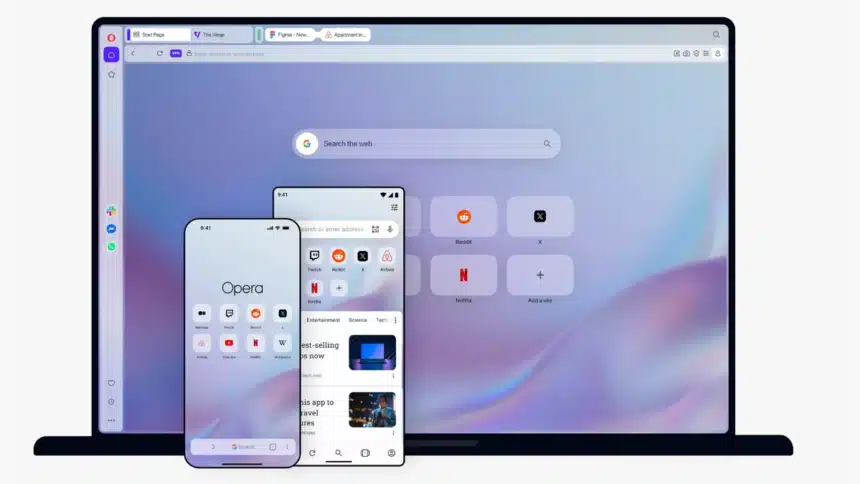
We’ve all done it. You sit down in a café, hop onto the free Wi-Fi, check your bank balance, and only then think, “I should have switched the VPN on.” Opera has decided that people shouldn’t have to remember. As soon as you connect to a public network, its free built-in VPN (Virtual Private Network) can now launch on its own, once you’ve enabled the feature.
It seems like a little adjustment, and it is, in certain respects. But it fixes one common reason VPNs fail people: not a weakness in the technology, just a forgotten toggle. Here’s what the feature does, how to use it, and what UK readers should know before they get too enthusiastic.
What Has Opera Actually Changed
Since 2016, Opera has included a free VPN with its browser. Until now, you had to turn it on manually. The new option removes that step.
Opera determines whether each network you join is public or private once the feature is enabled. The VPN establishes a connection on its own if it appears to be public or unprotected. When you leave, the VPN disconnects once more, and the VPN button in the tab bar changes color to indicate whether protection is active.
The Key Facts
- It’s opt-in. Nothing happens until you turn the setting on yourself.
- It’s free. No subscription, no sign-up, and no data cap.
- It’s desktop first. Opera’s announcement centres on the desktop browser, and mobile rollout details for this feature haven’t been fully published.
- It’s audited. Opera says Deloitte has independently audited the VPN, and that it follows a no-logs policy.
Why Public Wi-Fi Is Still a Problem
Open networks in cafés, hotels, stations and on trains are convenient, but they’re also places where someone may attempt to snoop on unprotected traffic. A VPN provides an additional layer by encrypting the connection between your browser and the VPN server, although the majority of websites now use HTTPS, which is helpful.
The awkward part is human habit. Opera points to figures from We Are Social showing that only 23% of internet users worldwide used a VPN for any online activity as of Q4 2025. Its own press material goes further, suggesting nearly 80% of internet users do not use a VPN, rather than specifically measuring VPN protection on public networks.
If those numbers are even roughly right, an automatic switch makes sense. Protection that depends on you remembering is protection that often won’t be there.
How to Turn It On
Setting it up takes less than a minute. You only need to do it once.
- Open Opera on your desktop and go to Settings.
- Find the VPN section.
- Switch on “Always use VPN on Public WiFi”.
Even if your browser is up to date, you might not immediately see the choice because the deployment is staged. According to Opera, you can disable it from the same page at any time. The option may remain unavailable until the rollout reaches you.
Is It Available in the UK?
This is where British readers need a little care. Opera announced the automatic feature on 24 September 2026, with the first rollout covering desktop users in the US and France.
The free VPN itself is available in the UK and works as it always has, with a manual switch. Opera hasn’t clearly confirmed a UK date for the automatic option, so check your settings after your next update rather than assuming it’s there.
| Question | Answer |
| Is the free Opera VPN available in the UK? | Yes, switched on manually |
| Is the automatic public Wi-Fi option confirmed for the UK? | Not yet, at the time of writing |
| First rollout regions | US and France |
| Cost | Free |
What It Covers, and What It Doesn’t
This is the part that headlines tend to skip. Opera’s VPN is not a full-device VPN; rather, it is a browser VPN. It protects what you do inside Opera and nothing else.
| Covered | Not covered |
| Websites opened in Opera | Apps such as Spotify or Steam |
| Browsing, logins, and web forms in the browser | Standalone email clients |
| Browser traffic on public or unsecured networks (once enabled) | Other browsers on the same laptop |
If you want your whole device protected, you’d need a system-wide VPN, which could be Opera’s paid VPN Pro or a rival service.
A VPN Isn’t a Magic Shield
It’s tempting to treat any VPN as a cure-all. Opera’s feature doesn’t say it is, and it isn’t.
A weak password cannot be protected by a VPN, nor can it prevent you from visiting a phishing website. Additionally, it won’t protect information you voluntarily provide to a phishing page on a phony hotspot.
Sensible Habits to Keep
- When possible, use the hotspot on your phone for important logins, such as banking.
- Before connecting, confirm the network name with the location because there are phony hotspots that seem alike.
- To ensure that security fixes are applied on time, keep your browser updated.
- For your key accounts, enable two-step verification.
- Be cautious of any page that displays certificate warnings and stick to HTTPS websites.
How Does It Compare With Other Browsers?
According to Opera, it is still the only popular browser that offers a free, limitless VPN without requiring an account. Additionally, it points out that neither Chrome nor Safari has a default browser VPN. VPN features are bundled by some competitors; however, they usually have monthly costs, data caps, or registration requirements.
Opera now has a real selling point because of this, especially if you don’t want another subscription. It’s important to keep in mind that receiving a free service does imply having faith in the business providing it. Opera’s GDPR claims and audit are helpful, but you should still check the privacy policy before depending on it.
Who Will Get the Most Out of It?
Not everyone needs this. For some people it’s a quiet win, and for others it makes little difference.
It Suits You If You
- Use Opera as your primary browser already.
- Work from co-working spaces, hotels, libraries, or cafés
- Travel often and join unfamiliar networks
- Keep forgetting to switch your VPN on
You Can Skip It If You
- Mostly browse on your phone, since desktop is the focus
- Use another browser you’re happy with
- Already run a full-device VPN all the time
The Bottom Line
Online privacy is not revolutionized by Opera’s built-in VPN. What it does is remove one small point of failure, the forgotten click, and for a free feature that’s a sensible move.
If you’re in the UK, the catch is timing. The feature began rolling out in the US and France, and a British launch hasn’t been pinned down yet. Remember that this just secures your browser and not your entire device, so keep Opera up to date and check the VPN portion of your settings. It’s a useful safety net for the moments you might otherwise forget when used with a little common sense.