


Your phone’s camera is already very good. Most new iPhones and Android flagships shoot in RAW, take beautiful pictures in low light, and record video that looks like it was shot in a movie theatre. But the sharpest picture taken right out of the camera doesn’t always tell the whole story.
- Best Mobile Photo Editing Apps for Android and iPhone in 2026
- 1. Adobe Lightroom Mobile: Best Overall
- 2. Snapseed: Best Free App
- 3. VSCO: Best for Aesthetic Consistency
- 4. Adobe Photoshop Express: Best for Quick AI Edits
- 5. Darkroom: Best for Batch Editing (iOS)
- 6. Photomator: Best for RAW & ProRAW
- 7. PicsArt: Best for Creative Editing & Collages
- 8. Luminar Neo Mobile: Best AI-Powered Editor
- 9. TouchRetouch: Best for Object Removal
- 10. Pixlr: Best Free Alternative to Photoshop
- Final Thoughts
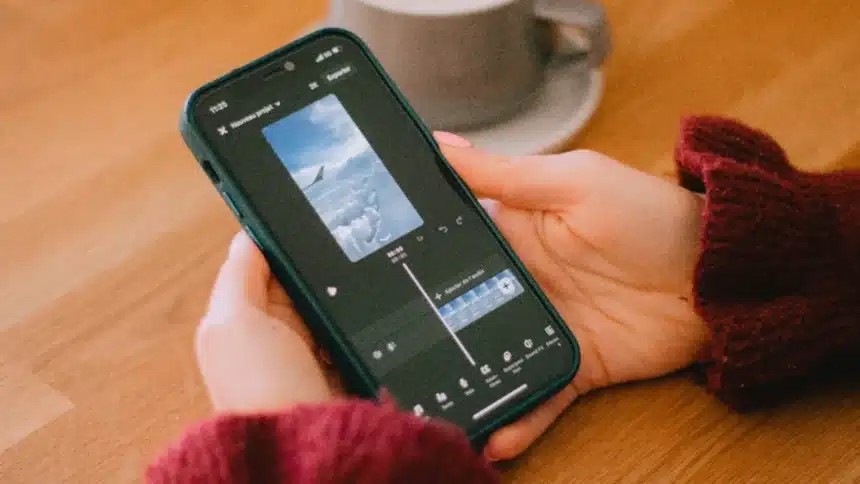
The right editing app is what makes a good picture great. Now is a great time to edit on the go, whether you post pictures on Instagram for fun, write travel blogs, or want to become a professional photographer. Here are the 10 best mobile photo editing apps for Android and iPhone in 2026.
Best Mobile Photo Editing Apps for Android and iPhone in 2026
1. Adobe Lightroom Mobile: Best Overall
Adobe Lightroom Mobile tops almost every list for a reason. It lets you edit photos like a pro and syncs them across your phone, tablet, and computer using the cloud. For serious photographers, it’s the best. The tools in Lightroom, like curves, color grading, HSL sliders, masking, and noise reduction, are really as good as those on a desktop computer.
The AI-powered “Enhance” feature makes details sharper and noise lower in low-light shots. The “Presets” library lets you give your whole portfolio a consistent look. The free tier is generous, though the full feature set requires a Creative Cloud subscription.
Platforms: iOS & Android | Price: Free / Subscription
2. Snapseed: Best Free App
Snapseed is the “Best Free Mobile Photo Editing App” for 2026, and it’s easy to see why. Free on both iOS and Android, Snapseed was made by Google and has an interface that feels powerful yet easy to use. It has 29 tools and filters.
You can precisely change the brightness, contrast, and saturation of certain parts of an image with the “Selective” tool, which is something that many paid apps still can’t do. The “Stacks” feature lets you go back to an earlier edit and make changes to it without deleting it. Snapseed is still the best choice for people who don’t want to spend any money but still want high-quality photos.
Platforms: iOS & Android | Price: Free
3. VSCO: Best for Aesthetic Consistency
VSCO is known for its film-inspired presets that give photos a classic, natural look that algorithms can’t easily copy. It is still the best app for creators who want their work to look consistent in 2026. It has a library of presets that are based on decades of film photography.
For example, there are Kodak Portra warmth, Fuji grain, and cross-processing color shifts. The editing tools below the filters are also very good. It’s more than just an editor with VSCO’s built-in community and social features; it’s a place to tell visual stories. The membership gives you access to all of the presets and tools, which is worth it for most serious users.
Platforms: iOS & Android | Price: Free / Subscription
4. Adobe Photoshop Express: Best for Quick AI Edits
Adobe Photoshop Express is best for quick AI fixes and simple changes. It fills in the blanks between Lightroom’s depth and a simple app that fixes things with one tap. Thanks to AI that’s gotten much better in the last two years, replacing the sky, removing the background, fixing flaws, and correcting perspective all happen in seconds.
This app is perfect for people who want polished results quickly and don’t want to mess with color curves. The free version includes many features, making it one of the easiest Adobe products to get.
Platforms: iOS & Android | Price: Free / Subscription
5. Darkroom: Best for Batch Editing (iOS)
You don’t need to move files between apps because Darkroom is fully integrated with Apple Photos. You can start editing right away by cropping, adjusting curves, and adding filters. The batch editing feature sets it apart. You can apply the same look to dozens of photos at once, which is great for travel photographers or content creators working on big shoots.
The curve tools and color grading controls are just as good as those in desktop software, and the interface is very clean. Apple supports it only on iPhone, iPad, Mac, and Vision Pro. It doesn’t work on Android, but for iPhone users, it might be the best editor out there.
Platforms: iOS only | Price: Free / One-time purchase
6. Photomator: Best for RAW & ProRAW
Photomator is best for iPhone users who want to shoot in ProRAW and have DSLR-like control. Its machine-learning-powered “ML Enhance” and “Repair” AI tools are powerful for a mobile app. It reads Apple’s ProRAW format natively and makes changes that don’t destroy the image, so it keeps all the details your camera captures.
Photomator also has an intelligent auto-enhance engine that looks at each photo separately instead of fixing them all at once. This makes the results feel thought-out instead of filtered. For people who are really into Apple cameras, this is the most technically impressive choice on this list.
Platforms: iOS only | Price: Subscription
7. PicsArt: Best for Creative Editing & Collages
PicsArt differs from the other apps on this list: it is more about creative expression than technical accuracy. It’s the best app for social media content makers, designers, and anyone else who wants to make something visually interesting instead of just correct.
It offers stickers, collages, drawing tools, AI-generated backgrounds, text overlays, and a huge library of user-made effects. In 2026, its AI tools are really impressive. For example, Generative Fill can expand backgrounds and swap objects with a single tap. PicsArt stays amongst the top ranked of the charts in both the App Store and Google Play for a reason.
Platforms: iOS & Android | Price: Free / Subscription
8. Luminar Neo Mobile: Best AI-Powered Editor
Skylum’s Luminar Neo made a big splash on desktop by putting AI first in editing, and the mobile version continues that idea. Luminar brings desktop AI editing tools to your phone. It has tools like AI Sky Replacement, AI Skin Enhancer, and atmosphere effects that let you add fog, bokeh, or golden-hour lighting with a single slider.
Luminar is the only mobile app that can relight faces and smooth skin while keeping its texture. This is especially useful for portrait photographers. It does the hard work without you having to see, so you can spend more time shooting and less time editing.
Platforms: iOS & Android | Price: Subscription
Read Also: 9 Best Photo Editing Apps To Try In 2026 For Better Photos
9. TouchRetouch: Best for Object Removal
One thing TouchRetouch does better than any other app is remove things you don’t want in your photos. It’s the best editing app for getting rid of things. Paint over it and watch it go away completely. It could be power lines through a beautiful sky, a lost tourist in your travel photo, or a logo on a T-shirt. The Clone Stamp and Blemish Remover tools round out a focused, no-nonsense set. For a small one-time fee, it should be in every photographer’s app collection as a specialized tool, but not as an alternative to a full editor.
Platforms: iOS & Android | Price: One-time purchase
10. Pixlr: Best Free Alternative to Photoshop
Pixlr is the last of the top apps we looked at for 2026. It deserves a spot because it is one of the best free editors for both iOS and Android. Clearly based on Photoshop, its interface has layers, blend modes, cut-out tools, and a wide range of AI-enhanced effects. While Snapseed’s tools are limited, Pixlr is a great option for people who don’t want to commit to an Adobe plan. The free version includes ads, but it still works perfectly. The premium version unlocks AI tools and removes restrictions.
Platforms: iOS & Android | Price: Free / Subscription
Final Thoughts
Adding a filter to a blurry picture on your phone and calling it a day was the old way of editing photos. These apps give you access to tools that used to be available only in expensive software and on powerful desktop computers, but now have become compact enough to carry around with you. This list has an app for everyone, from weekend travelers looking for golden hour landscapes to content creators building a brand’s look to serious photographers who need RAW precision on the go.
No single app can do the real magic, though. You have to learn to see. Anyone can be an editor, but only one person can really see what they’re doing. In fact, these tools strengthen creative vision. Start with one app and really learn how to use it. Then, let your editing style grow naturally as your photography does.
Great photos don’t always come from the most expensive gear or the most complex edits. Sometimes, all it takes is the right light, a steady hand, and knowing which slider to move. Now you have everything you need to get started.