One of the standout features launching with the Google Pixel 10 series is Daily Hub. Think of it as your personal morning digest that keeps you in the loop about what’s coming up on your calendar, trending topics you might want to check out, curated playlists, and more.
If you’ve ever seen Samsung’s Now Brief, this is Google’s spin on the idea, a simple and useful summary to help you start your day or quickly catch up anytime.
It doesn’t take much to get started. A few quick steps and you’ll know whether Daily Hub is something you’ll love using every day or something you can live without.
How to Turn On Daily Hub
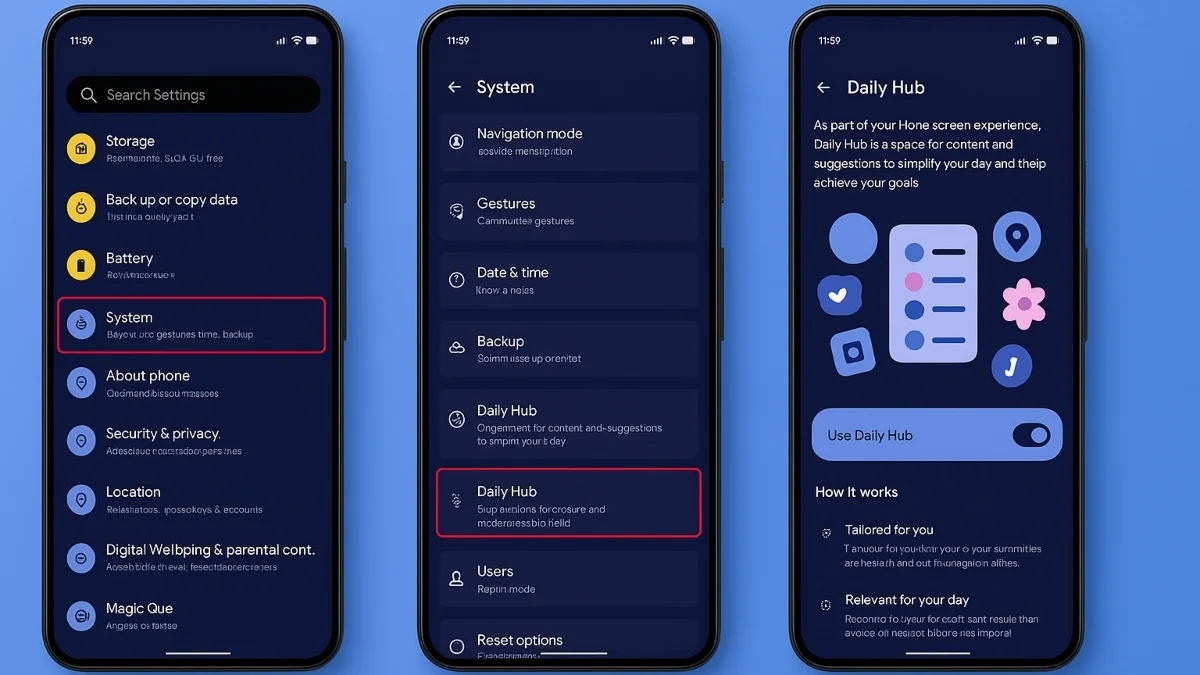
- Open Settings on your Pixel 10.
- Scroll down and tap System.
- Find the Daily Hub and switch it on.
- That’s it, setup done.
How to Open Daily Hub
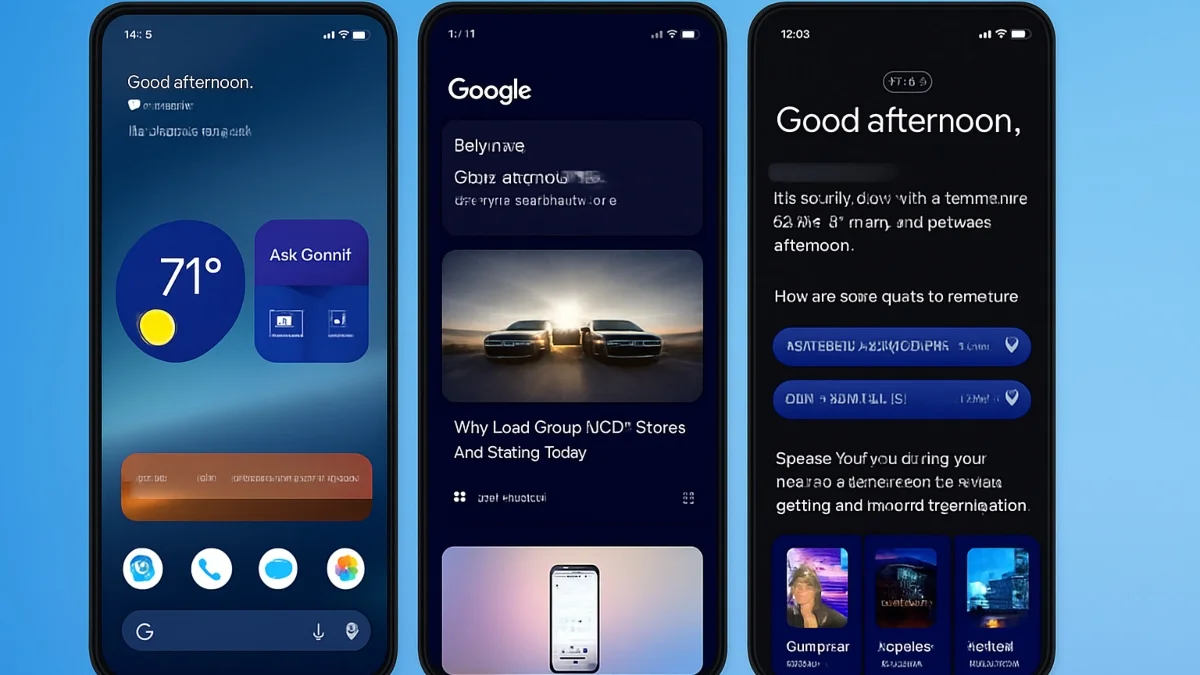
- Once you’ve turned it on, getting to Daily Hub is super simple:
- From your home screen, just swipe right to open the Daily Hub page. You can also get to it through the at-a-glance widget.
Tap Daily Hub in the top-left corner.
The Day Overview will show your local weather, calendar events, and any Magic Cue reminders (if you’ve enabled that feature).
Under the YouTube section, you’ll find personalized videos based on your interests. If you want a bigger view, long-press the App card to enlarge it.
Scroll to the bottom for a feed of topics you might like. These are pulled from your interest profile and could be anything from gaming and travel to music production or study materials.
To refresh and see the latest updates, just pull down from the top of the screen.
Is Daily Hub Worth Using?
Daily Hub is designed to be helpful without being overwhelming. It puts everything you need for the day in one place: weather, schedules, reminders, and even fun recommendations that match what you’re into. Think of it as a blend of a personal newspaper and a digital planner, tailored just for you.
For now, Daily Hub is only rolling out in the U.S., so Pixel owners in other countries, like Canada, will have to wait a bit before they can try it out. But if you’re in the U.S. and just got your Pixel 10, it’s definitely one of the first features to try. It’s a great way to personalize your experience and get more out of your new phone.
Pixel 10: Built Around AI
The Pixel 10 series is packed with AI features, and Daily Hub is just one of them. With instant Gemini integration across apps, smarter photo tools for capturing and editing, and now your own swipe-right daily digest, the Pixel 10 is shaping up to be one of the best Android options out there.
ALSO READ: Master The Pro Mode On Your Xiaomi Phone