
The past week saw a very prominent update from the Android family, the Android 17 update. On June 16, 2026, the official launch was announced, initially meant only for Google Pixel devices. Throughout the later part of the year 2026, it will be made available to other models too, including Samsung mobile phones.
This was not just a general update for the design of the Pixel phones. But there is a solid set of changes that will affect a user’s daily phone usage.
- Who is Getting the Update Right Now?
- What’s Actually New in the Update
- 1. App Floating Bubble
- 2. Reaction Record Feature
- 3. Verified Financial Calls
- 4. Mark as Lost
- 5. One-Time Access
- 6. Android to Web Extension
- 7. No App Labels
- 8. Parental Controls
- Is Gemini Intelligence part of the Update?
- So, Should One Update?
From operating an app to multitasking and keeping the mobile phone safe. This update has everything one could ask for.
A detailed breakdown of what’s actually new, what’s worth caring about, and more follows below.
Who is Getting the Update Right Now?
Android 17 is rolling out now to Pixel 6 and later devices. Samsung, OnePlus, and other manufacturers will issue the update throughout 2026, though exact timelines depend on each brand’s software process.
So owners of a Samsung Galaxy, a OnePlus, or a Xiaomi, will get it eventually, but currently it’s not available for manufacturers except Google.
What’s Actually New in the Update
1. App Floating Bubble
This is one of the bigger usability changes. Android 17 lets you long-press any app icon and turn it into a floating bubble that stays on top of whatever else you are doing.
On devices with a large screen, these bubbles sit in a dedicated bar at the bottom of the screen so you can switch between open apps with just one tap, or resize them to full screen whenever you want.
For example, you are watching a recipe video and want to check your messages. Instead of switching apps, the video just floats in a small window while you reply.
It works with every app, on every pixel phone, not just tablets and foldables.
2. Reaction Record Feature
Content creators and people who love sending reaction videos will find this one useful.
Screen Reactions lets you record what is on your screen and your face at the same time; your front camera appears as a small window overlaid on the screen recording.
No third-party apps, no green screen, no complicated setup needed. Just hit the record button, and you are good to go.
3. Verified Financial Calls
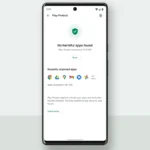
This is one of the most important updates for you. Phone scammers spoofing bank caller IDs have driven an estimated $980 million in annual losses worldwide.
Android 17 is taking a step in that direction.
A new feature called Verified Financial Calls works in the background when a participating bank’s app is installed, and you’re signed in.
When a call appears to come from your bank, Android checks with the app to confirm whether the call is real or not. If the app says no, the call gets cut automatically.
You don’t have to do anything; Android 17 does it all for you.
4. Mark as Lost
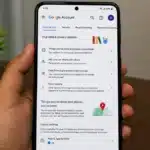
Android 17’s ‘Mark as Lost’ feature means that even if a thief somehow knows your PIN, they cannot turn off tracking or access your phone without your fingerprint or face scan.
Once a phone is marked as lost, Quick Settings get hidden, and new Wi-Fi and Bluetooth connections are blocked.
This makes it harder for anyone to erase the device or connect it to a new network to cover their tracks.
5. One-Time Access
This is a small change that matters a lot for privacy. Previously, if an app asked for contact access, you either gave it everything or nothing.
Android 17 now lets you grant apps one-time access to your precise location for a specific task, rather than allowing ongoing access.
6. Android to Web Extension
Android 17 brings a feature that lets you hand off tasks, like editing a document or composing a message, from your phone to your tablet seamlessly.
Google plans to extend this to the web, too, so you could eventually pick up on a desktop where you left off on your phone. It does require app developers to support it, so it won’t work everywhere right away, but it’s a solid foundation.
7. No App Labels
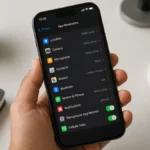
People who like minimal-looking home screens will really like this feature. You can now hide the text labels under app icons, leaving just the icons themselves.
8. Parental Controls
Android already had parental controls on Pixel phones. With Android 17, they are expanding themselves and are coming to all Android devices.
Parents will be able to set screen time limits, schedule downtime, control which apps kids can use, and filter what they can download from the app store.
Is Gemini Intelligence part of the Update?
You may have heard about Gemini Intelligence, Google’s aim to make your phone handle multi-step tasks on its own without needing manual commands in the background.
Gemini Intelligence is described as an AI layer built into the OS that handles multi-step tasks while you use your phone for something else.
But, no, this Gemini Intelligence is not a part of this update. Google has stated that it will roll it out later.
So, Should One Update?
If you have a Pixel 6 or newer, yes, you should update right away. The security improvements alone make it worth it, especially the scam call protection and the stronger theft safeguards. The usability changes are also quite interesting like Bubbles and Screen Reactions.
If you are using a Samsung or any other brand’s mobile phone, you might need to wait longer.
Also Read: Apple’s First Touchscreen MacBook Is Coming – Here Are The Details