



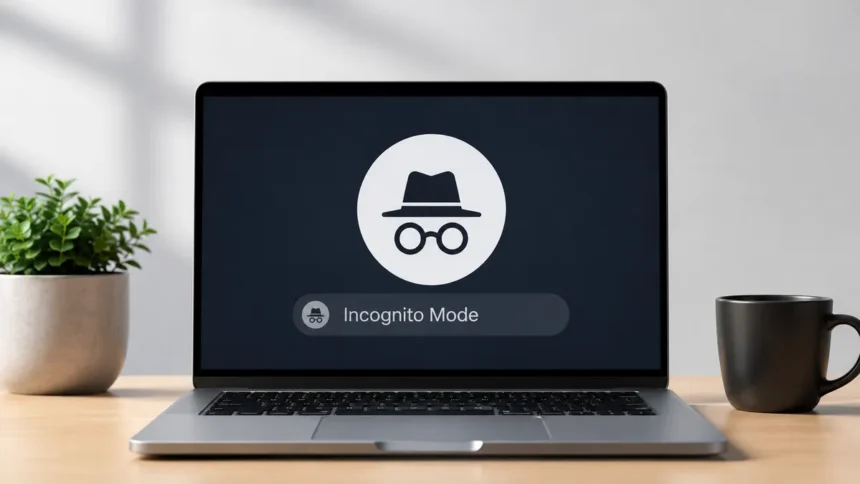
A new tab is opened. You select the small icon labelled “New Incognito Window” or “New Private Window.” You feel a tiny wave of relief, like you’ve just locked a door. However, did you close the curtains and leave the front door open, or did that door really lock?
The majority of individuals have this misconception about private browsing. They think it means invisible. It doesn’t. Let’s go over what this feature does, where people make mistakes, and how it should be used.
- Private Browsing or Incognito Mode: Quick Overview
- What Private Browsing Actually Is
- What Happens Behind the Scenes
- Belief vs Reality
- Why This Confusion Exists in the First Place
- When Private Browsing Actually Makes Sense
- What Private Browsing Cannot Do for You
- Does It Work the Same Way on Phones?
- Building a More Complete Privacy Habit
- A Simple Way to Remember It
Private Browsing or Incognito Mode: Quick Overview
| Feature | Private Browsing / Incognito Mode |
| Saves Browsing History | No |
| Deletes Cookies After You Close the Window | Yes |
| Saves Form Entries | No |
| Keeps Downloads | Yes |
| Keeps Bookmarks | Yes |
| Hides Your IP Address | No |
| Hides Activity from Your ISP | No |
| Prevents Website Tracking Completely | No |
| Protects Against Malware or Phishing | No |
| Best Use Case | Browsing privately on shared or public devices |
Quick Take: Private Browsing or Incognito Mode improves local privacy by preventing your browser from saving history, cookies, and form data after your session ends. However, it does not hide your identity, IP address, or online activity from websites, internet service providers (ISPs), employers, or hackers.
What Private Browsing Actually Is
There is a variant of this mode in every major browser, including Chrome, Firefox, Safari, and Edge. Everywhere, the fundamental purpose is the same. When you use this mode, the browser closes the window without saving your history, cookies, site information, or form entries. That’s all. That’s the entire ruse.
It’s a local privacy tool. It shields your activities from the internet as a whole, not from the next individual who accesses your phone or laptop.
What Happens Behind the Scenes
It’s helpful to know what a browser typically does when you’re not using private mode in order to truly grasp why this mode does what it does. Your browser saves little text files called cookies each time you visit a website. These keep you locked in, remember you the next time you visit, and subtly create a profile of your interests based on your clicks and searches. Additionally, your browser caches pages and images so they load more quickly the next time and maintains a running history log.
The browser is instructed to bypass all of that storage when using private browsing. Since many websites require cookies to work, it still loads them during your session, but it stores them in a temporary location that is deleted the instant you shut the window. Imagine writing on a whiteboard rather than a notebook. While working, you are still able to write, read, and utilize whatever on the board. However, after you wipe it clean, nothing remains for you or anybody else to find later.
This is also why sites still work fine in private mode. Login forms, shopping carts, video playback, all of it functions normally. The only difference is what gets remembered once you’re done.
Belief vs Reality
Belief: “I’m invisible online when I use incognito mode.”
Reality: You are not invisible. Every website you visit is still visible to your internet service provider. If you are on a work network, your traffic is still visible to your employer. Your IP address, browser fingerprint, and other signals unrelated to cookies can still be used by websites to follow you. Simply said, incognito mode prevents your device from recalling your actions. It makes no mention of what is visible to third parties.
Belief: “Incognito mode hides me from Google and other search engines.”
Reality: Whether you’re using a private window or not, Google still recognizes you if you’re connected into your account. Depending on your settings, your searches may still be linked to your account activity. The mode blocks local history, not account-level tracking.
Belief: “My downloads and bookmarks disappear too.”
Reality: When you download files in private mode, they remain on your device just like any other download. Bookmarks you save also stick around. When you shut the window, only transient site data, cookies, and browsing history are deleted.
Belief: “Private browsing protects me from viruses and hackers.”
Reality: Security software is unrelated to this mode. Malware, phishing efforts, and hackers taking advantage of a vulnerable network won’t be prevented by it. Incognito mode allows you to enter harmful websites with the same ease as a regular window.
Belief: “Using incognito mode means I get better prices when shopping or booking flights.”
Reality: Although it’s frequently overstated, this one contains some truth. A new session without that information may occasionally display a different price because certain travel websites do modify prices based on cookies and browsing history. However, this is not the primary goal of the feature and is not a guarantee. Any price decline should be viewed as a potential consequence rather than a dependable tactic.
Belief: “My location is hidden too.”
Reality: Whether you are in private mode or not, any website you visit can see your IP address and the approximate location associated with it. A VPN or other similar technology must be used in conjunction with your browser, not in place of it, if you wish to truly conceal your location.
Why This Confusion Exists in the First Place
The term “private” itself bears some of the blame. Similar to how we would use it to describe a private conversation held behind closed doors, it carries a weight that denotes complete secrecy. Additionally, browsers have not done a very good job of making the boundaries clear. To its credit, Chrome has included a brief caution alerting users that websites, companies, and internet providers might still be able to see what they do when they start a new incognito window. But most people click past it without reading a word.
When Private Browsing Actually Makes Sense
Once you are aware of its true limitations, this mode offers genuine, useful usefulness.
- Using a household computer to shop for a gift without leaving a trace in the browser history of another person.
- Checking two email accounts without logging out of one by logging into a second account on the same website.
- Doing a fast search that you don’t want to be stored in your usual history won’t have an impact on your future customized results and advertisements.
- For anyone who operates a website or blog, testing how a website appears to a first-time visitor is incredibly helpful.
- Completing a form on a borrowed or public device without having your information automatically saved.
These are minor, commonplace, local circumstances. That is this feature’s sweet spot.
What Private Browsing Cannot Do for You
Incognito mode won’t solve your problems if your true concerns are being monitored by advertising, having your data gathered by your ISP, or hiding your browsing from your office network. You would want to use it in conjunction with tools that were specifically designed to provide that level of anonymity, such a reliable VPN, a search engine that prioritizes privacy, or browser plugins that prevent trackers.
Consider it this way. Using incognito mode is similar to cleaning your own porch of footprints. The mail man, your neighbors, and the security camera down the street can still see you passing.
Does It Work the Same Way on Phones?
This entire picture is slightly twisted by mobile browsing. Private surfing on a phone still prevents the browser software from storing your history and cookies. But phones come with more layers involved. The in-app browsers for apps like Facebook, Instagram, and your banking app frequently don’t adhere to the same standards as Chrome or Safari. If you tap a link inside a social media app, it may open in that app’s built-in browser instead of your regular one, and that experience might not respect the same private settings you’re used to.
There’s also the matter of app-level tracking, which has nothing to do with your browser at all. Apps can track your activity through device identifiers regardless of whether you’re browsing the web privately at that moment. So on mobile especially, private browsing covers one part of your digital footprint, not the whole thing.
Building a More Complete Privacy Habit
Consider private browsing as a small component of a bigger picture rather than a complete solution if you genuinely care about your online privacy, as most people do these days. When combined with it, a few habits go a long way.
Since most browsers now allow you to prevent third-party trackers by default, start by examining your browser’s cookie and tracking settings, even when it’s not in private mode. Regardless of the mode you’re using, older browsers are much more susceptible to exploitation, so make sure your software is up to date. Instead of allowing websites to remember your login information, think about using a trustworthy password manager. This behavior presents significantly more risk than a preserved browser history could. Additionally, a VPN from a reliable service fulfills the purpose for which incognito mode was never intended if location and IP anonymity are truly important to you.
This doesn’t have to be difficult. Instead than expecting a single button to solve every problem, it’s truly about matching the appropriate tool to the appropriate issue.
A Simple Way to Remember It
Your history is shielded from users of the same device while you browse privately. Your location, identity, and activities are not shielded from the public internet. You won’t be perplexed by what this mode can or cannot achieve for you once you’ve mentally separated those two concepts.
You’ll be fully aware of what you’re getting the next time you open that private window. Not invisibility. Just a cleaner slate on your own screen.
Must Read: Are These Popular Web Browser Extensions Secretly Selling Your Mobile Web History?