
Google I/O 2026 is just around the corner, and while Android 17 and Google’s AI ambitions are expected to dominate headlines, Wear OS 7 could quietly become one of the biggest announcements of the event.
Google has already teased several AI-focused upgrades during the recent Android Show presentation, and many of those features appear designed to extend directly to smartwatches. From smarter widgets to contextual AI assistance, Wear OS 7 may finally push Android smartwatches closer to the seamless experience users have been expecting for years.
- 1. AI-Generated Custom Widgets Could Arrive On Wear OS 7
- 2. Gemini AI Could Turn Smartwatches Into Real Assistants
- 3. Better Voice Recognition May Finally Improve Smartwatch Interaction
- 4. Battery Improvements Are Almost Guaranteed
- 5. Wear OS 7 Could Become Much More Context-Aware
- Wear OS 7 Could Be Google’s Most Important Smartwatch Update Yet
While Google has not officially confirmed every feature yet, here are five major changes likely heading to Wear OS 7 at Google I/O 2026.
1. AI-Generated Custom Widgets Could Arrive On Wear OS 7
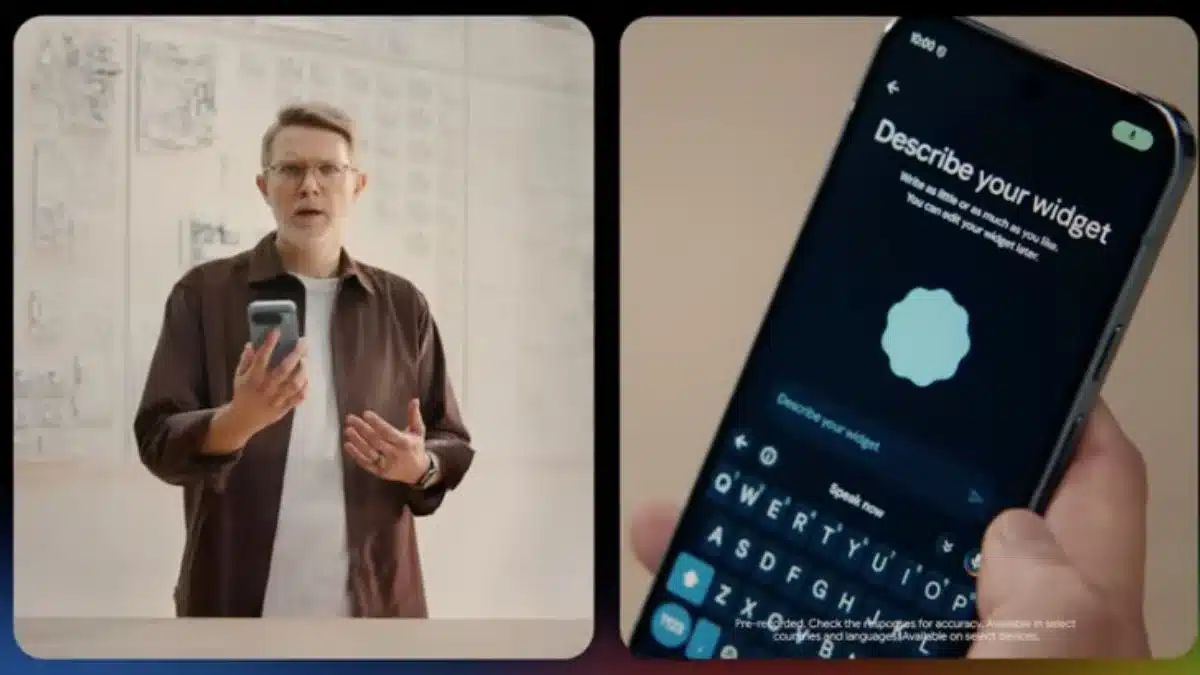
One of the standout reveals during the Android Show was Gemini’s ability to create custom widgets using simple text prompts.
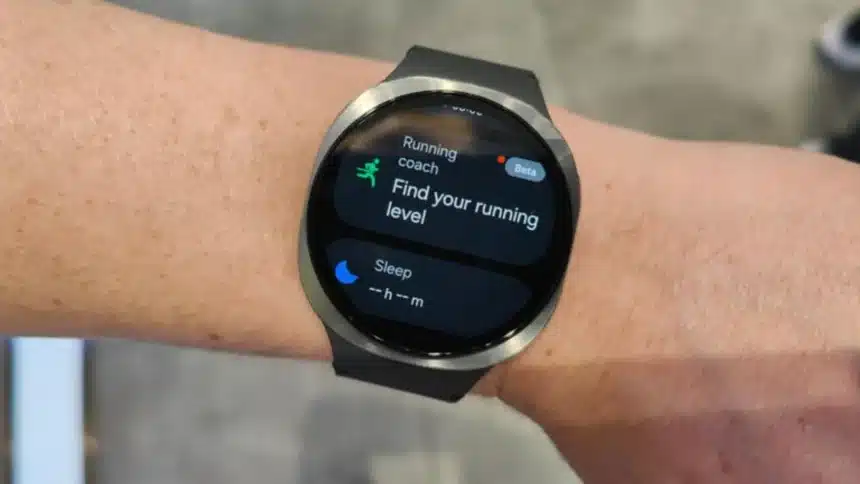
Instead of manually building widgets, users could simply describe what they want, and Gemini would generate it automatically. During the presentation, Google showcased a custom widget for a Pixel Watch displaying cycling-friendly weather conditions like wind and rain.
This could become one of Wear OS 7’s biggest quality-of-life upgrades.
Smartwatch users often struggle with limited screen space, so customizable AI-generated widgets could make information much more accessible without constantly opening apps.
If implemented properly, users may be able to create highly personalized watch faces and widgets focused on fitness, weather, productivity, sleep tracking, or navigation.
2. Gemini AI Could Turn Smartwatches Into Real Assistants
At Google’s event, it also gave us a glimpse of a new kind of complex task automation system powered by Gemini Intelligence.
The system uses Gemini to understand the context of conversations and will be able to take actions automatically, such as adding calendar events, booking appointments, and mapping directions.
An example seen during the demonstration was when a Pixel Watch displayed a lunch invitation, which immediately offered to create a calendar event at that moment.
This shows that this will most likely be the most advanced version of Google Assistant on Wear OS 7.
With this functionality, the smartwatch will suggest taking an action before you provide commands from the text message, location history, calendar, or user habit.
For example, users could ask their watch a simple question like “How far is it?” after they receive instructions from a text message regarding where to go for lunch, and have the watch automatically launch Maps and present directions.
This is the level of contextual awareness that Google has been aggressively pushing across all of their Android products and their Gemini products.
3. Better Voice Recognition May Finally Improve Smartwatch Interaction
Another feature that caught attention during the Android Show was “Rambler,” an upgraded AI-powered speech recognition system.
Unlike traditional voice-to-text tools that transcribe speech word-for-word, Rambler can reportedly understand natural conversations filled with pauses, filler words, corrections, and unfinished thoughts.
This matters a lot for wearables.
Smartwatch users typically rely heavily on voice commands while walking, driving, cooking, or exercising. Better speech interpretation could make interactions feel far more natural and less frustrating.
Wear OS has historically lagged behind Apple in voice assistant responsiveness and consistency. Improved AI transcription could help close that gap significantly.
4. Battery Improvements Are Almost Guaranteed
AI features are powerful, but they are also resource-heavy.
That makes battery optimisation one of the biggest areas to watch with Wear OS 7.
Google may not market battery upgrades as aggressively as AI tools during I/O, but behind the scenes, efficiency improvements will likely play a major role in keeping these features practical for daily use.
Devices like the Pixel Watch series have often faced criticism for battery life limitations compared to rivals from Garmin and Apple.
If Google plans to push on-device AI processing, smarter power management will become essential. Expect Wear OS 7 to focus heavily on balancing performance and battery efficiency.
5. Wear OS 7 Could Become Much More Context-Aware
Perhaps the biggest long-term shift coming to Wear OS is contextual intelligence.
Google appears focused on making devices anticipate what users need instead of waiting for manual input.
That means future Wear OS watches could use workout history, location data, app usage patterns, schedules, and health tracking information to trigger smarter suggestions automatically.
Apple has already started doing this with features like Workout Buddy and intelligent workout detection. Google seems ready to move in the same direction with Gemini-powered experiences.
For instance, a future Wear OS watch may detect that a user visits the same gym every Tuesday evening and automatically suggest starting a workout session or navigating there.
These kinds of predictive features are becoming central to the next generation of AI-powered devices.
Wear OS 7 Could Be Google’s Most Important Smartwatch Update Yet
Wear OS has improved steadily over the past few years, especially after Google partnered more closely with Samsung and expanded Pixel hardware ambitions.
But Wear OS 7 could represent a much larger shift.
Instead of simply adding new watch features, Google now appears focused on turning smartwatches into proactive AI companions capable of understanding context, predicting needs, and automating tasks.
Much of the spotlight at Google I/O 2026 will naturally fall on Android, Gemini, and Google’s broader AI ecosystem. Still, Wear OS 7 may end up being one of the event’s most important announcements for everyday users.
Also Read: 9 Windows Settings That Need Modification For Seamless Working