


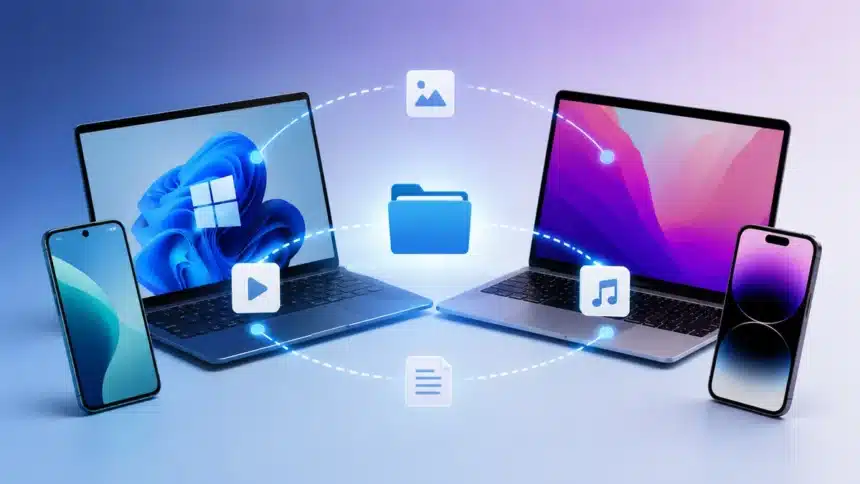
Many people are familiar with the limitations of share sheets, especially iPhone users who might own a Windows laptop or Android devices. In addition, while AirDrop works seamlessly with Apple devices, it cannot directly connect devices made by other companies. With the number of iPhone users growing every day and so many people using Windows computers, mixed-device offices and households have become common in the modern world.
Besides, 2026 is expected to be an important year for cross-platform file sharing, as companies continue improving compatibility between different ecosystems. Users facing difficulties while switching between different platforms now have more options than ever before. This article will analyze the best Airdrop alternatives in 2026 based on their speed, security, compatibility, and convenience.
- Best AirDrop Alternatives 2026: Quick Comparison
- AirDrop: Still the Benchmark, Still Apple-Only
- Best AirDrop Alternatives 2026: Moving Beyond Apple’s Ecosystem
- AirDrop vs Quick Share vs LocalSend vs Phone Link: Speed and Security at a Glance
- Which One Should I Actually Use?
- The Bottom Line
- Frequently Asked Questions (FAQs)
We compared these tools based on platform support, file transfer experience, privacy features, and everyday usability to understand which solution works best for different types of users.
These AirDrop alternatives are useful for users who need to transfer files between iPhone, Android, Windows, and Mac without relying on cables or cloud storage.
Best AirDrop Alternatives 2026: Quick Comparison
| Tool | Best For | Works On | Main Advantage |
| AirDrop | Apple users | iPhone, iPad, Mac | Fast and seamless Apple-to-Apple transfers |
| Quick Share | Android and Windows users | Android, ChromeOS, Windows | Easy sharing with Google ecosystem integration |
| LocalSend | Cross-platform users | Windows, Mac, Linux, Android, iOS | Works across almost all major platforms without an account |
| Phone Link | Windows users | Windows + Android (full), iPhone (limited) | Connects smartphones with Windows PCs |
AirDrop: Still the Benchmark, Still Apple-Only
With the help of Bluetooth technology, AirDrop enables Apple devices to discover each other and uses Apple’s peer-to-peer Wi-Fi technology to transfer data. The process takes place securely through encrypted communication and device authentication, allowing users to transfer photos, videos, documents, and other files between compatible Apple devices.
Real-world AirDrop transfer speeds vary depending on the device model, file size, and surrounding conditions. Newer Apple devices can achieve very fast transfer speeds, although Apple does not publish official speed benchmarks.
AirDrop remains one of the fastest and simplest file-sharing solutions available for iPhone, iPad, and Mac users. However, its biggest limitation remains unchanged: this technology is only available for Apple users.
For users searching for an AirDrop alternative for Windows or Android devices, third-party solutions are required to transfer files across different ecosystems.
Read Also: Private Browsing or Incognito Mode: What Users Must Know
Best AirDrop Alternatives 2026: Moving Beyond Apple’s Ecosystem
While AirDrop continues to be the preferred file-sharing solution for Apple users, people who use multiple ecosystems need more flexible options. Windows laptops, Android smartphones, and mixed-device environments have increased the demand for reliable cross-platform file-sharing tools.
In 2026, solutions like Quick Share, LocalSend, and Phone Link are becoming popular choices for users who want to transfer files between different devices without depending on a single ecosystem. Each tool has its own advantages in terms of speed, privacy, compatibility, and ease of use.
1. Quick Share
Quick Share is Google’s file-sharing technology, which was originally introduced as Nearby Share. In 2024, Google merged Nearby Share with Samsung’s Quick Share technology to create a unified Quick Share experience across supported Android devices.
The technology allows users to transfer files between Android devices, Chromebooks, and Windows PCs through the Quick Share application. Transfer performance depends on factors such as device hardware, Wi-Fi conditions, router quality, and the distance between devices.
One of the biggest developments has been Google’s continued improvement of Quick Share compatibility, making file transfers easier across more Android devices and supported platforms.
However, availability depends on device compatibility, operating system support, and software updates. Users should check supported features before transferring files across different ecosystems.
When comparing Quick Share vs AirDrop, both provide fast wireless file transfers, but they are designed for different ecosystems. Google is continuing to expand Quick Share compatibility across more Android devices, although availability depends on manufacturers, smartphone models, and software updates.
2. LocalSend
LocalSend is one of the most popular file-sharing tools available today, allowing communication across major operating systems, including Windows, macOS, Linux, Android, and iOS.
As LocalSend is an open-source project, it does not require any account creation. The local discovery feature allows connected devices to communicate securely, while files are transferred using encrypted HTTPS communication.
Because files are transferred locally instead of being uploaded to external servers, LocalSend has become popular among users who prefer privacy-focused file sharing.
Transfer speeds depend on Wi-Fi performance, router quality, and connected device hardware. Although LocalSend may not always match the speed of native ecosystem solutions, its biggest advantage is universal compatibility across different platforms.
Unlike many ecosystem-specific tools, LocalSend works as a practical cross-platform file sharing solution for users who need to transfer files between iPhone, Android, Windows, and Mac devices.
3. Phone Link
The Phone Link feature available in Microsoft makes Windows 11 more useful for people who want to connect their smartphones with their PCs. It works best with Android phones and allows users to sync photos, files, calls, and notifications.
For iPhone users, Phone Link offers a more limited experience compared with Android because Apple’s ecosystem restrictions prevent Windows devices from accessing the same level of integration.
For users looking for an easy way to connect an iPhone with Windows, Phone Link can help with selected features such as accessing photos and notifications, although its iPhone functionality remains limited.
Microsoft continues improving Phone Link capabilities, but Android users still receive a more complete experience compared with iPhone users.
AirDrop vs Quick Share vs LocalSend vs Phone Link: Speed and Security at a Glance
| Tool | Speed | Security |
| AirDrop | Depends on device and conditions | Encrypted peer-to-peer connection |
| Quick Share | Depends on hardware and network conditions | Encrypted transfer |
| LocalSend | Depends on local network quality | HTTPS/TLS encrypted transfer |
| Phone Link | Depends on connection and file type | Microsoft account secured connection |
Which One Should I Actually Use?
If you have both a Windows personal computer and an iPhone, you can use Phone Link for basic connectivity features, while LocalSend is a better choice for transferring larger files and sensitive data.
On the other hand, if you use an Android phone and a Mac device, LocalSend remains one of the most practical options because it provides broad cross-platform support.
For Android and Windows users, Quick Share is one of the easiest solutions because of its deep integration with Google’s ecosystem.
Finally, if you want to prioritize privacy over convenience, LocalSend is an excellent choice because it is open-source, does not require account creation, and transfers files locally without relying on external servers.
The Bottom Line
While AirDrop remains the quickest and simplest way for Apple devices to exchange files, cross-platform solutions are becoming more advanced in 2026.
Quick Share is becoming a strong competitor by expanding file-sharing capabilities beyond traditional Android devices, while LocalSend continues to be one of the best options for users who need compatibility across multiple operating systems.
The best AirDrop alternatives in 2026 ultimately depend on your device combination. Apple users can continue relying on AirDrop, Android users can benefit from Quick Share, and users working across different ecosystems can choose LocalSend for maximum flexibility.
Frequently Asked Questions (FAQs)
Can I use AirDrop between iPhone and Windows?
No. AirDrop works only with Apple devices. Users who want to transfer files between iPhone and Windows need alternatives such as LocalSend, Phone Link, or cloud-based transfer services.
What are the best AirDrop alternatives in 2026?
The best option depends on your devices. Quick Share is ideal for Android users, LocalSend offers the widest cross-platform support, and Phone Link works best for Windows users.
Is LocalSend safe for transferring files?
Yes. LocalSend uses encrypted HTTPS communication and does not require an account, making it a privacy-focused option for file transfers.
Can Quick Share send files to iPhone?
Quick Share compatibility with Apple devices depends on supported features, device compatibility, and software availability. Users should check current support before transferring files.
Which AirDrop alternative works best with Windows?
LocalSend and Quick Share are among the best options for Windows users. LocalSend provides wider cross-platform compatibility, while Quick Share offers better integration with Android devices.
Must Read: How To Easily Connect Xiaomi To A Windows PC With Mi Share in 4 Simple Steps
Visit Devicology for the latest Tech News, Guides, and in-depth Reviews. Follow us on Whatsapp, LinkedIn, X (Twitter) and Instagram to never miss an update!