



WhatsApp is used by people to send messages, photos and videos to their friends and family over the internet. It is owned by Meta, the parent company for both Facebook and Instagram. A colossal number, more than three billion people around the world, use it every day.
Until now, to talk to someone new on WhatsApp, you needed their phone number, but now that is about to change.
WhatsApp is rolling out a new feature that lets people chat using a username instead of a phone number. This means that you will soon be able to talk to someone without ever sharing your personal mobile number with them.
The company has started letting some users in the UK ‘reserve’ their usernames early, before the feature fully launches later this year.
Since usernames cannot be repeated, getting your favourite one early is a smart move.
How to Reserve a WhatsApp Username
Here is a step-by-step guide to reserve your WhatsApp username.
Step 1: Update Your WhatsApp App
Before anything else, make sure your WhatsApp app is updated to the latest version. You can do this by going to the Google Play Store (for Android OS based gadgets) or the App Store (for Apple devices) and tapping ‘Update’ if it is available. This is a necessary step as WhatsApp has made the ‘Username’ feature only for the newest version of the app.
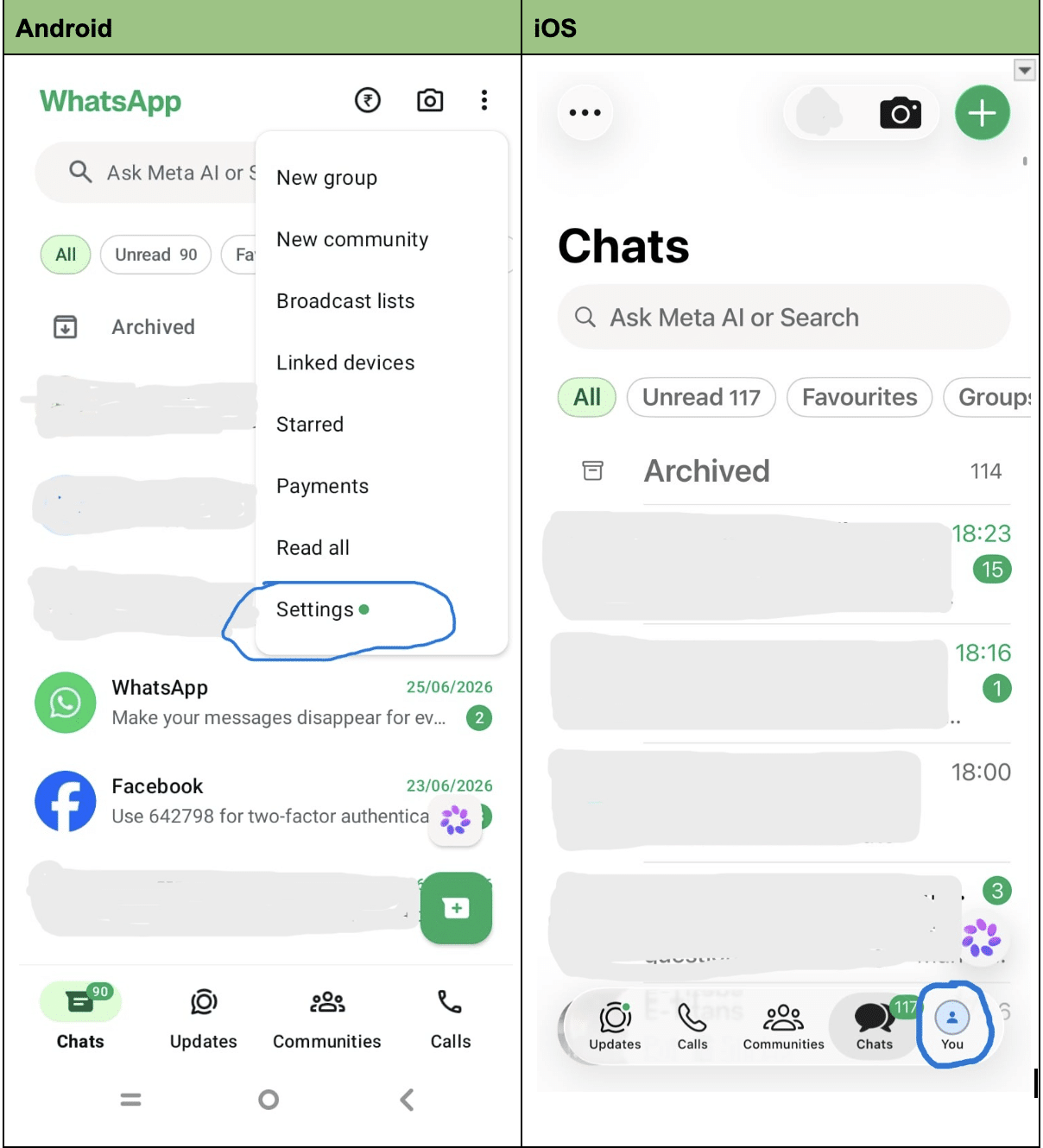
Step 2: Open Settings
Open WhatsApp and tap on ‘Settings.’ This is usually found by clicking the 3 dots on the top right corner of the screen within the app on most Android phones and then selecting Settings. For Apple devices including iPhones, it is accessed by clicking on the icon You at the bottom right hand corner of the screen within the WhatsApp app. The moment you click on the You icon, it leads you to the next screen.
Step 3: Go to Your Account
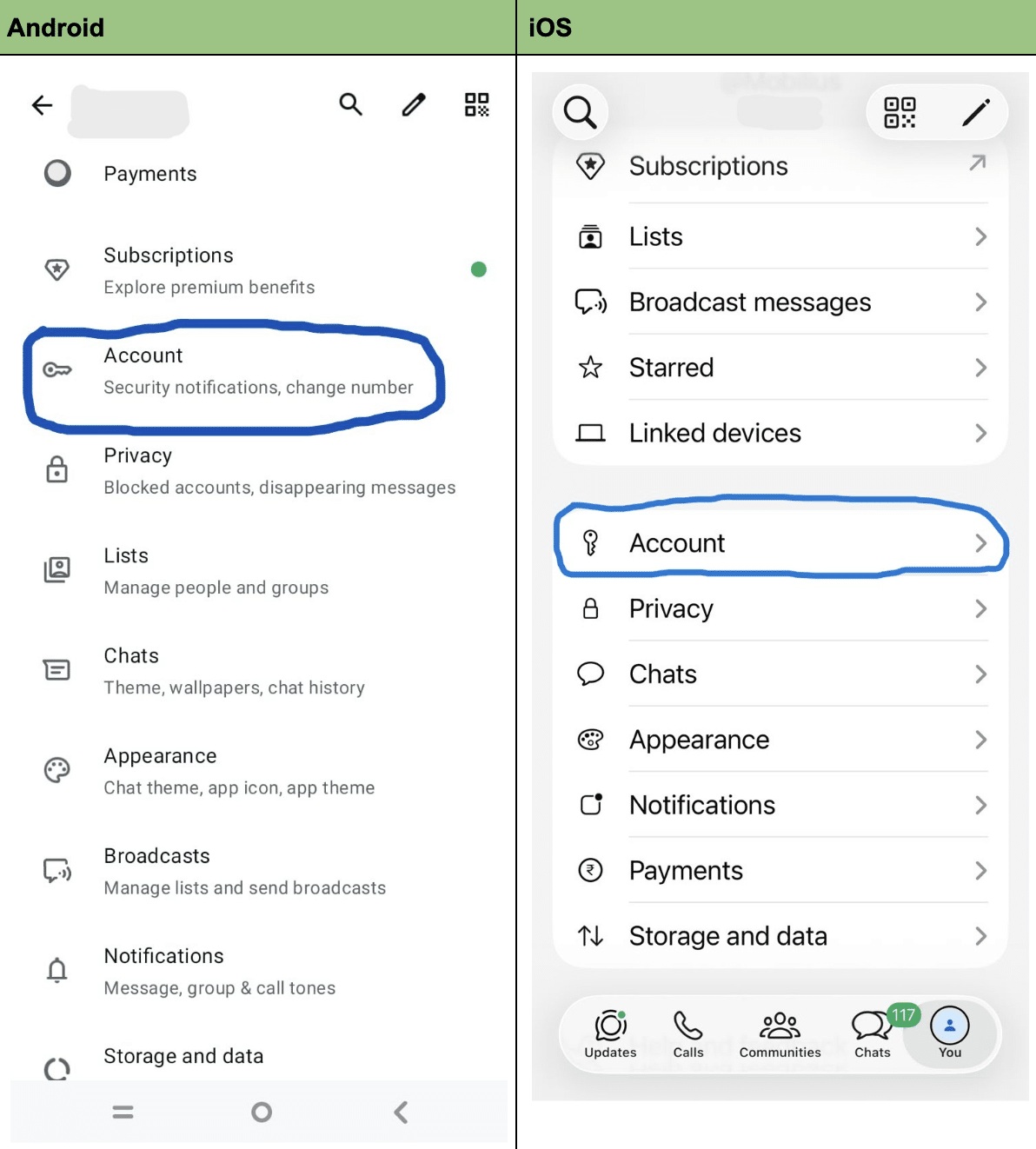
Inside Settings, tap on ‘Account’, where all your account details live.
Step 4: Look for the Username Option
If the feature has reached your phone, you will see an option called ‘Username.’ Tap on it to begin choosing your own. If it does not appear, it probably would with the next app update for WhatsApp.
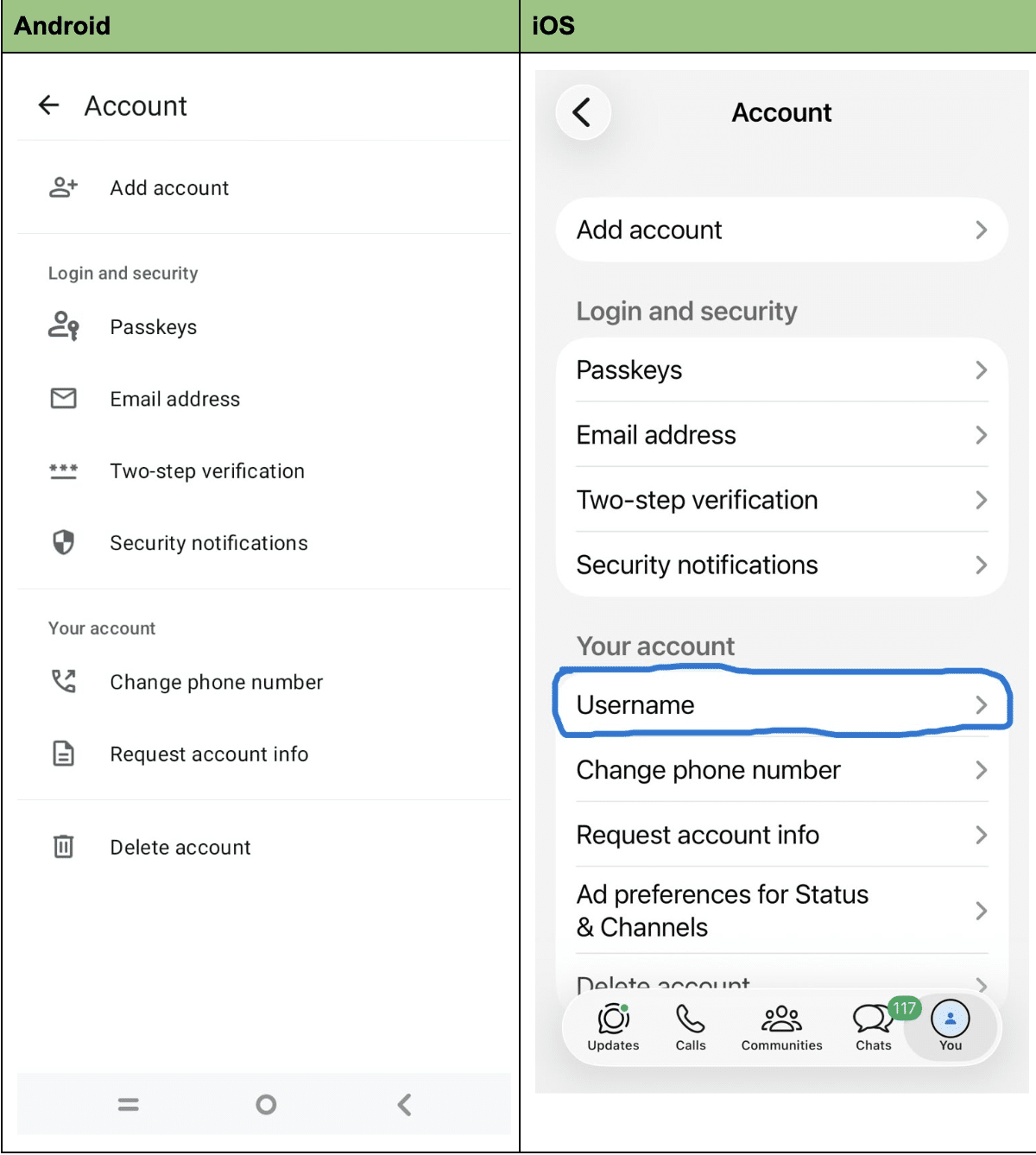
Please note that under the Android option, at the time of writing this article, the selection for Username was not available.
Step 5: Choose a Username
Your username must be between three and thirty-five characters long. Always try to think of something unique that represents you because there is a possibility that common names may already be taken by other users.
If you are stuck and are not able to choose one, WhatsApp has also built a username generator tool to suggest ideas for you.
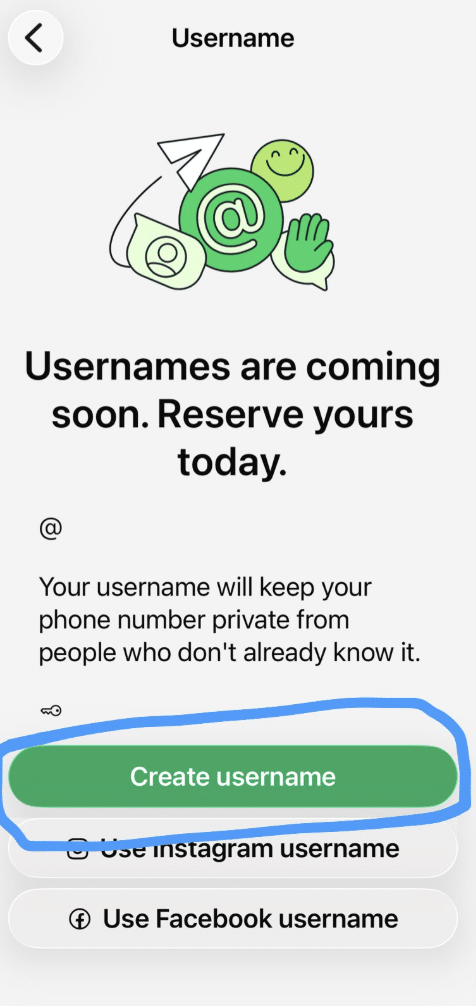
Step 6: Reserve It
Once you have typed in a username you like, confirm and reserve it. This does not mean you can start using it right away. It simply locks that name of yours so that nobody else can take it.
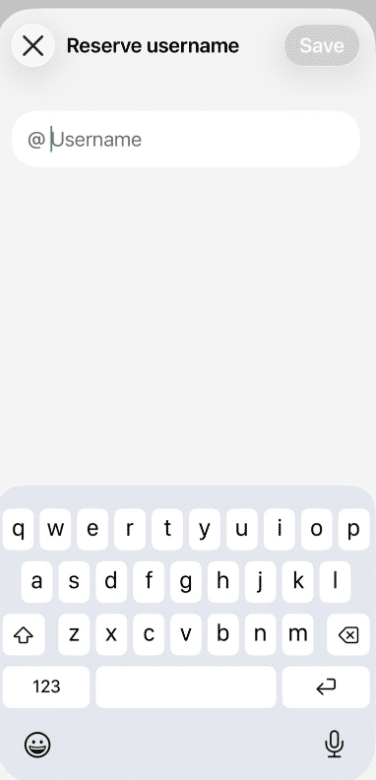
Step 7: Wait for the Notification
After reserving your username, you do not need to do anything else. WhatsApp will send you a notification inside the app once the feature is fully launched and ready to use.
What If You Don’t See the Username Option Yet?
If you open Settings and don’t see ‘Username’ anywhere, don’t panic, as WhatsApp is rolling this feature out slowly, country by country and account by account.
If it hasn’t appeared yet, just keep your app updated and check back over the next few days.
Username Feature Details
Your username is not automatically visible to everyone. There is no public list or directory where people can browse usernames. Someone must know your exact username to message you for the first time, which keeps things private.
WhatsApp is also adding something called a ‘username key.’ This is an extra, optional layer of protection. If you turn it on, people will need to know not just your username but also a secret key before they can message you for the first time, but people who already have your phone number saved, or who are already in a group with you, will not need this key.
You can also change or delete your reserved username whenever you like, but whenever you delete it, someone else can take up your username instantly.
Lastly, this whole feature is optional. If you are happy sharing your phone number the way you always have, you don’t have to use a username at all. But if you feel hesitant about giving your numbers, you can just share your username.
Also Read: How To Play Videos Directly Via Telegram’s Apple Watch App